28
Garrett Metal Detectors
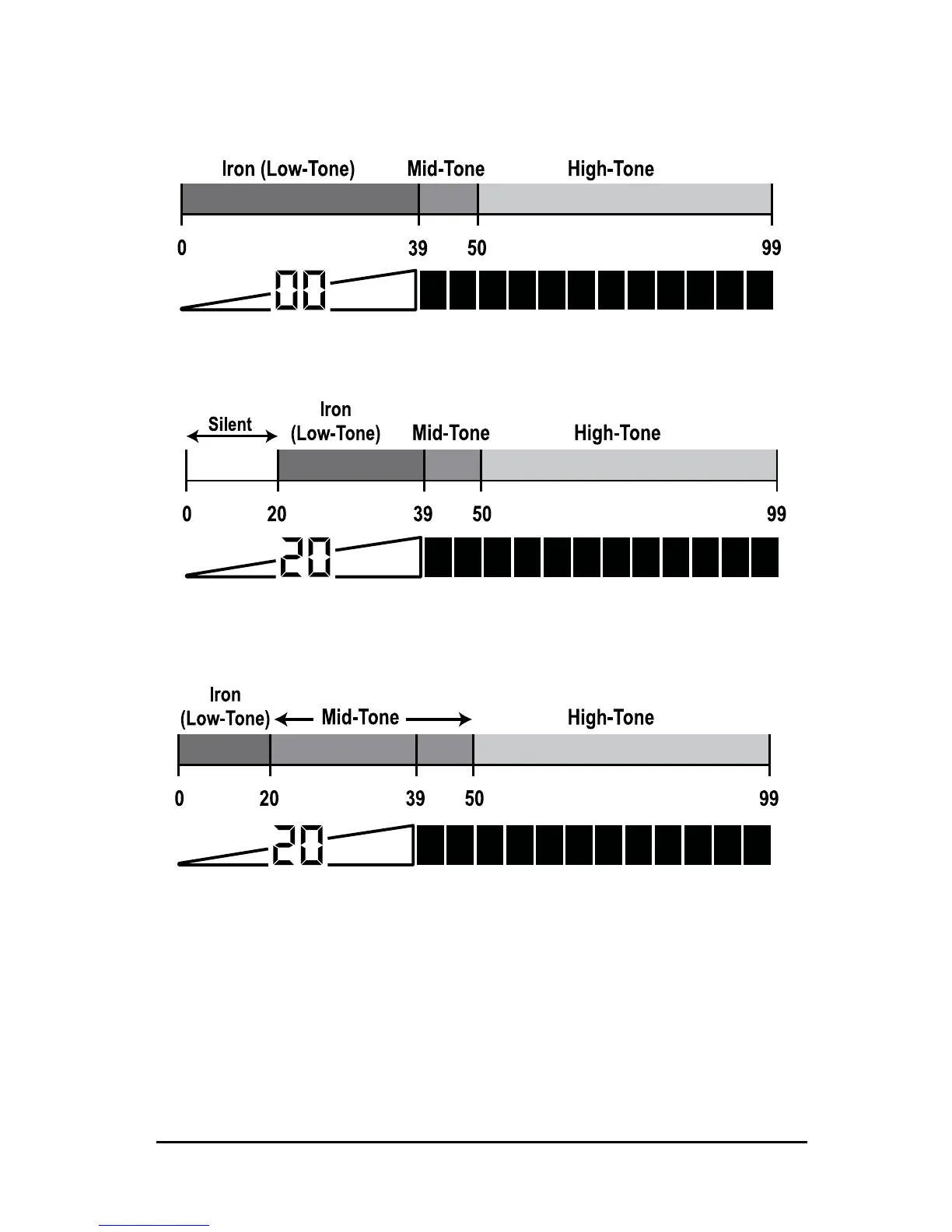
IRON AUDIO OFF: Normal division of low, mid and high tones.
IRON AUDIO OFF: With the Iron Discrimination set to 20, all targets below
20 are silent.
IRON AUDIO ON: Targets below 20 are now heard as a low tone and targets
above 20 will produce a mid or high tone.
Refer to the illustrations below regarding the use of the Iron
Audio feature:
When Iron Audio is on in the PRO Mode, iron target will not
only be heard, but they will produce an even more distinctive
response with multiple tones. For example, a nail will produce
several fast low tones as the searchcoil passes over. A flat














 To Next Page