9ENG8008 GFM436 User Manual
8 Gas Readings
8.1 Gas Display
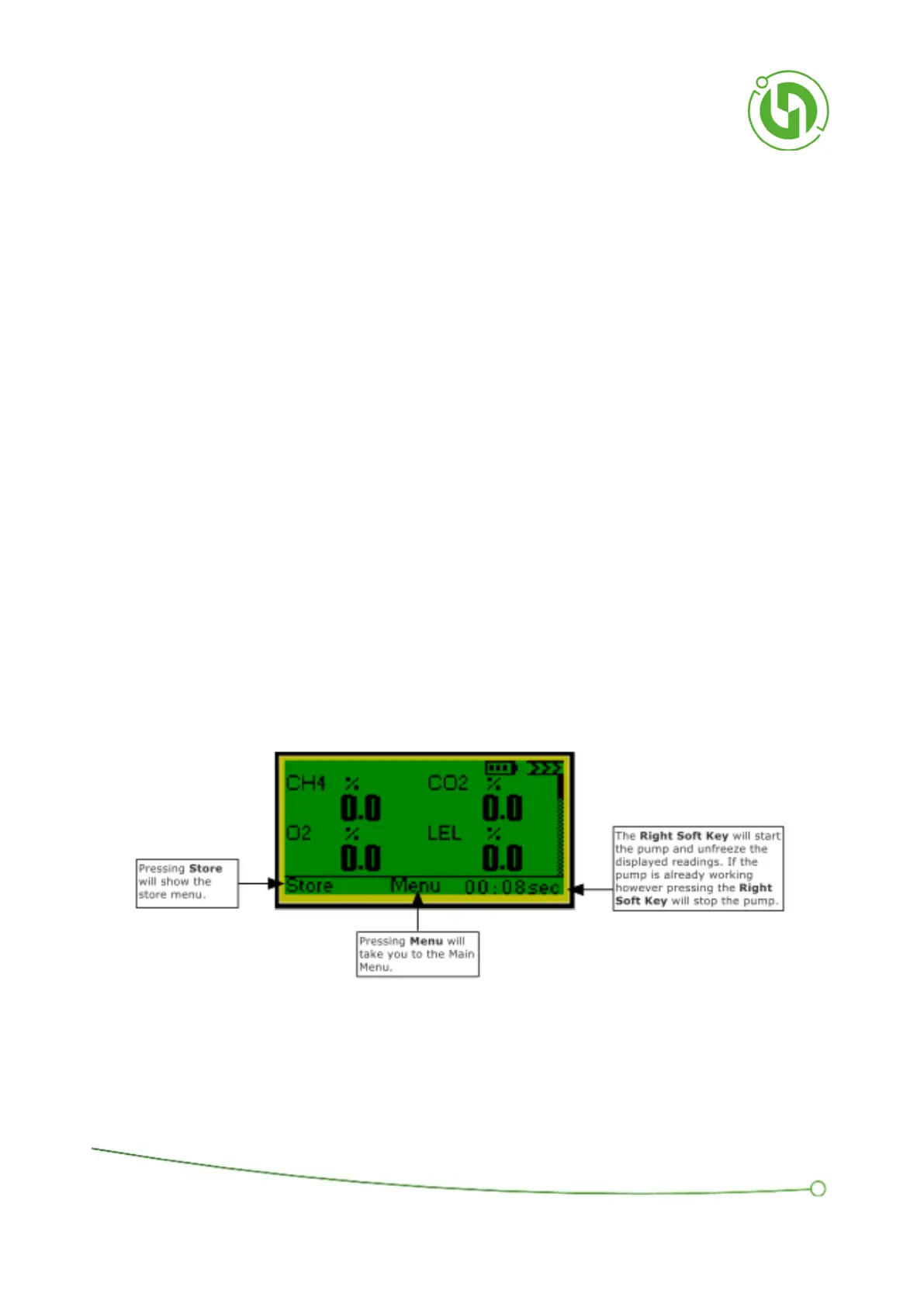
The instrument will now be displaying the readings from the gas sample that has just been taken. This screen is the
main display for viewing gas readings.
In a standard configuration instrument, it shows CH4, CO2, O2, LEL, H2S, CO, C6H14 (Hex) and PID Cf.
Four readings are shown on screen at a time and pressing the Up and Down Keys will scroll up and down to view the
other values
The right arrow key will navigate to Gas Display 2.
The Right Soft Key will toggle the pump on and off and will display “Start Pump” or the elapsed pump run time.
When the elapsed time is displayed, pressing the soft key beneath will stop the pump.
When the pump is running the screen will display live readings being taken from the gas.
When the pump is stopped the values are “frozen” at the last measured values.
Pressing the Left Soft Key, labelled “Store”, or the OK Key will bring up the Store Menu Window. For details of the
"Store" function please see page 47.
Pressing the Middle Soft Key, labelled “Menu”, will bring up the menu options used to configure the data storage
functions.



 To Next Page