9ENG8008 GFM436 User Manual
4 https://gasdataltd.atlassian.net/wiki/pages/createpage.action?
fromPageId=536805423&linkCreation=true&spaceKey=IMSM&title=GFM436+Storing+Data
5 https://gasdataltd.atlassian.net/wiki/pages/createpage.action?
fromPageId=536805423&linkCreation=true&spaceKey=IMSM&title=GFM436+Storing+Data
8.2 Gas Display Two
The second gas display show more analysis results from the gas being sampled.
It is accessed by pressing the Right Arrow key.
This display shows CH4, LEL, C6H14 (Hex) and PID Cf all on the same screen at the same time.
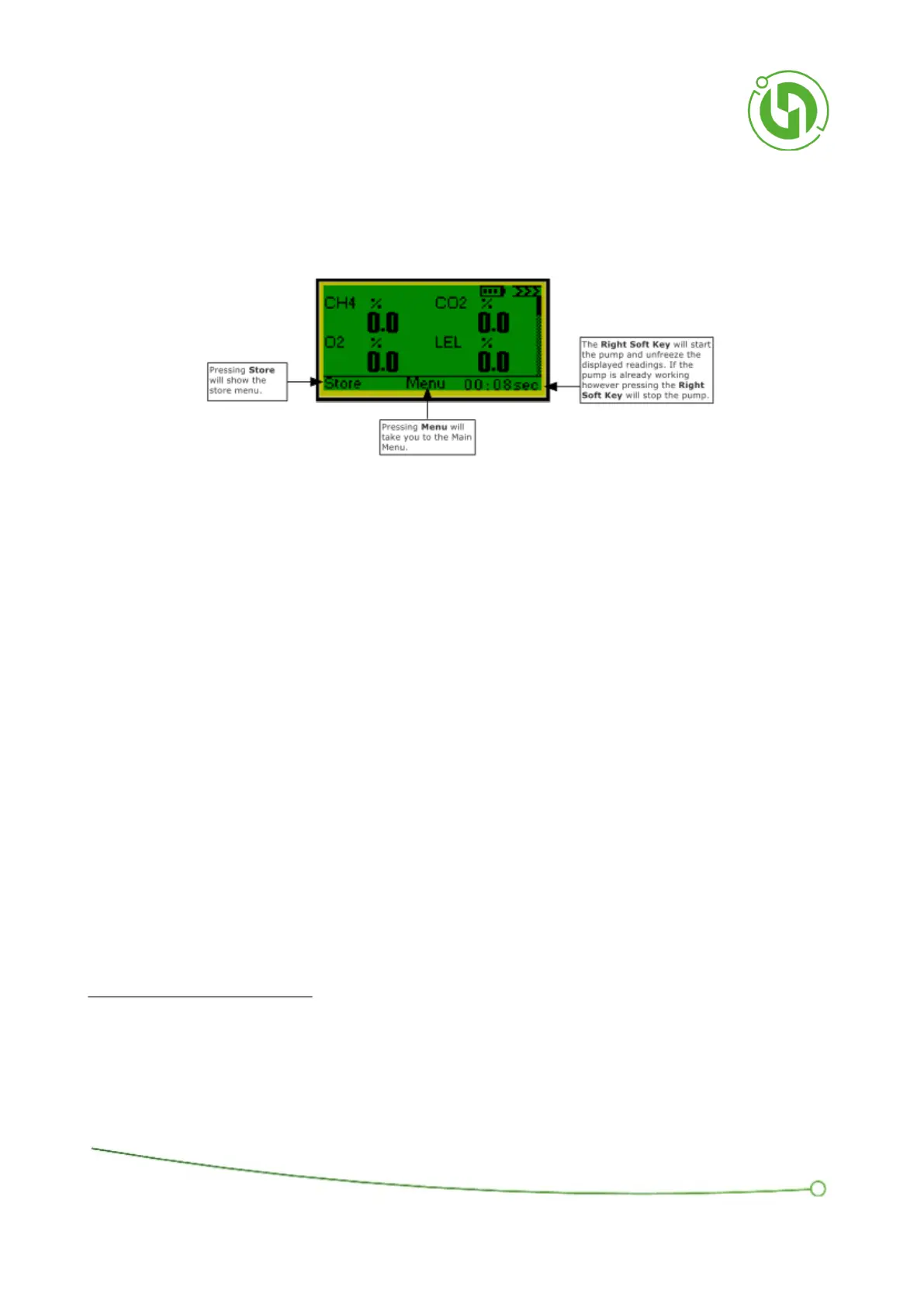
The Right Soft Key will toggle the pump on and off and will display “Start Pump” or the elapsed pump run time.
When the elapsed time is displayed, pressing the soft key beneath will stop the pump.
When the pump is running the screen will display live readings being taken from the gas.
When the pump is stopped the values are “frozen” at the last measured values.
Pressing the Left Soft Key, labelled “Store”, or the OK Key will bring up the Store Menu Window. For details of the
"Store" function please see section on Storing Data
45
.
Pressing the Middle Soft Key, labelled “Menu”, will bring up the menu options used to configure the data storage
functions.
Pressing the Left Key will navigate to the first Gas Display screen and pressing the Right Key will navigate to the
Flow and Pressure Display.



 To Next Page