GA600AC Sliding Gate Opener User Manual
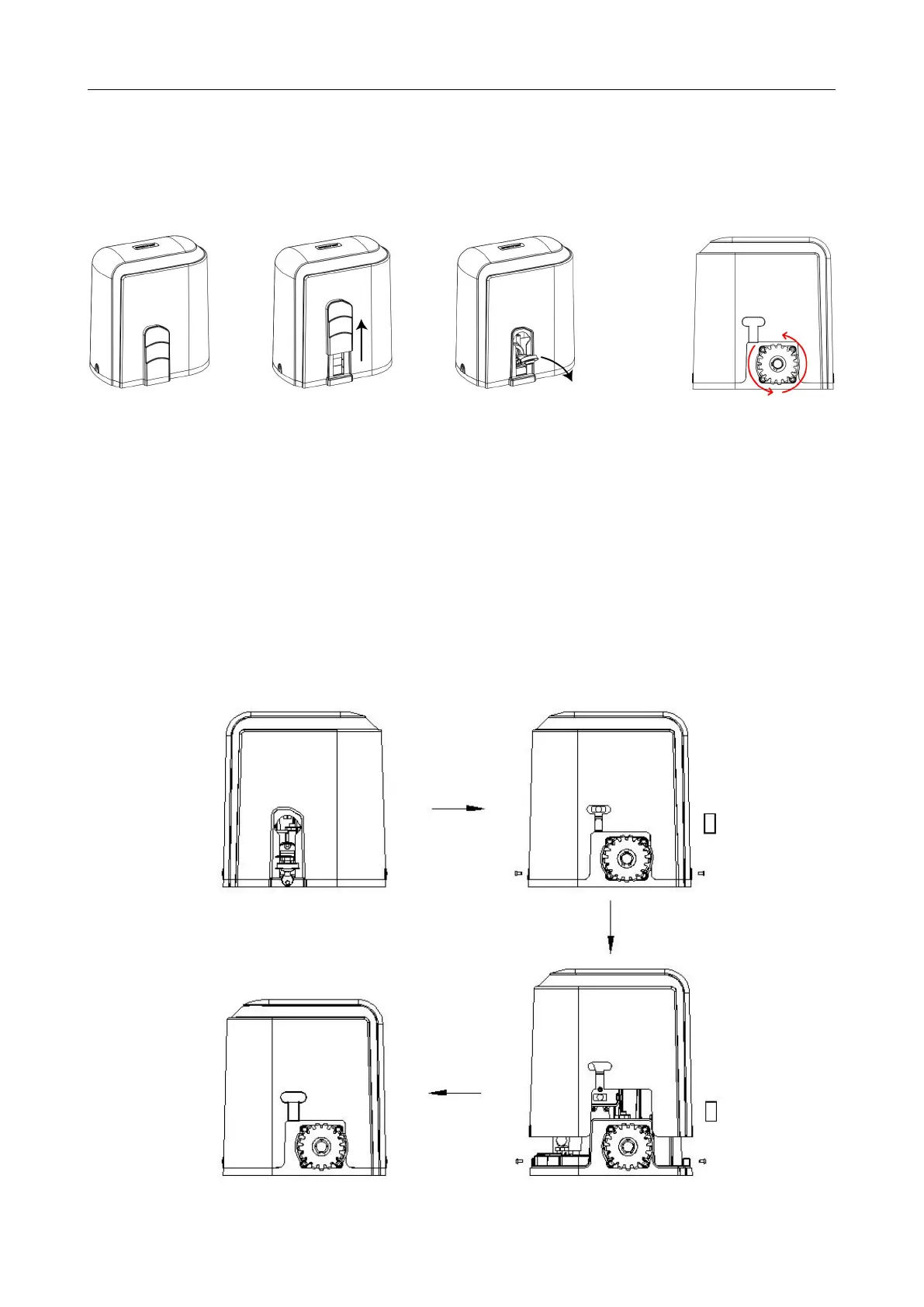
Step 2 - Checking Manual Release
· Insert the key and open the manual release bar to enable the motor get into manual mode and
check that the motor output gear rotates freely by hand (Figure 6).
Figure 6
Step 3 - Removing / Installing Motor Cover
· Draw off the sliding cover and turn on the release key;
· Unscrew the two cover screws located at each side of the motor cover.
· Remove the rubber grommet below the limit switch (Figure 7) (Removal required for spring
limit) .
To make the motor into manual mode,
remove the slide cover, insert the key and
open the manual release bar.
In manual mode, the gear can turn freely
and the gate can be operated by hand.



 To Next Page