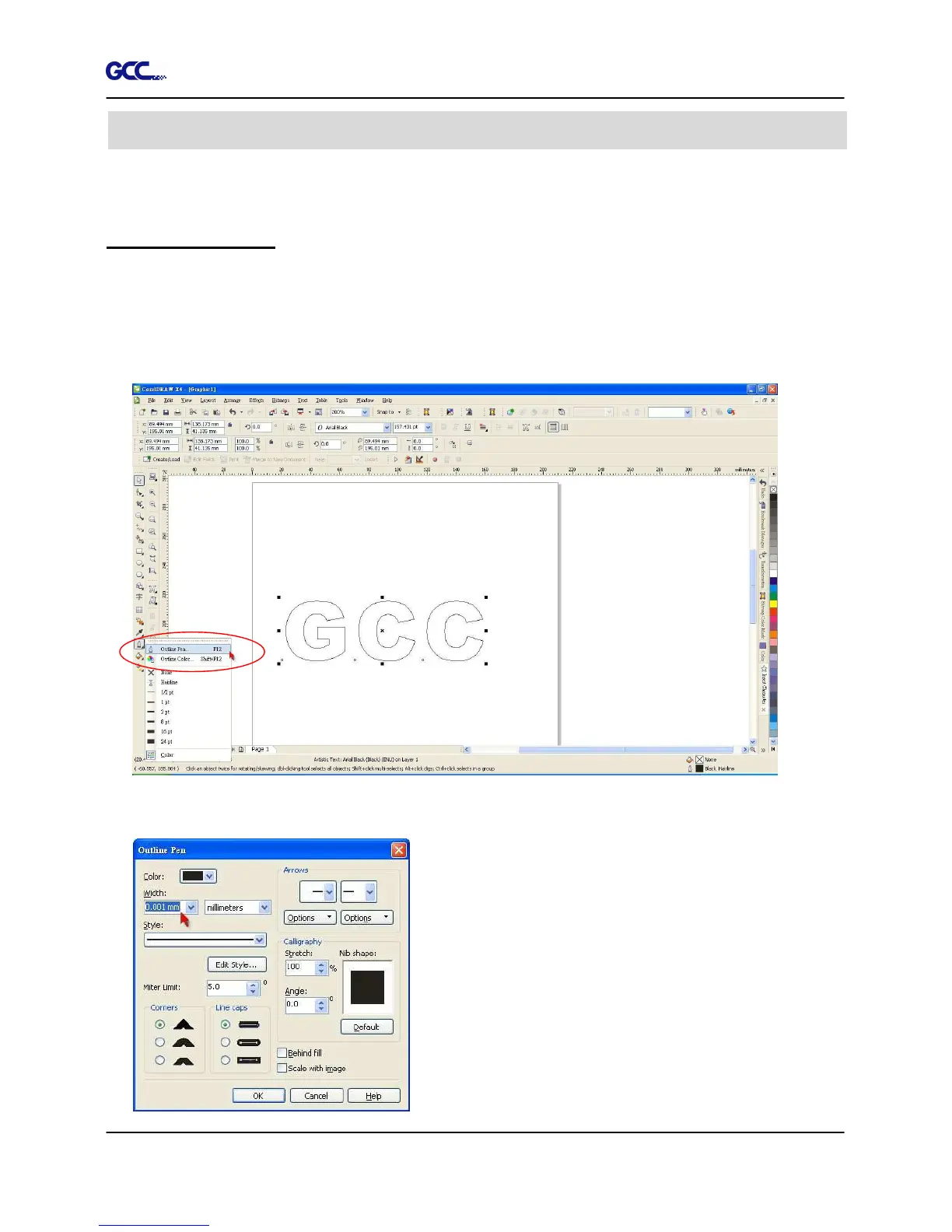
The following is an example of how to output the file with CorelDRAW.
User Instructions
1. Open CorelDRAW, finish editing all the files you wish to plot and select all the images
at once.
2. Select “Outline Pen” to adjust the outline for cutting.
3. Adjust the value of pen width to 0.001 mm and click “OK” to save your input.
CorelDRAW Output Instruction














 To Next Page