Set
DPI
125 250 300* 380 500 600* 760 1000
Actual
DPI
127 254 381 381 508 762 762 1016
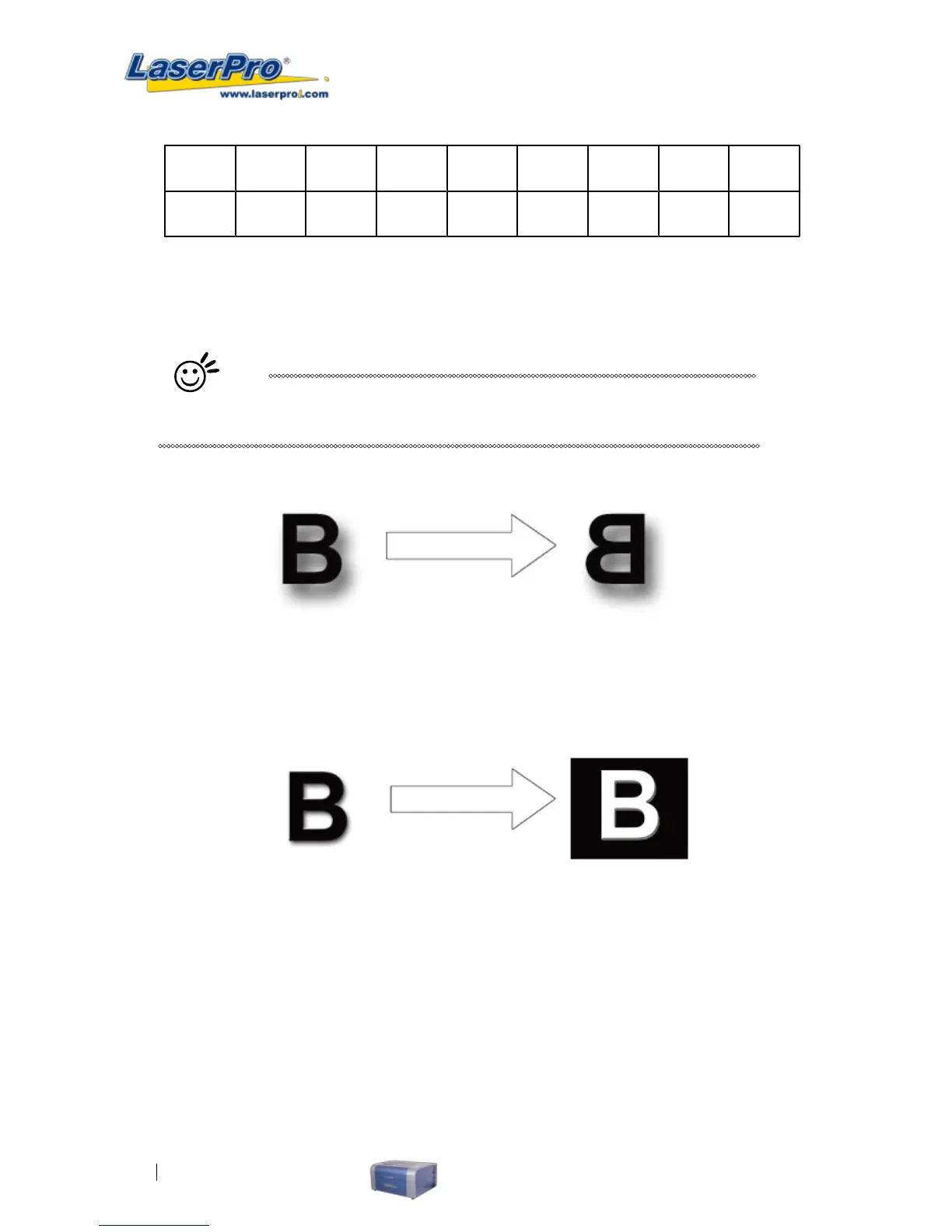
Mirror (Option Page) [DEFAULT SETTING: Unselected]
Checking this box will automatically engrave your image with a mirrored effect. This setting will ip the
image along the Y-axis from left to right and vice-versa.
Tip
When engraving a stamp, via the stamp mode, the stamp image needs to be
engraved in reverse (mirrored) for the nal stamp to be correctly laid out.
Invert (Option Page) [DEFAULT SETTING: Unselected]
Checking this box automatically inverts / reverses the color of your image (the white areas become
black and vice versa). The Invert option is not available in disabled with Manual Color File mode
selected.
Print Immediately (Option Page) [DEFAULT SETTING: Unselected]
Checking this will instruct the LaserPro C180 to immediately begin the laser engraving process, when
you select Print from your graphic software program. If Print Immediately is not checked, then selecting
Print will transfer the job le to the LaserPro C180 system and will need to be initialized from the
LaserPro C180 control panel.
File Function (Option Page):
The le function section allows you to manage various laser parameters. This section is useful when
performing repeat jobs on a variety of objects, allowing you to save your frequently used laser
parameters and load them in the future.



 To Next Page