Server eth2 can be updated to a different IP other than 192.168.3.14 for other
purposes, e.g. TMS data transfer. However, server eth2 should not be using
192.168.1.x or 192.168.2.x as these two IP ranges are reserved for IMB.
6. Server eth1 is directly connected to IMB Ethernet 2.
7. Server eth0 is connected to projector Ethernet port (either directly or via a switch).
8. Server eth2 (from the installed gigabit card) can be used for transferring content
from the TMS/LMS as in normal operation.
4.2 Install the Mounting Holder in the Server Case
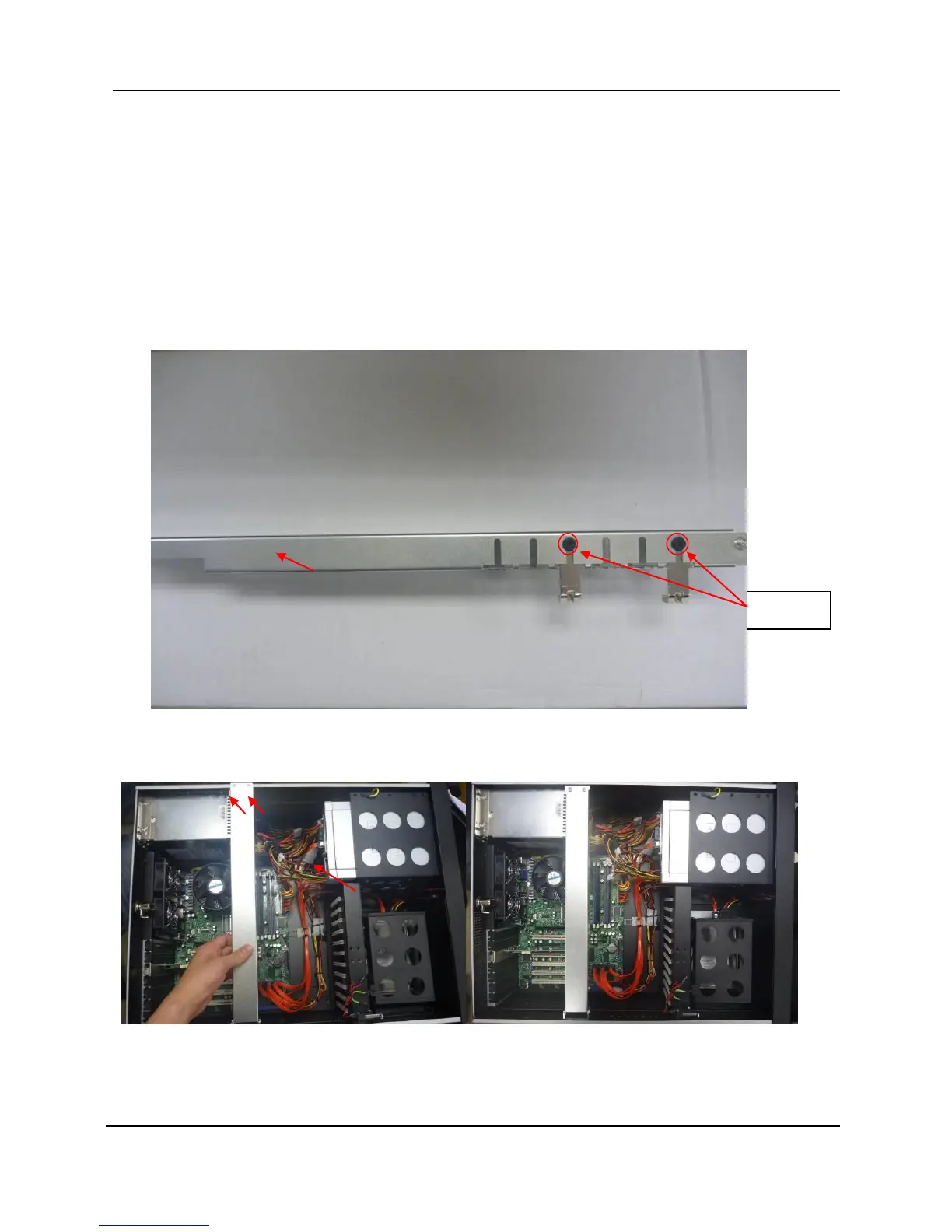
1. Un-secure the screws and take out the “L” legs from the holder.
2. Place in the mounting holder, and then secure the screws as indicated in Figure 13.



 To Next Page