6.2 Installing the IMB into the Projector
Remove existing interface board/placeholders from projector
Before installing, check the figures below to ensure proper placement of the
IMB.
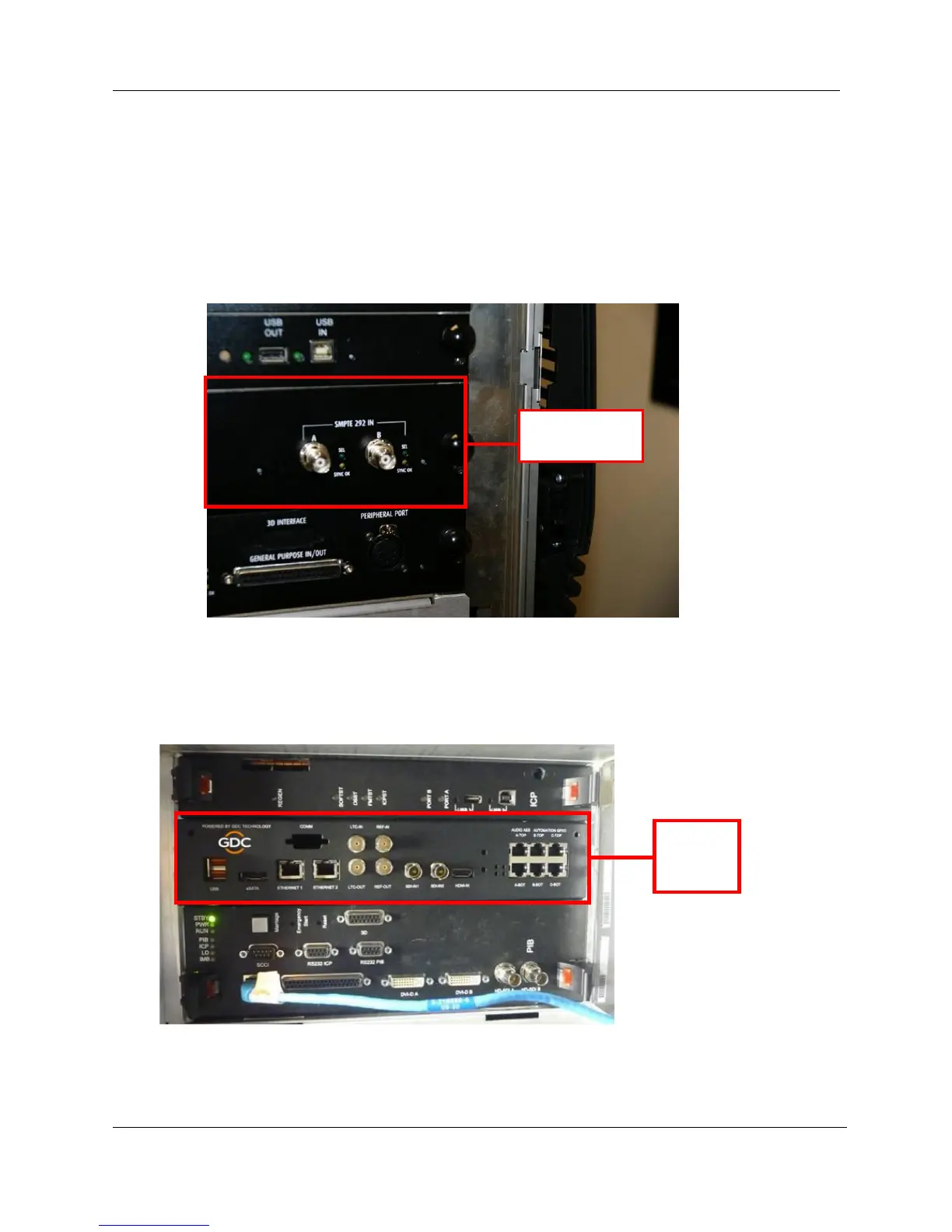
Figure 17 shows an interface board (with SMPTE 292 inputs) connected to a
Barco projector. This board must be removed in order to install the IMB.
Figure 17 IMB Placement on Barco projectors
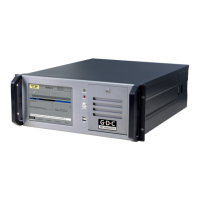
Figure 18 shows the location where the IMB should be installed on a Christie projector.
Remove any existing interface boards or placeholder faceplates from this position before
installing the IMB.
I
Figure 18 IMB placement on Christie projectors



 To Next Page