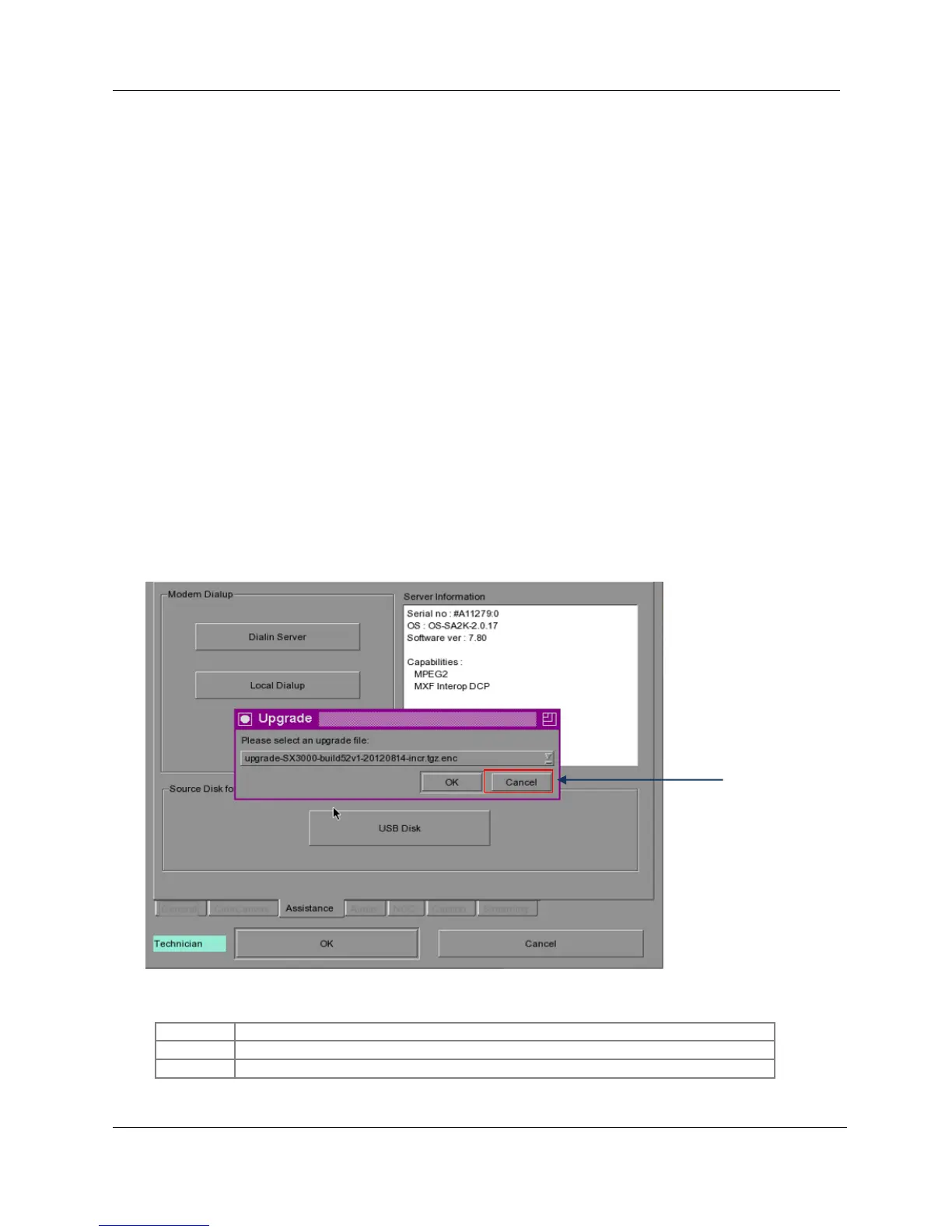
8.3 Apply Upgrade Package 2
Case 1: If the system (server/IMB/projector) is already a SX-2000(A/T)R system,
please ensure the system (server/IMB/projector) is able to playback a DCP from the
server right before applying the incremental upgrade to a newer build version.
This is to guarantee the IMB will be able to access server storage (no matter
through server eth1 or server eth2) successfully for some of the upgrade files.
Server eth2 is available when the additional gigabit network card is installed in
the server (section 4).
If the IMB is not able to access the server storage during the incremental upgrade, i.e.
without checking that the system is able to playback a DCP from the server, the upgrade
may fail and the IMB LED displays RED color after reboot. When this happens, only a
GDC authorized personnel can recover the system.
Case 2: When converting the SX-2001/SA-2100(A/T) server to work with HFR IMB,
please ensure the incremental upgrade package version is the same as the IMB build
version.
e.g. if the IMB build version is build55 and the incremental upgrade package version is given
as build56, please request build55 upgrade package when converting a SX-2001/SA-
2100(A/T) server to work with the IMB of version build55. After successfully converting the
server and IMB, then follow case 1 to update to a newer build 56.
2
Figure 26 Apply package 2



 To Next Page