EasyManua.ls Logo

GDC SA-2100A - Preparing for Playback

Default Icon
40 pages
Print Icon
To Next Page IconTo Next Page
To Previous Page IconTo Previous Page
Loading...
13. PREPARING FOR PLAYBACK
HFR UPGRADE MANUAL
FOR SX-2001/SA-2100(A/T) TO SX-000(A/T)R
DIGITAL CINEMA SERVER WITH
INTEGRATED MEDIA BLOCK
36
May 18, 2016
13. PREPARING FOR PLAYBACK
1
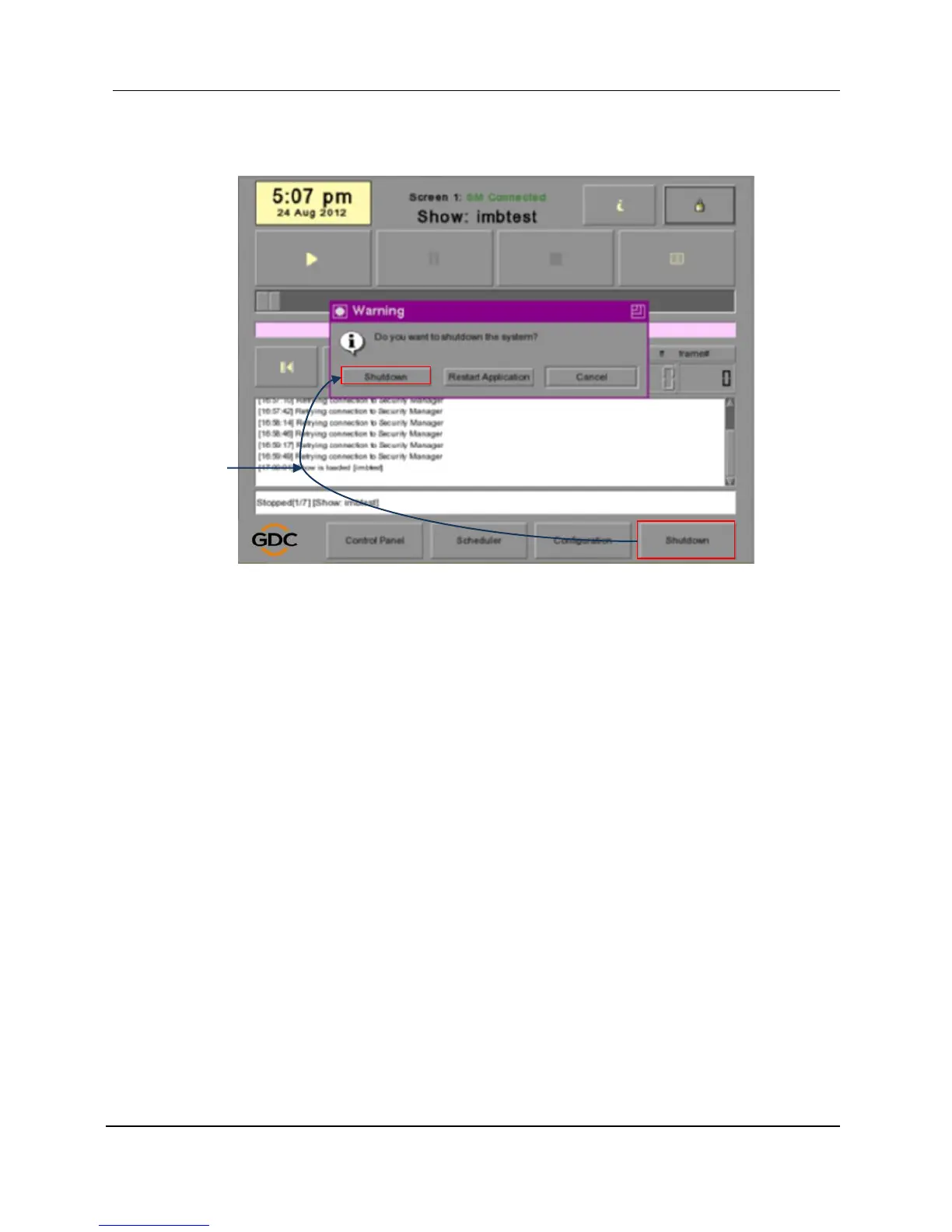
Figure 38 Turn off the server
1 Click server SMSShutdownShutdown to turn off the server. After the
server is turned off, the IMB/SOM on projector will be down as well, so the
projector must be off.
2 Power off the projector.
3 Power on the projector.
4 Power on the server.

Table of Contents

Related product manuals