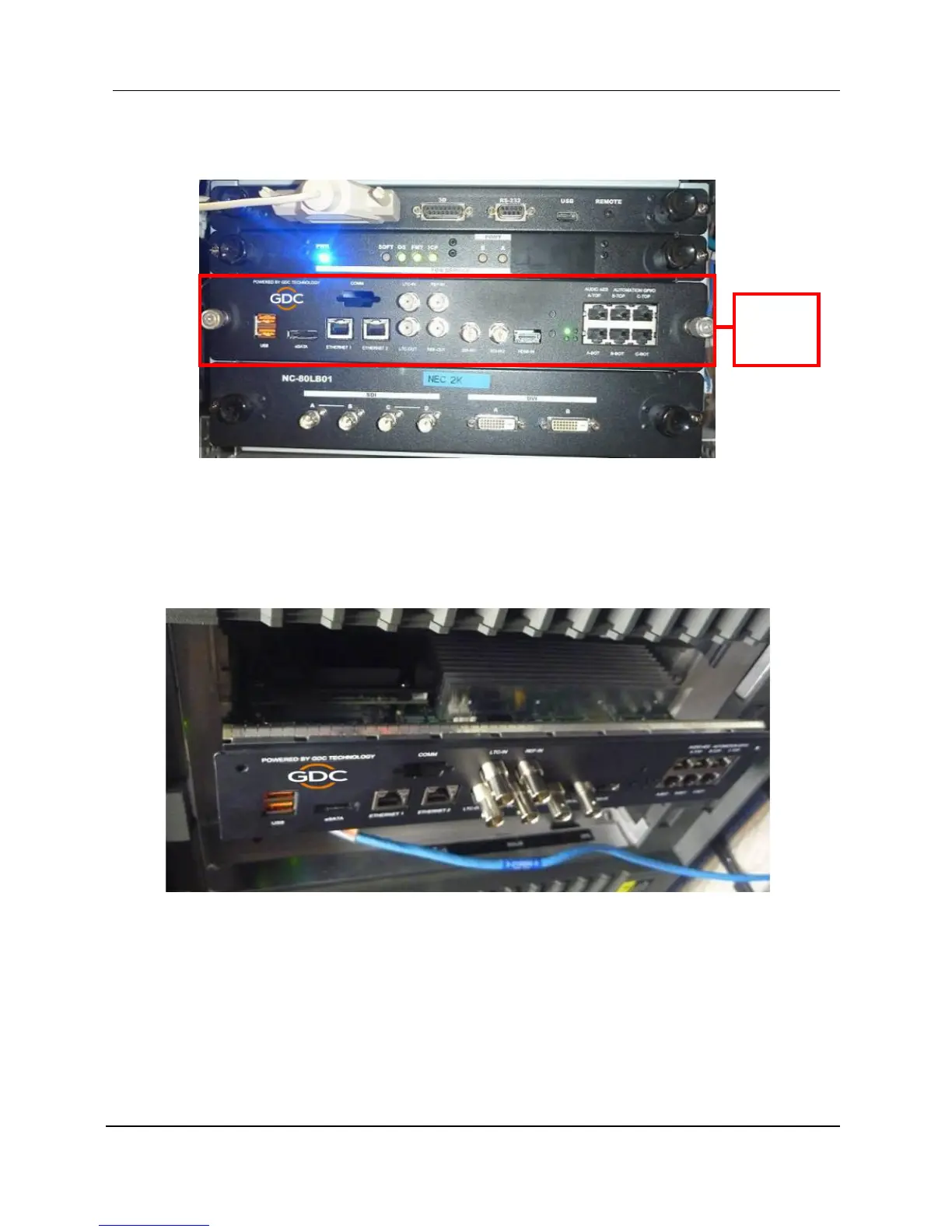
Figure 19 shows the location where the IMB should be installed on a NEC projector. Remove
any existing interface boards or placeholder faceplates from this position before installing the
IMB.
Figure 19 IMB placement on NEC projectors
Please refer to the projector manuals for more details on preparing the projector for IMB
installation.
6.3 Inserting IMB to the Projector
Make sure the projector is powered off before installing the IMB on the projector.
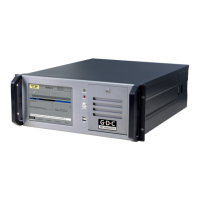
Figure 20 Inserting the IMB into the projector
Insert the IMB as shown in Figure 20.
The IMB should slide into the projector on the rails provided by the IMB slot, and the IMB
faceplate should be flush with the other existing faceplates once properly inserted.



 To Next Page