– 27 –
Door Interlock Switches
The door has 3 interlock switches: the door sensing,
primary interlock, and monitor switches. All switches
are removed in the same manner.
Door Sensing and Primary Interlock Switches
The primary interlock and door sensing switches
are activated by the latch heads on the door. When
the door is opened, the switches interrupt the
circuit to all components, except the oven lamp
and the control panel display. A cook cycle cannot
take place until the door is fi rmly closed, thereby
activating both interlock switches. The primary
interlock system consists of the door sensing switch,
the primary interlock switch, and the power relay,
which is mounted on the smart board.
Monitor Switch
The monitor switch is operated indirectly by the
bottom latch pawl. The pawl operates a cam
switch, which, in turn, activates the monitor switch.
The monitor switch is intended to render the oven
inoperative by blowing the monitor fuse when the
contacts of the primary interlock switch and power
relay fail to open when the door is opened.
Functions
When the door is opened, the monitor switch is
closed. At this time, the primary interlock switch and
the power relay are open.
As the door closes, the monitor switch opens, then
the door sensing switch and the primary interlock
switch contacts close.
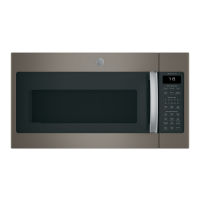
Switch Board Connector
Power Switch
Ground Screw
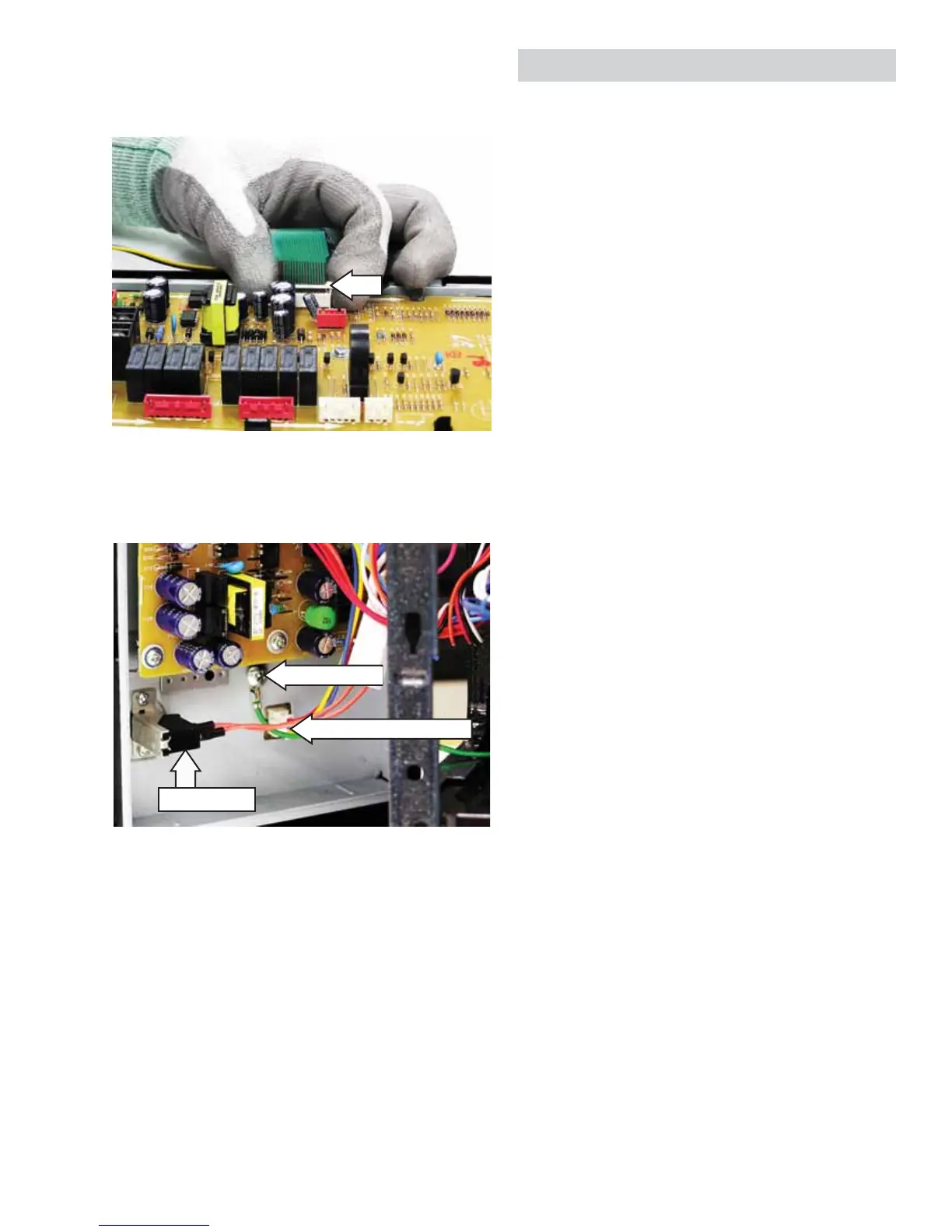
6. Remove the ribbon cable by gently raising the
connector clip that secures the ribbon cable,
then pull the ribbon cable from connector.
(Models PVM1970, PNM1971)
7. Remove the Phillips-head screw that attaches
the ground wire to the control panel assembly.
Clip


 To Next Page