– 28 –
Smart Board
To remove the smart board:
1. Remove the control panel assembly.
(See Control Panel Assembly.)
2. Remove the 7 connectors from the smart board
3. Remove the 2 relay connectors.
4. Disconnect the touch panel ribbon by pulling up
on the connector locking clip and removing the
ribbon from the connector.
5. Remove the 3 Phillips-head screws that attach
the smart board to the control board frame,
then lift the smart board off the frame.
Ribbon Connector
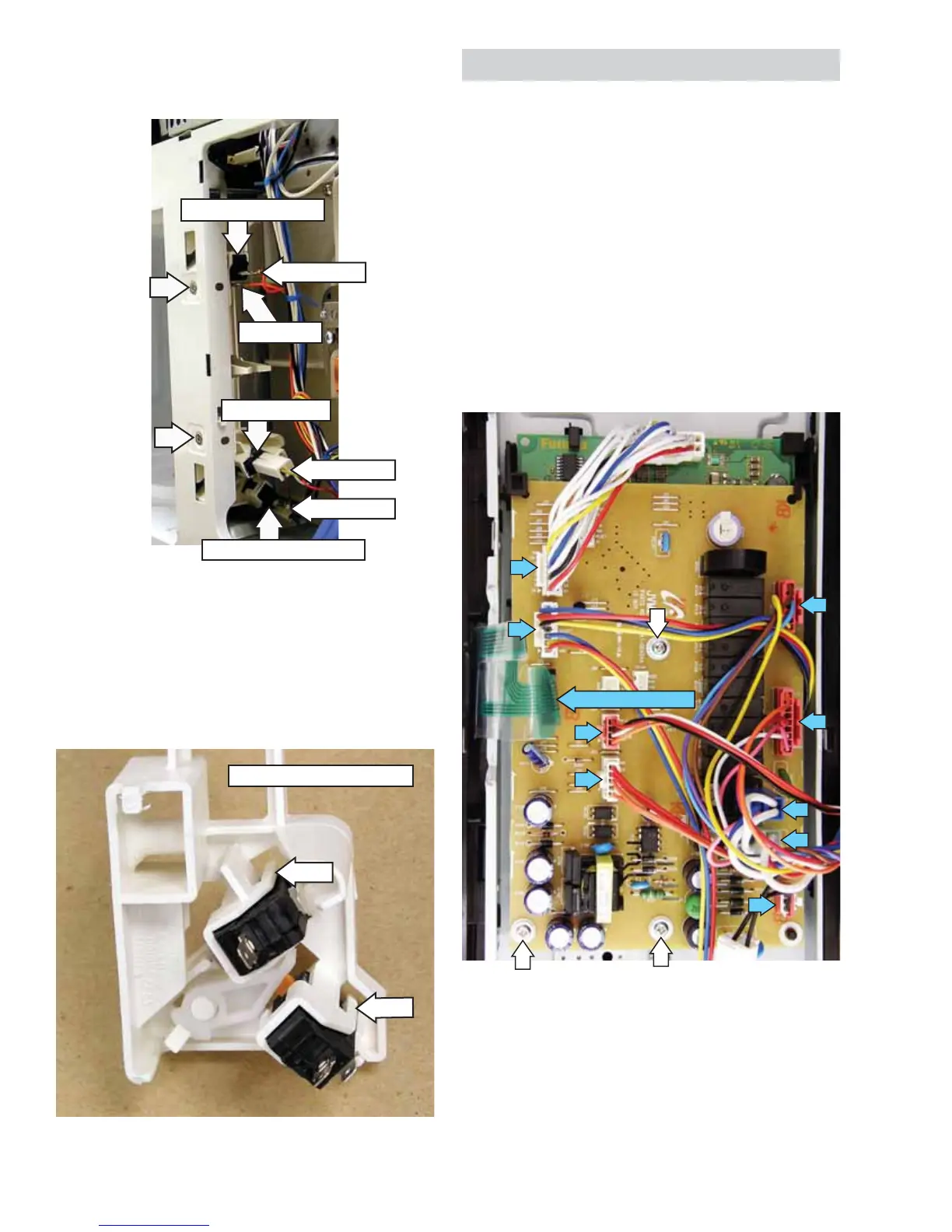
2. Remove the two T-20 Torx screws that attach
the door switch bracket to the microwave oven
frame and remove the door switch mounting
block.
3. Using a small, fl at blade screwdriver, gently lift
the tab enough to remove the door interlock
switches from the door switch mounting block.
Disconnect
Disconnect
Disconnect
Monitor Switch
Door Sensing Switch
Disconnect
Primary Interlock Switch
Tab
Tab
Door Switch Mounting Block
To remove the door interlock switches:
1. Disconnect wiring to the door switches.


 To Next Page