– 31 –
Magnetron Thermal Cut Out (TCO)
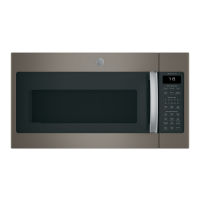
The magnetron TCO is located on the magnetron
and opens when the magnetron temperature
reaches 302°F.
The magnetron TCO is a normally closed switch. An
open magnetron TCO may indicate an overheated
magnetron.
The magnetron TCO resets at 140˚F.
To remove the magnetron TCO:
1. Remove the outer cover. (See Outer Cover.)
2. Disconnect the wiring to the magnetron.
3. Remove the 2 Phillips-head screws that attach
the magnetron to the microwave oven.
4. Disconnect wiring to the magnetron TCO.
5. Disconnect wiring to the cavity TCO. (See Cavity
Thermal Cut Out (TCO.)
6. Remove 2 Phillips-head screws that attach the
magnetron TCO to the magnetron and remove
the TCO.
Disconnect
Disconnect
Disconnect
Magnetron
WARNING: Prior to servicing the magnetron, be
certain the capacitor is discharged. Manually
discharge it by placing an insulated-handle
screwdriver between the diode connection on the
capacitor and the oven chassis ground.
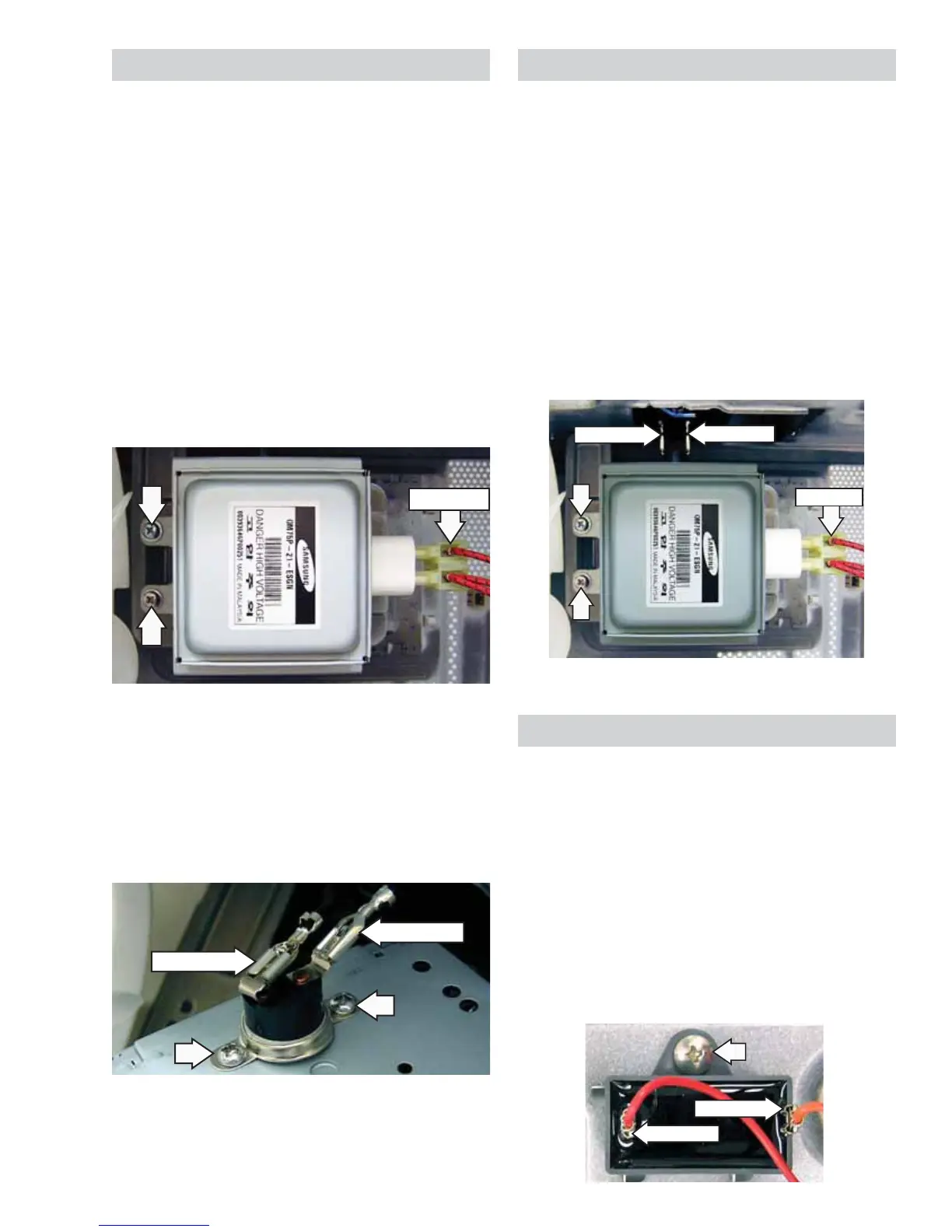
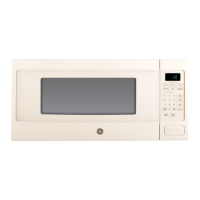
To remove the magnetron:
1. Remove the outer cover. (See Outer Cover.)
2. Disconnect wiring to the magnetron.
3. Remove the 2 Phillips-head screws that
attach the magnetron, and then remove the
magnetron.
View From Right Side
Disconnect
Disconnect
Disconnect
Vent Fan Motor Capacitor
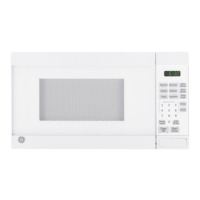
The vent fan motor capacitor is located on the top
of the microwave oven above the cooling fan.
To remove the vent fan motor capacitor:
1. Remove the outer cover. (See Outer Cover.)
2. Disconnect wiring to the vent fan motor
capacitor.
3. Remove the Phillips-head screw that attaches
the motor capacitor to the oven, then remove
the capacitor.
Disconnect
Disconnect


 To Next Page