– 36 –
Demo Mode
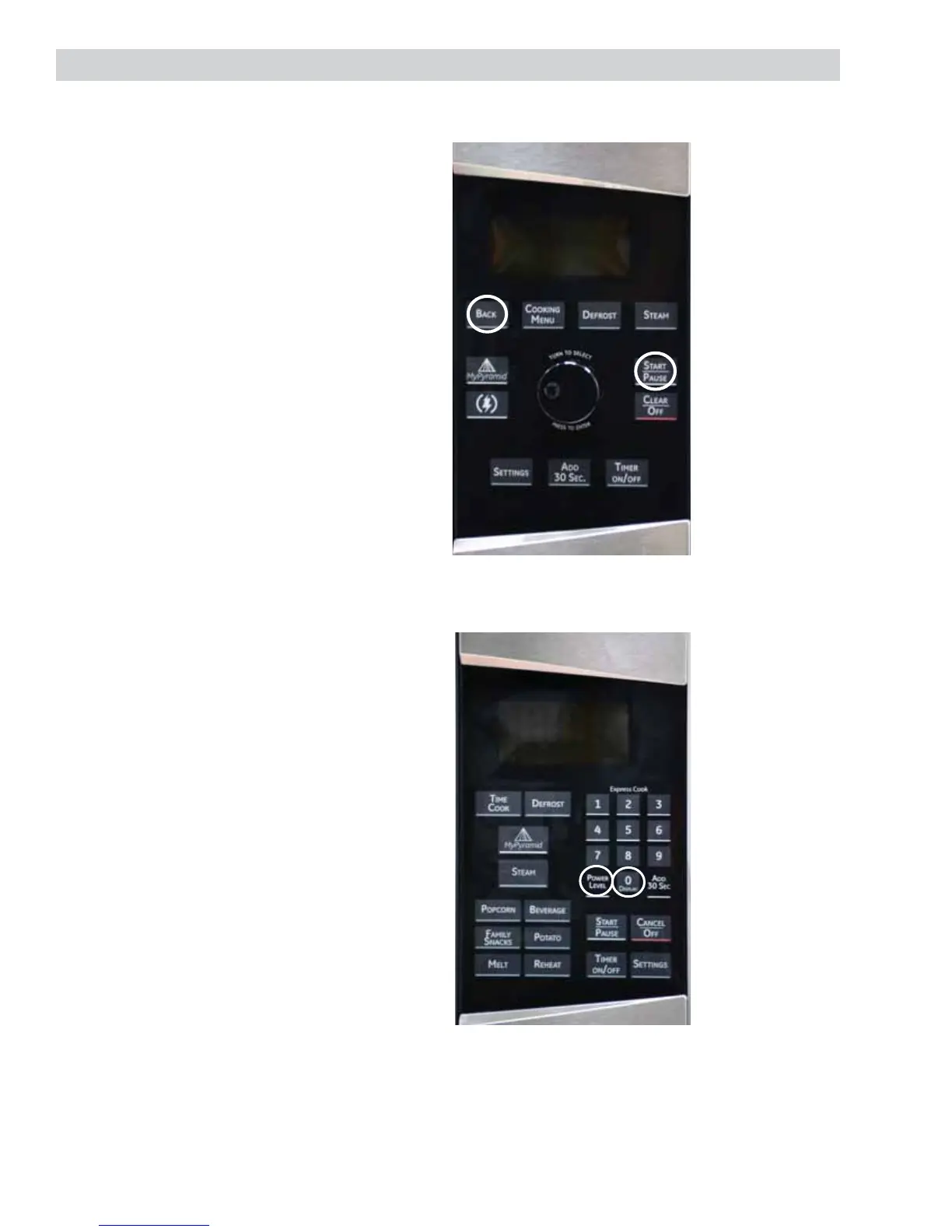
To enter Demo Mode for the 2.1 Series
microwave models:
1. Unplug unit or turn off power for at least
3 minutes.
2. Restore power.
3. Within 30 seconds, press and hold the
Start/Pause and Back pads at the same
time for at least 3 seconds.
To Exit Demo Mode, follow the same
steps as above.
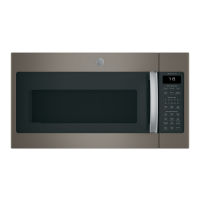
To enter Demo Mode for the 1.9 Series
microwave models:
1. Unplug unit or turn off power for at least
3 minutes.
2. Restore Power.
3. Within 30 seconds, press and hold the
Power Level and 0 pads at the same time
for at least 3 seconds.
To Exit Demo Mode, follow the same
steps as above.


 To Next Page