GEK-106310AB F650 Digital Bay Controller 9-17
9 BOOTCODE AND FIRMWARE UPGRADE 9.3 FIRMWARE VERSION UPGRADE
9
3. If when click on Upgrade Firmware button (Figure 9–24:) an advise message is given (Figure 9–25:), local network
reboot is necessary. Then please proceed as follows:
-Go to STARTUP>CONTROL PANEL>NETWORK CONNECTION>LOCAL NETWORK> Right mouse
key>Disable. Now the Local Network status will be shown as Disabled.In the same screen with Right mouse key
over LOCAL NETWORK click Enable and wait until Enabled status is shown. Then press Upgrade Firmware button
to continue the process (Figure 9–24:).
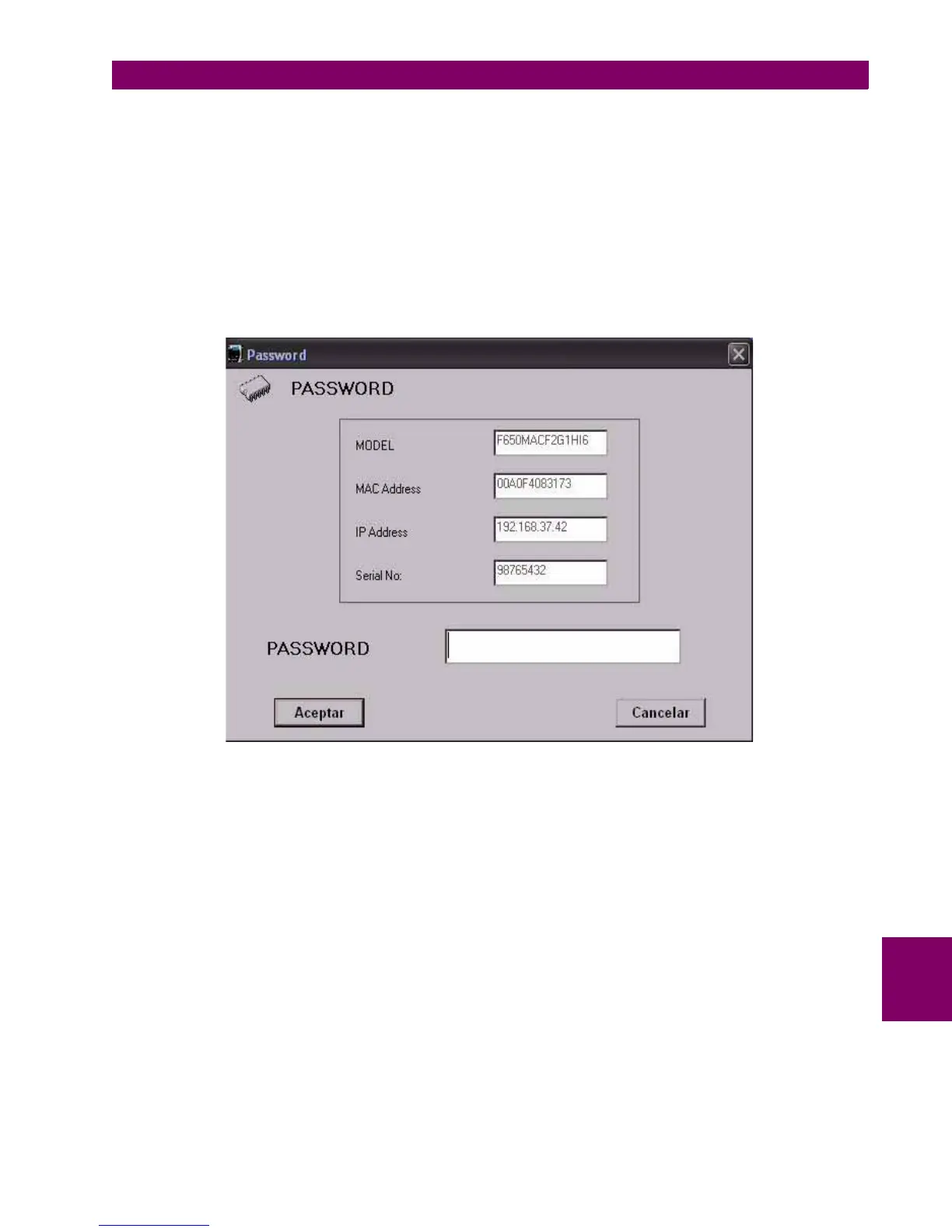
4. When upgrading models with Enhanced protection or control functionality (see model selection), the program will
request a password to continue (Figure 9–26:)
Figure 9–26: PASSWORD REQUIREMENT (SPECIAL MODELS)
In case special functionality model with password requirement please contact GE Multilin.
The following parameters must be clearly indicated in the order:
• Unit serial number
• Current model option (before memory upgrade)
• Desired model option (after memory upgrade)
• Unit MAC address (available in the identification label)
5. Once the upgrade parameters have been entered, press the “Upgrade Firmware” button. When communication has
been established, the program will show a message requesting to turn OFF and back ON the relay to continue with the
upgrade process.(Figure 9–30:)


 To Next Page