EasyManua.ls Logo

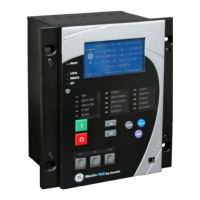
GE F650 - User Manual

GE F650
801 pages
Print Icon
To Next Page IconTo Next Page
Loading...
GE Digital Energy
650 Markland Street, Markham, Ontario
Canada L6C 0M1
Tel: +1 905 927 7070 Fax: +1 905 927 5098
E gemultilin@ge.com
www.GEDigitalEnergy.com
Firmware version: 5.6x
EnerVista F650 Setup version: 6.2x
Copyright © 2014 GE Digital Energy
F650
Digital Bay Controller
Instructions Manual
GEK-106310AB
GE Digital Energy
Avda. Pinoa, 10
48170 Zamudio ESPAÑA
T +34 94 485 88 00 F +34 94 485 88 45
E gemultilin.euro@ge.com
GE
Digital Energy

Table of Contents

Other manuals for GE F650

Questions and Answers

  • T
    Tammy GoodwinAug 2, 2025
    What to do if no indicator lights up when feeding the GE F650 Controller unit?
    • B
      Brandy HuangAug 2, 2025
      If no indicator lights up when feeding power to the GE Controller unit, there might be several reasons: * **Insufficient power supply:** Verify the voltage level at the power supply terminals with a multimeter to ensure it's within the model's specified range. * **Wrong versions:** Ensure that the relay and ENERVISTA 650 Setup versions are the same. * **Fuse failure:** Remove the power supply, dismount the power supply module, and replace the fuse. * **Loose fuse:** Perform the same steps as for a fuse failure, ensuring the fuse is correctly seated. * **Incorrect wiring:** Double-check that the terminals labeled + and – are correctly connected to the corresponding power source on the 9-pin connector.
  • R
    rebeccaandersonAug 13, 2025
    What to do if the GE F650 Controller relay does not trip?
    • J
      Jessica RodgersAug 13, 2025
      If the GE Controller relay doesn't trip, it could be due to several reasons: * **Function not permitted:** Set the function permission to ENABLED. * **Function blocked:** Check the Protection units block screen. * **Output not assigned:** Program the output to the desired function using ENERVISTA 650 Setup logic configuration. * **Unit not ready:** Verify that the general setting is set to disable and the out of service state is not active.
  • D
    David WilliamsAug 22, 2025
    How to troubleshoot RS232 port communication issues on a GE F650?
    • C
      Christine SmithAug 22, 2025
      If the GE Controller relay is not communicating via the front RS232 port, consider the following: * **Incorrect cable:** Ensure you are using a straight cable. * **Damaged cable:** Replace the cable. * **Relay or PC not grounded:** Ensure a ground connection is present. * **Incorrect baudrate, port, address, etc.:** Test other ports and baudrates. Verify that the communication parameters on the computer match those of the relay.

Summary

1 GETTING STARTED

1.1 IMPORTANT PROCEDURES

Covers essential procedures for safe and proper operation, including cautions, warnings, and safety instructions.

1.3 ENERVISTA 650 SETUP SOFTWARE

Details system requirements and installation procedures for the EnerVista 650 Setup software.

2 PRODUCT DESCRIPTION

2.3 ORDERING CODE

Details the structure of the ordering code for F650 units, specifying modules and options.

2.4 TECHNICAL SPECIFICATIONS

Outlines detailed technical specifications for protection elements, control, monitoring, and communications.

3 HARDWARE

3.2 POWER SUPPLY

Describes the power supply options (simple or redundant) and their characteristics.

3.4 WIRING

Provides details on external connections, digital inputs with trip circuit supervision, and cable/fiber Ethernet.

4 HUMAN INTERFACES. SETTINGS & ACTUAL VALUES

4.1 ENERVISTA 650 SETUP SOFTWARE INTERFACE

Describes the graphical user interface for configuring, monitoring, and troubleshooting the F650 relay.

4.2 HUMAN MACHINE INTERFACE (HMI)

Explains the HMI interface, including display options, keypad, front port, and communication.

5 SETTINGS

5.2 PRODUCT SETUP

Covers settings for serial ports, Ethernet, Modbus, DNP3, IEC protocols, and SNTP.

5.3 SYSTEM SETUP

Details system setup definitions including general settings, flex curves, breaker, switchgear, and time settings.

5.4 PROTECTION ELEMENTS

Lists and describes all protection elements, including current, voltage, power, and directional elements.

5.5 CONTROL ELEMENTS

Details control elements such as setting groups, frequency, synchrocheck, autoreclose, breaker failure, and load encroachment.

5.6 INPUTS;OUTPUTS

Covers input/output placement, contact I/O, virtual inputs, virtual outputs, remote comms, and analog inputs.

5.8 TESTING

Describes procedures for force IO-input and force IO-output testing.

5.9 RELAY CONFIGURATION

Explains how to configure outputs, LEDs, operations, protection elements, and oscillography.

5.10 LOGIC CONFIGURATION (PLC EDITOR)

Details logic configuration using graphical functions based on IEC 61131-3 standard.

5.11 IEC 61850 CONFIGURATION

Covers IEC 61850 configuration, including IED name, Ethernet parameters, and MMXU parameters.

5.12 PROCOME CONFIGURATION

Explains the configuration of PROCOME protocol for digital signals, measurements, and operations.

5.13 IEC 60870-5-103 PROTOCOL CONFIGURATION

Covers IEC 60870-5-103 protocol configuration for digital states, measurands, and commands.

6 ACTUAL VALUES

6.2 STATUS

Displays status signals for protection, control elements, breaker, protection summary, and system information.

7 IEC 61850 PROTOCOL

7.3 IEC 61850 CONFIGURATOR

Covers the IEC 61850 configuration tool for domain name, Ethernet parameters, and MMXU parameters.

8 SECURITY

8.1 ADDING USERS

Explains how to add new users and assign user rights through Administrator Access.

8.3 ENABLING SECURITY

Details how to enable security control in EnerVista 650 Setup by checking the 'ENABLE SECURITY' box.

9 BOOTCODE AND FIRMWARE UPGRADE

9.3 FIRMWARE VERSION UPGRADE

Provides step-by-step instructions for upgrading the F650 firmware version using EnerVista 650 Setup.

13 F650 TROUBLESHOOTING GUIDE

13.1 SYMPTOMS AND RECOMMENDED ACTIONS

Provides a troubleshooting guide listing common symptoms, possible causes, and recommended actions.

GE F650 Specifications

General IconGeneral
ModelF650
CategoryController
Frequency50/60 Hz
DisplayLCD
TypeFeeder Protection Relay
ApplicationFeeder Protection and Control
Communication ProtocolsDNP3, Modbus, IEC 61850
Protection FunctionsOvercurrent, Earth Fault
ManufacturerGeneral Electric
Input Voltage24-250 VDC/VAC

Related product manuals