34 iNET Series Reference Manual 05-2806A01, Rev. J
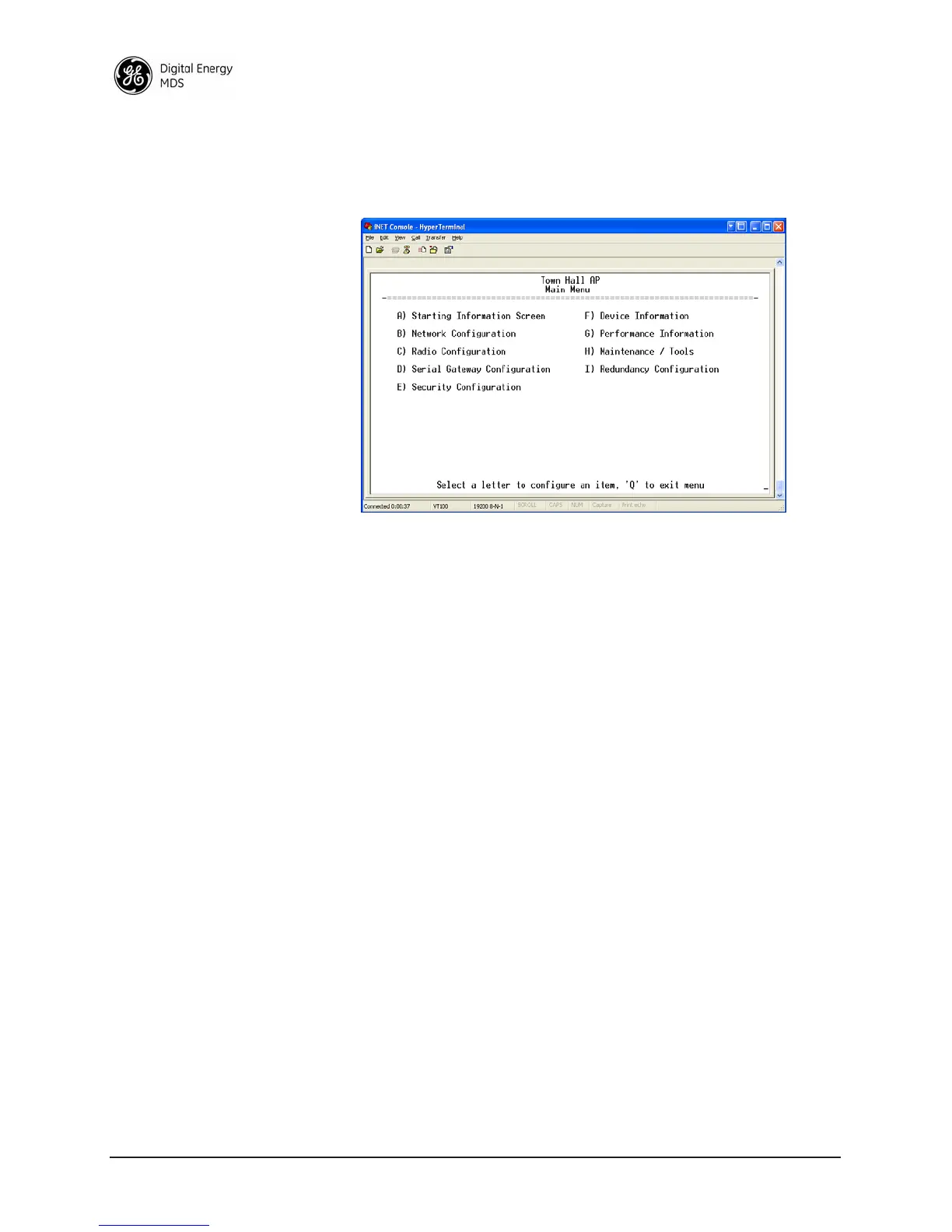
2.3.2 Main Menu
The next screen, the Main Menu, is the entryway to all user-controllable
features. The transceiver’s
Device Name appears at the top of this and all
other screens as a reminder of the unit that is currently being controlled
Figure 2-10. Main Menu
• Starting Information Screen—Select this item to return to the
start-up screen. (See “Starting Information Screen” on Page 32)
•
Network Configuration—Tools to configure the data network layer
of the transceiver. (See “Network Configuration Menu” on
Page 37)
•
Radio Configuration—Tools to configure the wireless (radio)
layer of the transceiver. (See “Radio Configuration Menu” on
Page 52)
•
Serial Gateway Configuration—Tools to configure the two serial
ports. (See “Serial Data Port Configuration Menu” on Page 64)
•
Security Configuration—Tools to configure the security services
available with the transceiver’s environment. (See “CYBER
SECURITY” on Page 15)
•
Device Information—Top level user-specific and definable param-
eters, such as unit password. (See “Device Information” on
Page 35)
•
Performance Information—Tools to measure the radio and data
layer’s performance of the radio network.
(See “PERFORMANCE VERIFICATION” on Page 84)
•
Maintenance/Tools—Tools to use configuration files, change
firmware and use Authorization Keys to change major unit
capabilities. (See “Authorization Keys Menu” on Page 107)
•
Redundancy Configuration—For operation in protected (redun-
dant) mode. The radio must be in a P21 enclosure for this oper-
ation. See publication 05-4161A01 for details, available under
the Downloads tab at www.gemds.com.



 To Next Page