05-2806A01, Rev. J iNET Series Reference Manual 75
UDP to the Remote. Upon receiving the packet, the Remote strips the
data out of the UDP packet and sends it out its
COM port. Likewise, data
presented at the Remote’s
COM port is packetized, sent to the Access
Point, stripped, and sent out the Access Point’s
COM port. Note, this
configuration does not use multicast addressing.
Invisible place holder
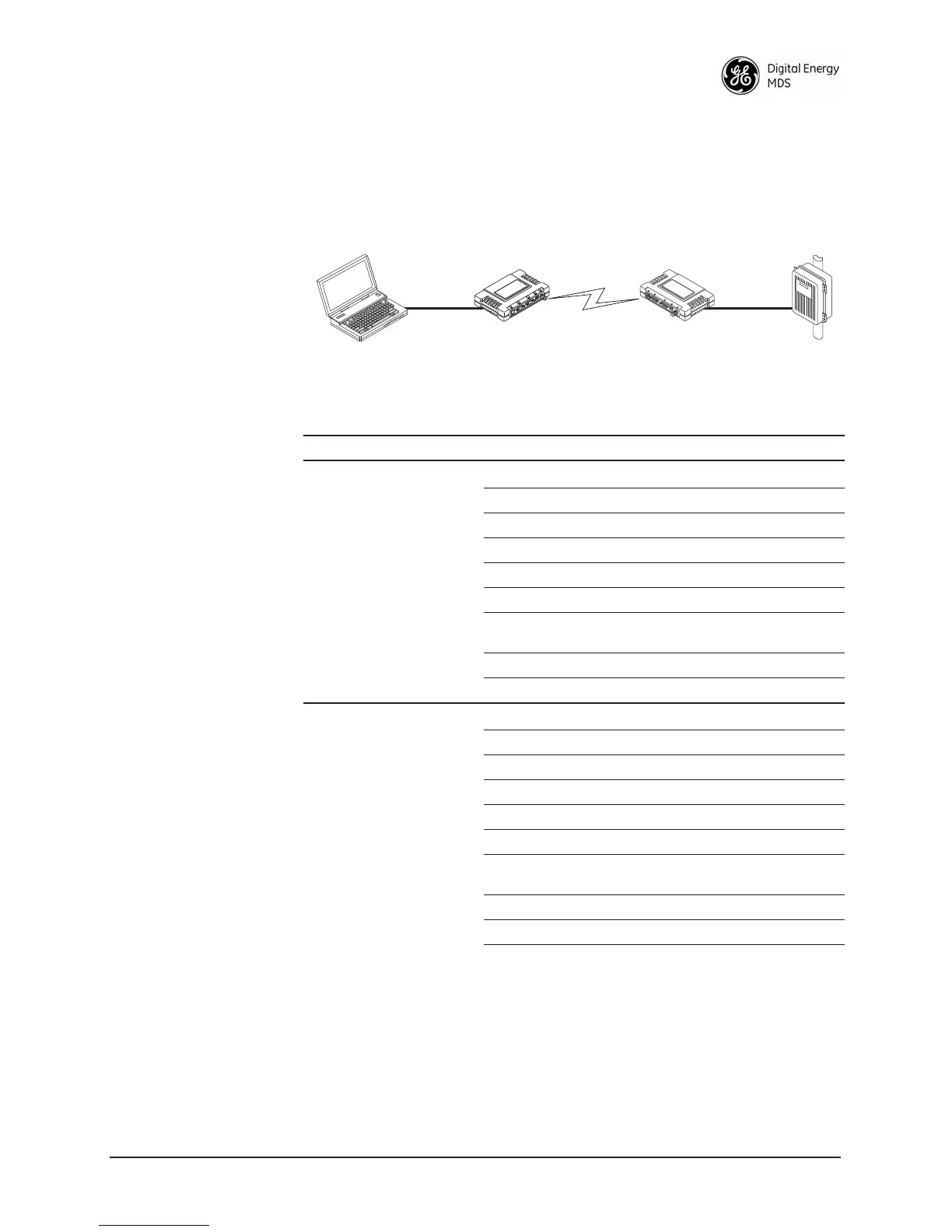
Figure 2-40. Point-to-Point Serial-to-Serial Application Diagram
2.6.9 Combined Serial and IP Application Example
Note that in this example, the TCP mode does not involve the Access
Point. Thus, the transceiver in a single network can run in both modes at
the same time. In other words, some Remotes can be configured for TCP
EIA-232
RTU
EIA-232
Terminal
or Computer
192.168.0.10 192.168.0.1 192.168.0.2
Remote
Access Point
LA
N
COM
1
COM
2
PW
R
LIN
K
Table 2-3. Serial Port Application Configuration
Transceiver Location Menu Item Setting
Access Point (COM2)
1
Status Enabled
Data Baud Rate 9,600 (Example)
Flow Control Hardware (Example)
Serial Mode Seamless
SIFD 4
IP Protocol UDP
Remote IP
Address
192.168.0.2
(IP address of the Remote radio)
Remote IP Port 30011
Local IP Port 30011
Remote Unit (COM2)
1
Status Enabled
Data Baud Rate 9,600 (Example)
Flow Control X-ON/X-OFF (Example)
Serial Mode Seamless
SIFD 4 (Characters)
IP Protocol UDP
Remote IP
Address
192.168.0.1
(IP address of the AP)
Remote IP Port 30011
Local IP Port 30011
1. Either COM port can be used, but they must be the same ones at both ends
of the link. Both COM ports can be used simultaneously for two independent
data channels.



 To Next Page