42 iNET Series Reference Manual 05-2806A01, Rev. J
Invisible place holder
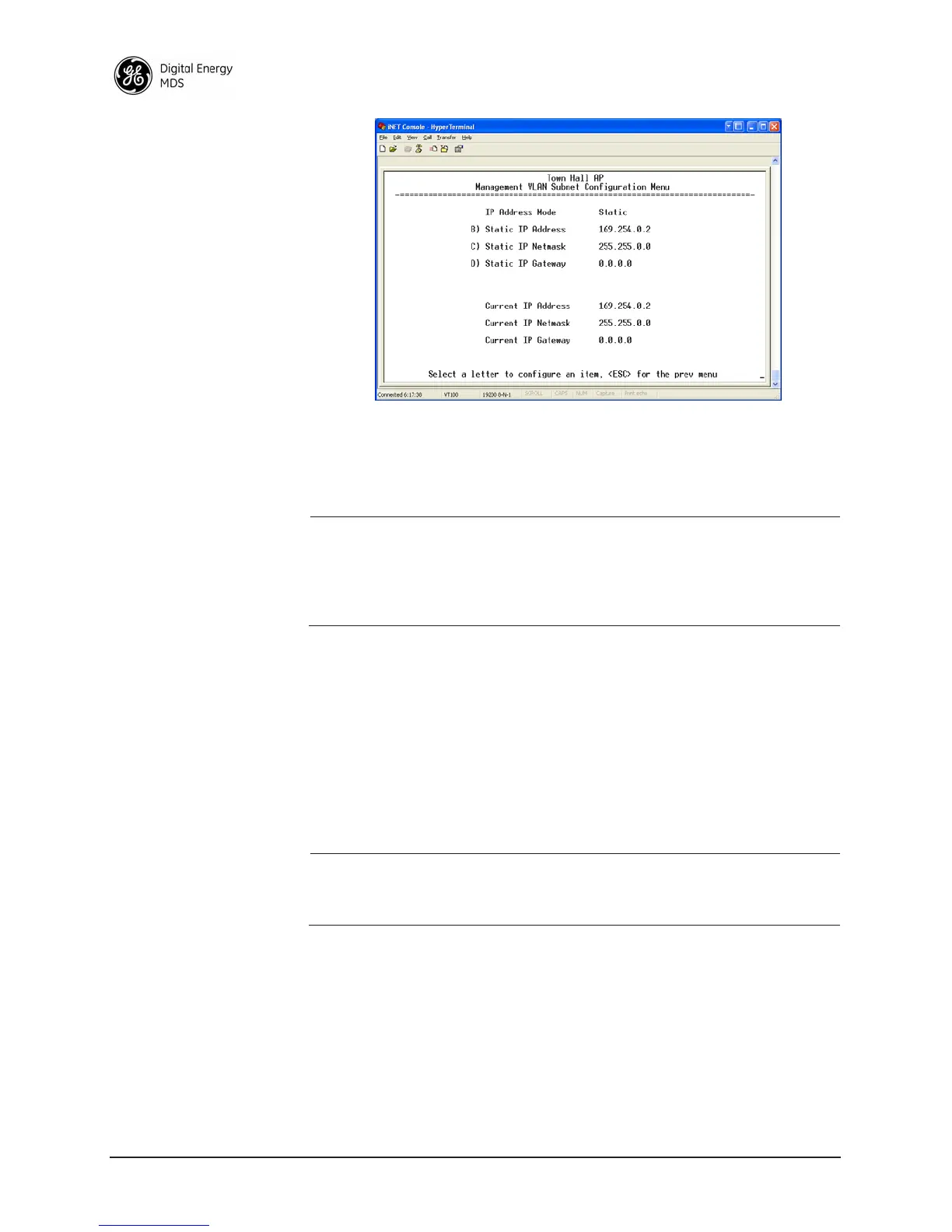
Figure 2-17. Management VLAN Subnet Configuration Menu
• IP Address Mode—Defines the source of the IP address of this
device. Only static IP addressing mode is available when VLAN
Status is enabled [
Static; Static]
NOTE: Changes to any of the following parameters while communi-
cating over the network (LAN or over-the-air) may cause a
loss of communication with the unit being configured.
Communication will need to be re-established using the new
IP address.
•
Static IP Address—The IPv4 local IP address. [192.168.1.1]
• Static IP Netmask—The IPv4 local subnet mask. This value is
used when the radio attempts to send a locally initiated message,
either from the terminal server, or management process.
[
255.255.0.0]
• Static IP Gateway—The IPv4 address of the default gateway
device, typically a router. [
0.0.0.0]
The lower three lines of the screen show the current addressing config-
ured at the transceiver.
NOTE: Any change made to the above parameters results in the
Commit Changes option appearing on screen. This allows all IP
settings to be changed at the same time.
Selecting option H from Figure 2-16 shows the screen below. Note that
the IP address is different although it is the same physical unit. This is
because this IP address is defined for a different VLAN.



 To Next Page