05-2806A01, Rev. J iNET Series Reference Manual 67
Invisible place holder
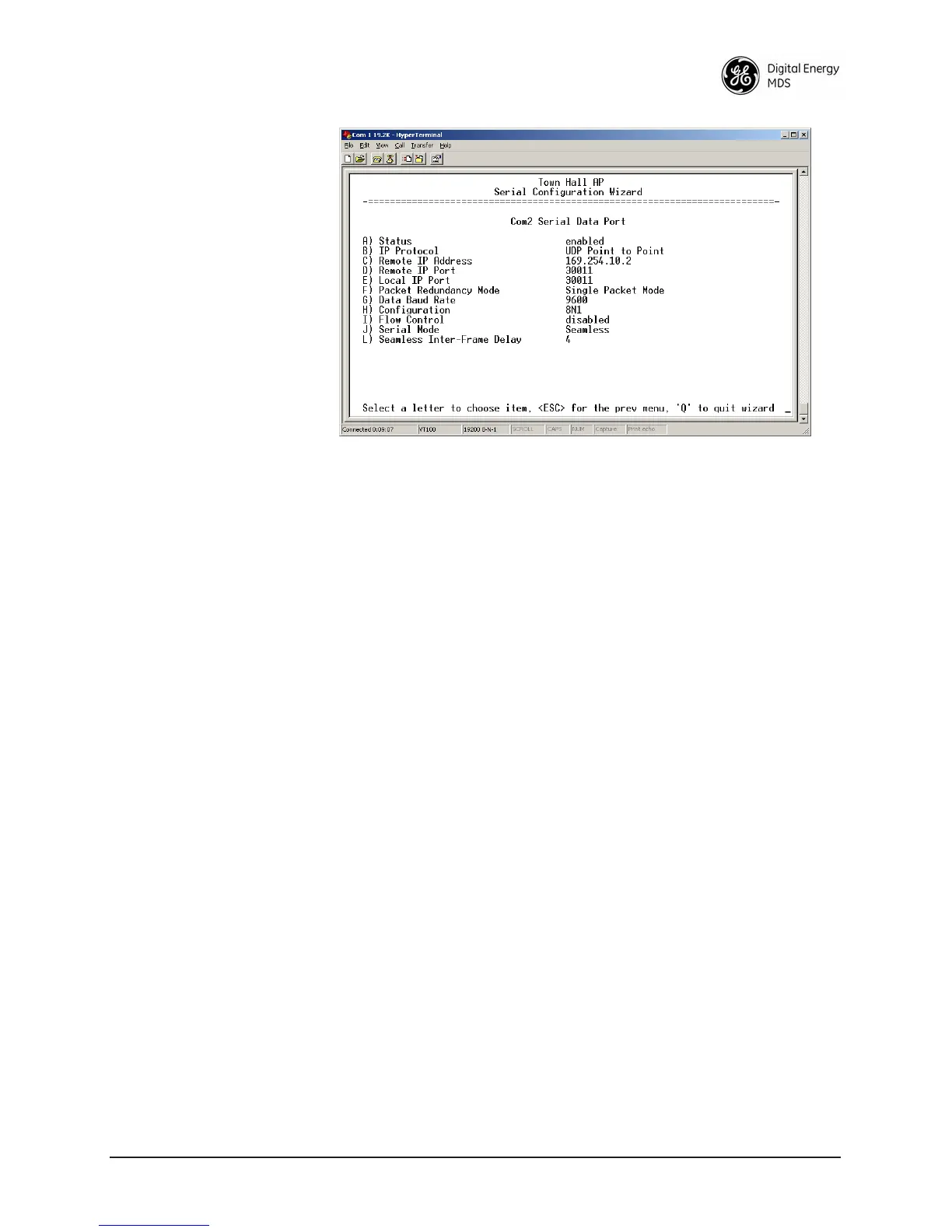
Figure 2-33. UDP Point-to-Point Menu
Use UDP point-to-point configuration to send information to a single
device.
•
Status—Enable/Disable the serial data port.
• IP Protocol—UDP Point-to-Point. This is the type of IP port
that will be offered by the transceiver’s serial device server.
[
TCP, UDP, PPP; TCP]
• Remote IP Address—Data received through the serial port is
sent to this IP address. To reach multiple Remotes in the net-
work, use UDP Point-to-Multipoint.
[
Any legal IP address; 0.0.0.0]
• Remote IP Port—The destination IP port for data packets
received through the serial port on the transceiver. [
1–64,000;
COM1: 30010, COM2: 30011
]
• Local IP Port—Port number where data is received and passed
through to the serial port. This port number must be used by
the application connecting to this transceiver. [
1–64,000;
COM1: 30010, COM2: 30011
]
• Packet Redundancy Mode— For proper operation, all radios’
Serial Packet Redundancy mode must match (Single Packet
mode vs. Packet Repeat mode). This is because a transceiver,
when in Packet Repeat mode, sends 12 extra characters
(sequence numbers, etc.) to control the delivery of the
repeated data. Misconfigurations can result in undesired
operation.
•
Data Baud Rate—Data rate (payload) for the COM port in
bits-per-second. [
1,200–115,200; 19200]
• Configuration—Formatting of data bytes. Data bits, parity and
stop bits [
7N1, 7E1, 7O1, 8N1, 8E1, 8O1, 8N1, 7N2, 7E2, 7O2, 8N2,
8E2, 8O2; 8N1
].



 To Next Page