GE Analytical Instruments ©2006 15-6 DLM 14291 Rev. A
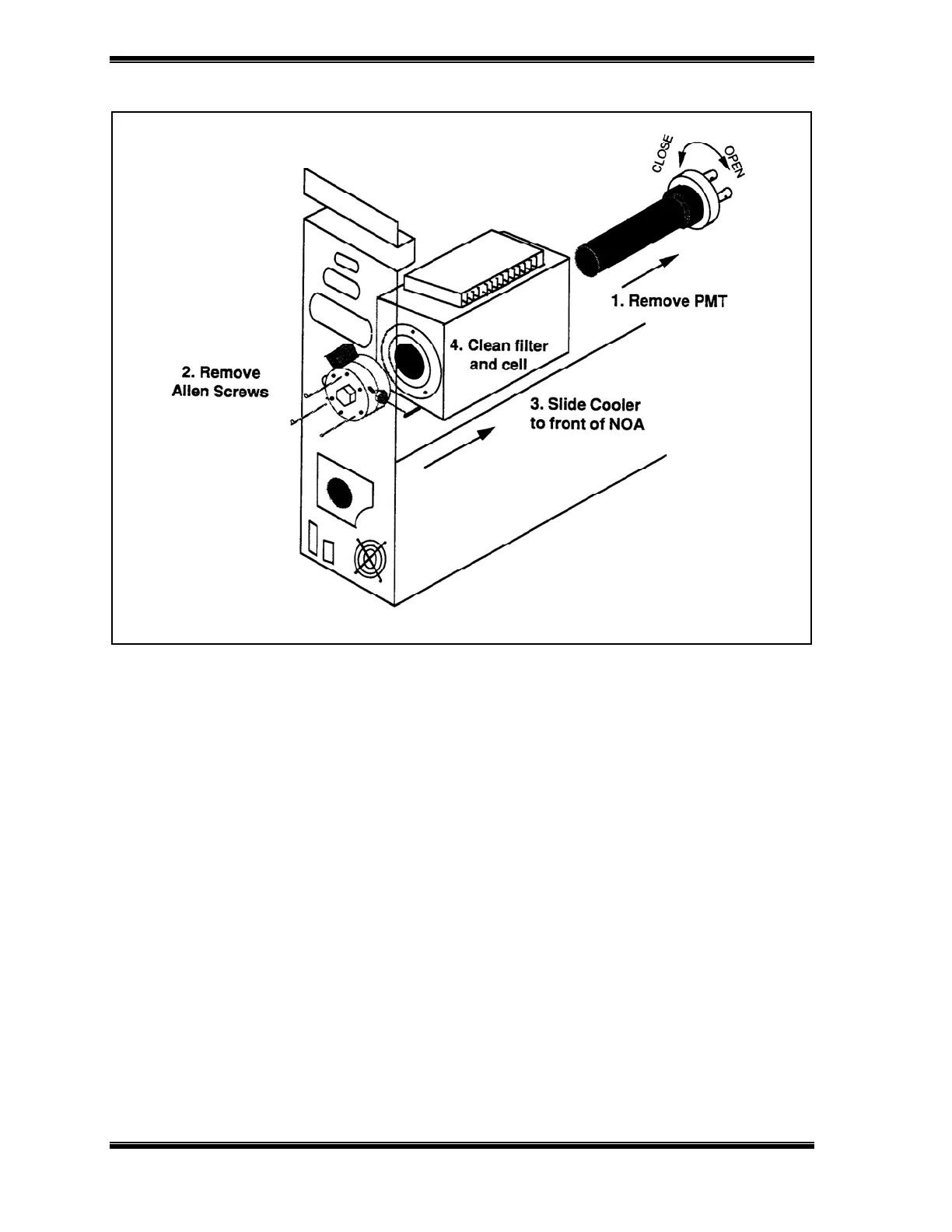
Figure 15-2: Schematic of NOA-Procedure for Cleaning Reaction Cell.
• Turn off the main power switch and remove the AC power cord from the power
entry module.
• Allow the analyzer to stand for a couple of hours (overnight is best) so the PMT can
warm to room temperature.
• Make sure the power cord is disconnected, and then remove the NOA cover by
removing the phillips-head screws on the side of the analyzer.
• Carefully lift the cover off the NOA.
• Remove the two coaxial cables connected to the PMT socket.
• In order to minimize exposure of the PMT to light, turn off the room lights
before removing the PMT.
• Unscrew the PMT socket counterclockwise until the socket is clear of the
cooler.
• Remove the PMT from the cooler, but leave the PMT in the socket.





 To Next Page