Oven Control, Clock & Timer
_,lOlll Oven
f_threnheit
or Celsius
temperature
sdection
Your oven eonlrol i,s sel lo use lhe Fah_wdwil
lemperalure selections, but you may (hange lifts
lo u,se lhe ( eLsiu,s seleHion,s.
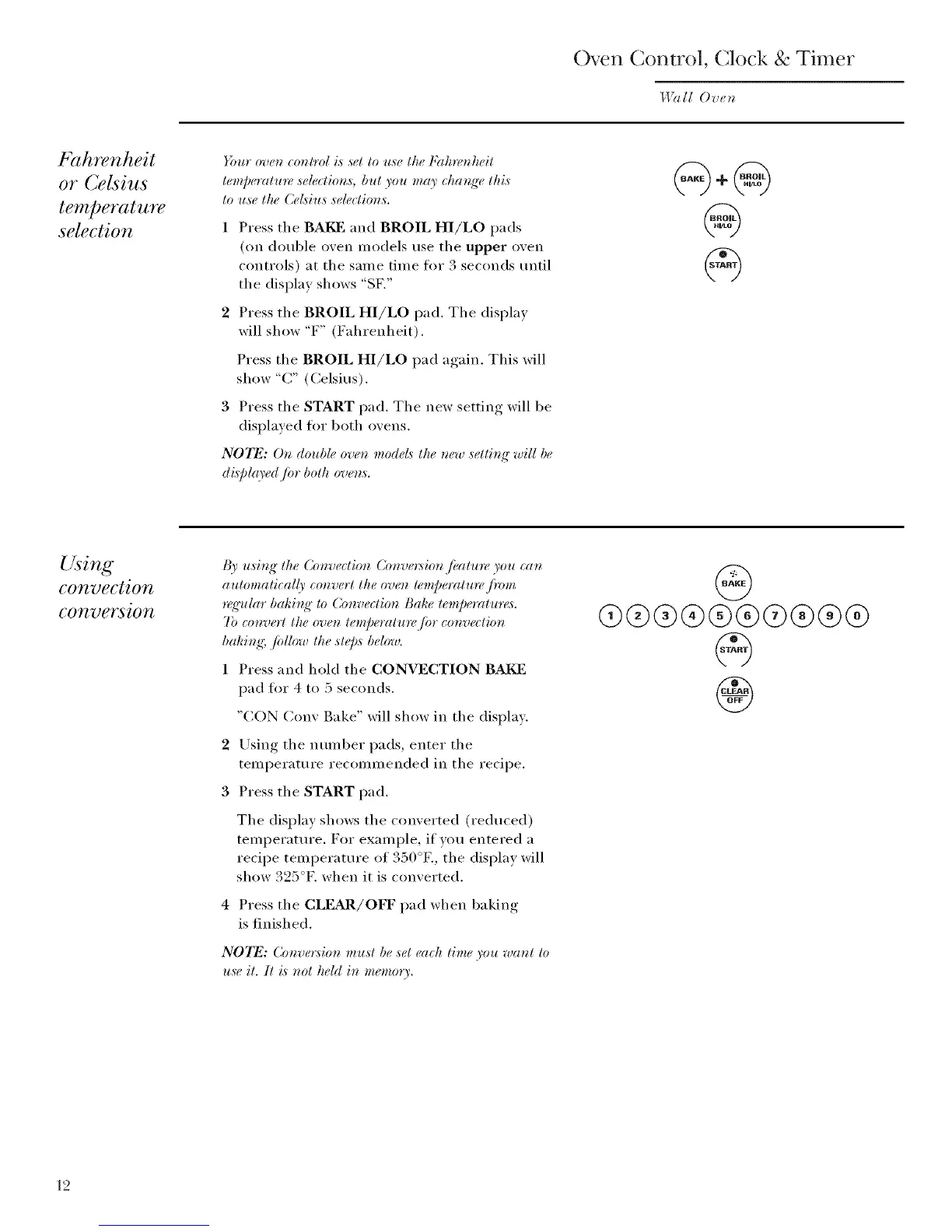
1 Press the BAKF and BROIL HI/LO pads
(on double oven models use the upper oven
controls) at the same time fi)r 3 seconds tmtil
the display shows "SF,"
2 Press the BROIL HI/LO pad. The display
will show "F" (Fahrenheit),
Press the BROIL HI/LO I)ad a_,ain This will
show "C" (Celsius),
3 Press the START pad. The new setting will be
displayed fi)r both ovens.
NOTE: O, double oven models the ,ew setting" will be
di,splto'ed Jbr both oven,s.
Using
convection
conversion
I_' using" the Convection Coaversion Jbatu_¢ you (:an
automatieal(r convert the oven lemperatlm, J)zmz
nqq'ular bakit_g" to Convection Bake temperature,_.
7b convert the oven le,zpemlu_,/br eonvedion
baking; fidlow the sle[),s below.
1 Press and hold the CONVECTION BAI_]
pad fl)r 4 to 5 seconds.
"CON Cony Bake" will show in the display.
2 Lrsing the nmnber pads, enter the
temperature recommended in the recipe.
3 Press the START pad.
The display shows the converted (reduced)
temperatm'e. For example, if you entered a
recipe temperature of 350°E, the display will
show 325°K when it is converted.
Press the CLEAR/OFF pad when baking
is finished.
NOTE: Conve_:sion mu,d be ,set each time you want to
u,se it. li is nol held in memory.
@
@@@®@@@@@@
@
12



 To Next Page