Oven Control, Clock & Tinier
I,DIll Ove_
Using
the timer
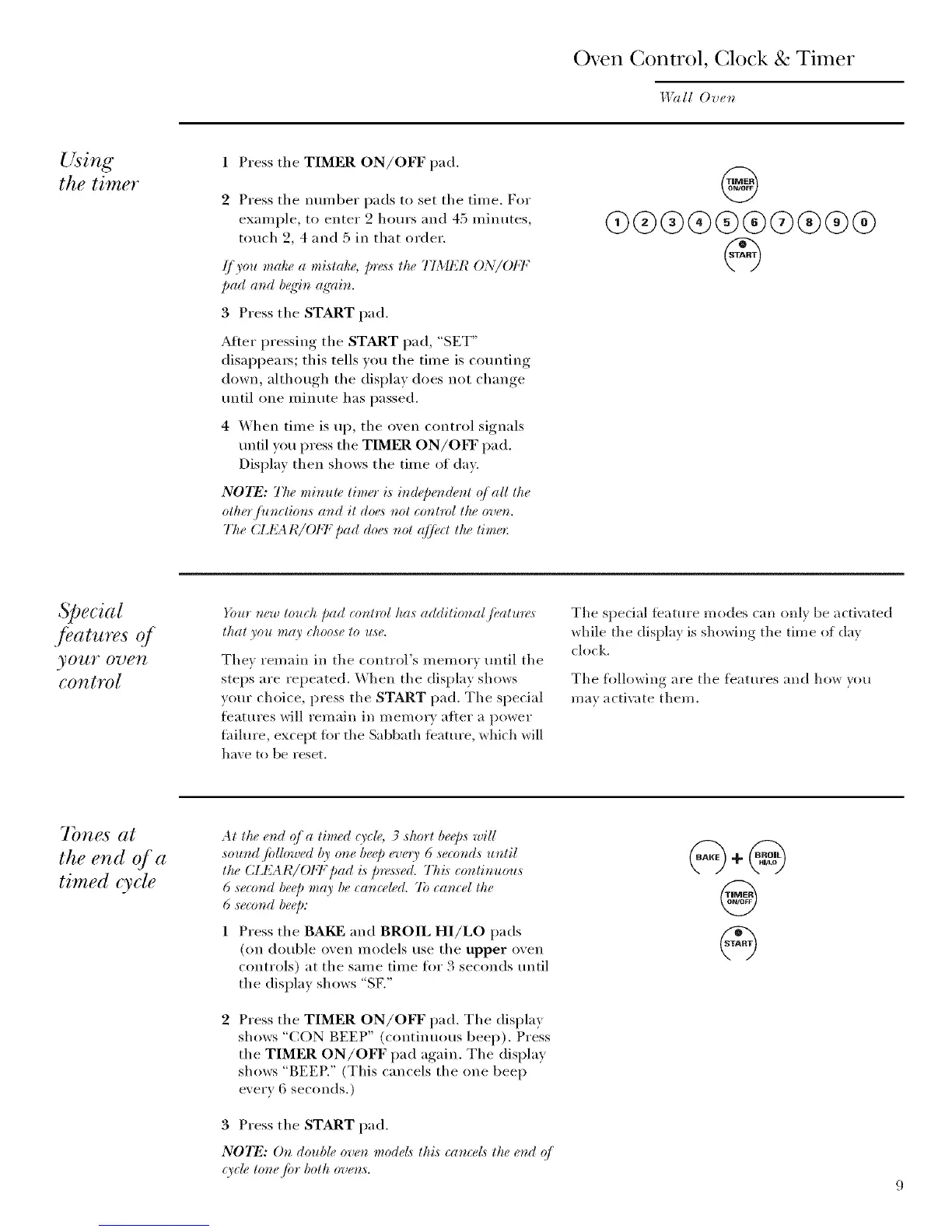
1 Press the TIMER ON/OFF pad.
2 Press the nmnber pads to set the time, For
example, to enter 2 hours and 45 minutes,
touch 2, 4 and 5 in that order.
ff you make a mistake, p_v,_sthe TIMER ON/OI:F
Dad aud b_q4u ag'ain.
3 Press the START pad.
After pressing the START pad, "SET"
disappears; this tells you the time is cotmting
down, although the display does not change
tmtil one minute has passed.
4 When time is up, the oven control signals
until you press the TIMER ON/OFF pad.
Display then shows the time of day.
N07_: The miracle timer is iu@er_(leut q/ all the
other /ituctior_,s aud it doe,_ uot cout_ol the oveu.
75e (ZI{A I¢/OFF Dad do+,,_not <(]fi+ctthe tim+,_:
@
O)®®®®®Q®®®
Special
./eatures 4
yOUY O7)eTt
control
_bur new touch Dad control has additional fi_atlm, s
that you may _hoose to use.
They remain in the control's memory m_til the
steps are repeated. When the display shows
your choice, press the START pad. The special
fl_atures will remain in memory aiter a power
fhilure, except fi)_ the Sabbath ieature, which will
have to be reset.
The special feature modes can onl_ be activated
_hile the displa? is sho_ing the time of da?
clock.
The following are the features and how you
ma? activate them.
7bnes at
the end of a
timed cycle
At the e_zd q/ a timed O'cle, 3 shorl be@s will
sound fidlowed by one be@ every 6 seconds uutil
the CIJ_AI¢/OFF pad is pres_sed. Thi,s _ontinuous
6 second beep may be _ance#d. 7b camel the
6 seco_zd beep:
Press the BAKE and BROIL HI/LO pads
(on double oven models use the upper oven
controls) at the same time fiw 3 seconds tmtil
the display shows "SF,"
Press the TIMER ON/OFF pad. The display
shows "CON BEEP" (continuous beep). Press
the TIMER ON/OFF pad again. The display
shows "BEER" (This cancels the one beep
every 6 seconds.)
3 Press the START pad.
NOTE: Or_ double ove_ models lhis cam:el,_ lhe e,d o/
qycle lor_e fia" bolh ove_,s.
@



 To Next Page