Oven Control, (;lock & Timer
H% II Ove_
Clock
The c[od_ must be svt /br the atttomatic oven liming"
,/Um:tio,s to work p_vperly.
The time of day clock cmmot be changed
during Delay Start. (It can be changed during
a regular bake or broil operation.)
7b set
the cloch
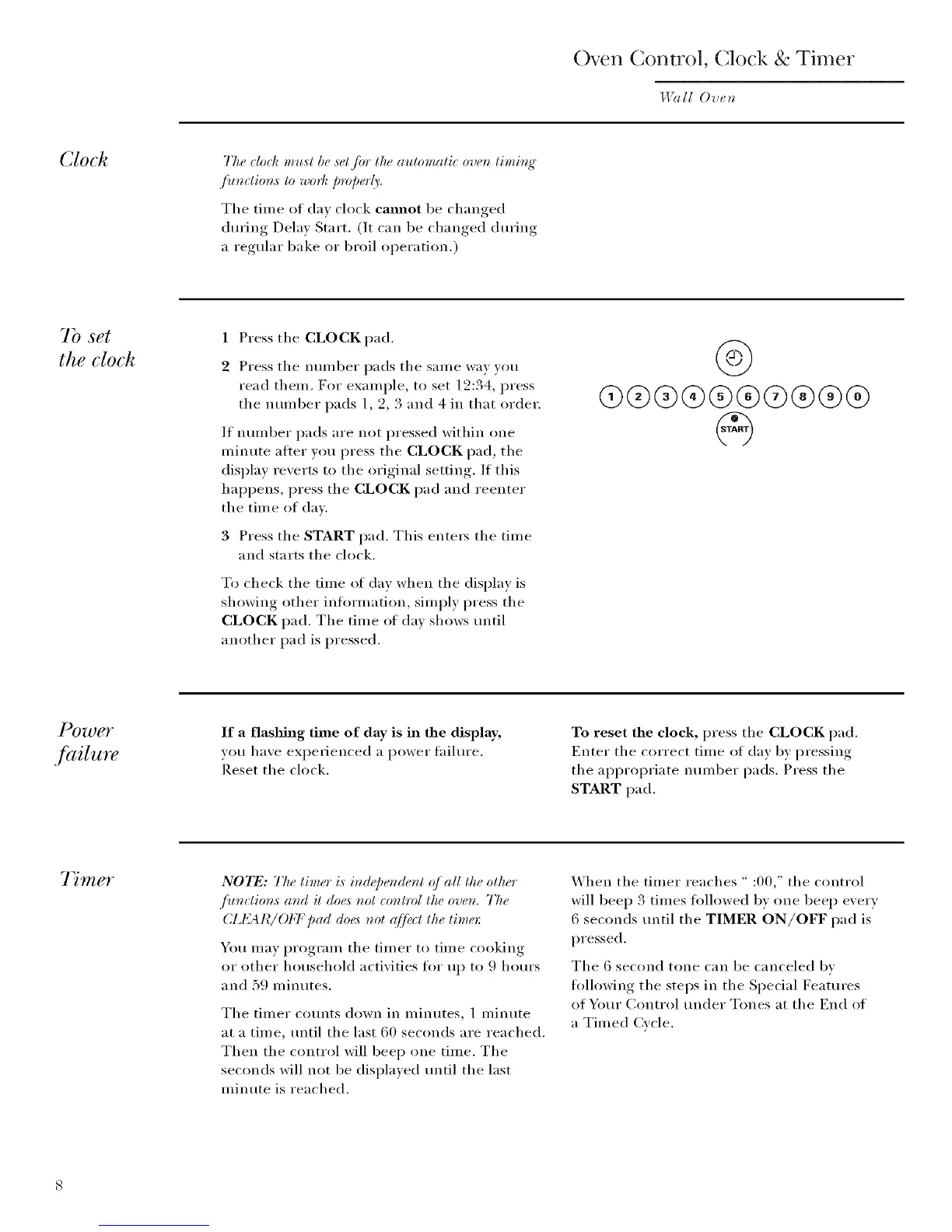
1 Press the CLOCK pad.
2 Press tile nulnber pads tile sanle way you
read them. For example, to set 12:34, press
the number pads 1, 2, 3 and 4 in that order.
If nunlber pads are not pressed within (me
minute atier you press tile CLOCK pad, tile
display reverts t() the ()riginal setting. If this
hal)pens, press the CLOCK pad and reenter
the time of day.
3 Press tile START pad. This ente_ tile time
and starts tile clock.
To check tile time of day when tile display is
showing other infl)rmation, simply press tile
CLOCK pad. Tile time of day shows tmtil
another pad is pressed.
4)
q9®®®®®@®®®
If a flashing time of day is in the display,
you have experienced a power tailm'e.
Reset the clock.
To reset the clock, press tile CLOCK pad.
Enter tile correct time of day by pressing
the ai)i)ropriate nmnber pads. Press tile
START pad.
7 mer
NO_I_: The timer is in@e,&nt q]all the other
./ioz_tions and it doe,_ not _onl*_>lthe oven. The
CId_L41¢/OFF Dad doe,_ not q]fiu:t the time*'.
You may program the timer to time cooking
or other household activities fl)r up to 9 horn's
and 59 minutes.
Tile timer co/mts down in minutes, 1 minute
at a time, tmtil the last 60 seconds are reached.
Then the control will beep one time. The
seconds will not be displayed tmtil tile last
minute is reached.
When tile timer reaches " :00," tile control
will beep 3 times fl)llowed by one beep every
6 seconds tmtil tile TIMER ON/OFF pad is
pressed.
The 6 second tone can be canceled bv
tollowing tile steps in tile Spedal Features
of Your Control under Tones at tile End of
a Timed Cycle.



 To Next Page