Timed Baking
1,19111Ovet_
How to set
a delayed
start and
automatic
stop
}bu can set lhe oven control to delay-slavt the ovet_,
_oo/,b, ..,p_<,!/i_#.g_h (_/ti,,_.._,(/ the<,,t,.._, (_/f
aulomatical@
Make sure the oven clock shows the correct
time of day.
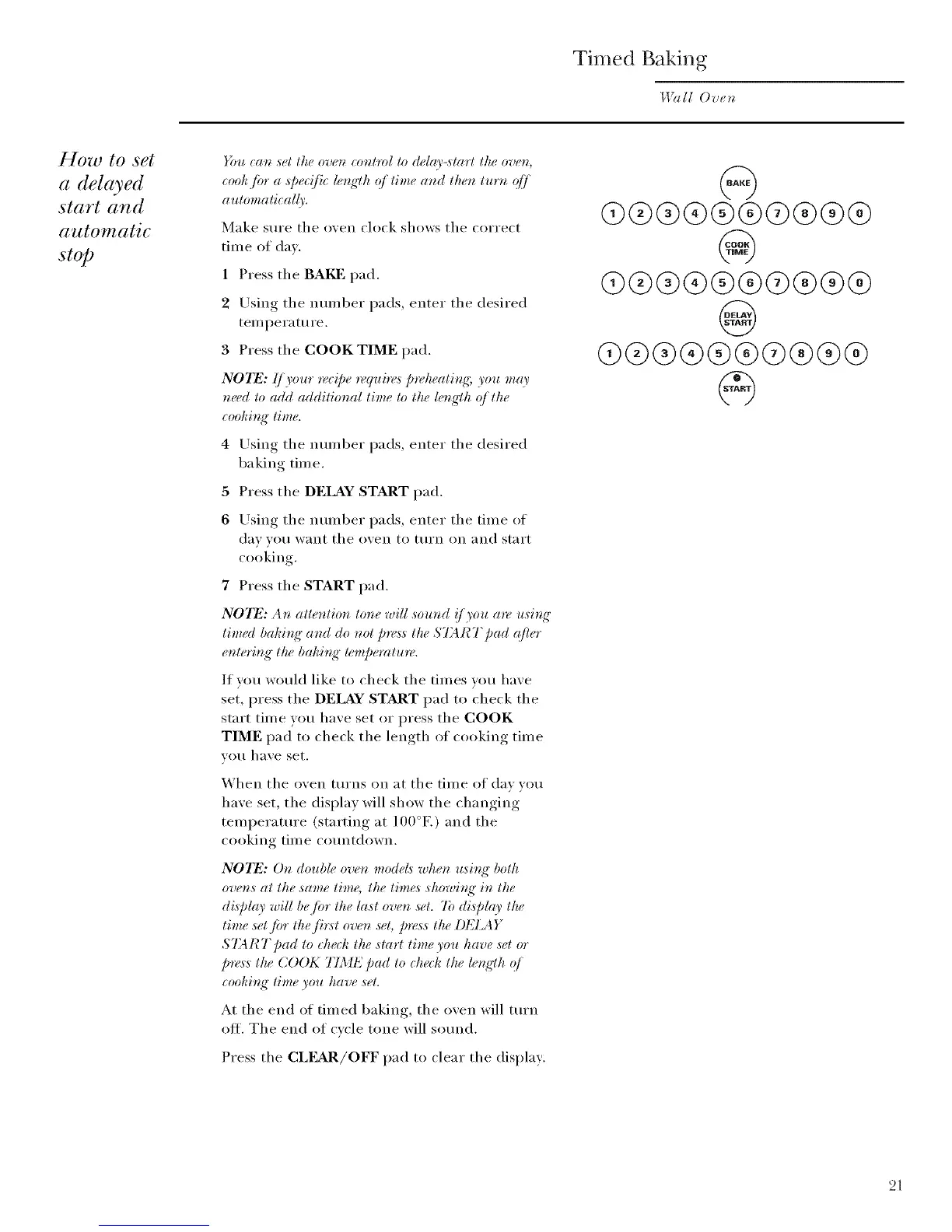
1 Press the BAKE pad.
2 Using the number pads, enter the desired
temperature.
3 Press the COOK TIME pad.
NOTE: {/)'our recipe require,_ p*_,heatir_g; you may
m_ed to add additional time to the h%e,'lh (_/ the
coohb_g" time.
4 Using the number pads, enter the desired
ba king tim e.
5 Press the DELAY START pad.
6 [.rsing the number pads, enter the time of
day you want the oven to tm'n on and start
cooking.
7 Press the START pad.
N07_: Ar_ atter_tior_ tone will soured !/you a*_: usit N"
tired bakb N"and do not p*_s:s the $73 RT pad ({tier
enlerb_ K lhe bahir_g" lempemtu_.
If wm would like to check the times you have
set, press the DELAY START pad to check the
start time you have set or press the COOK
TIME pad to check the length of cooking time
you have set.
When the oven turns on at the time of dav wm
have set, the display will show the changing
temperature (starting at IO0°K) and the
cooking time countdown.
NOTE: On double oven mode5 when u,sb_q"both
oven,_ at the same time, the time,_ ,_howi_" in the
display will be /br the lasl oven ,s_t. 7b display the
lime set /br lhe /b:st oven s_t, p_,_s the DELAY
$7;4 RT pad to che(k the slarl lime you have s_,lor
pre,_s the ( OOK TIME pad to check the #r*g'lh _]
_ookir_K time you have set.
At the end of timed baking, the oven will mrn
off. The end of cycle tone will sotmd.
Press the CLEAR/OFF pad to clear the display.
@@®®®®Q®®@
@
Q@®®®®®®®®
@
Q@®®®®@®®®
21



 To Next Page