Using the Sabbath Feature (,,,,sortienlodels)
1.19111Oven
Desig_£d for use on theJewish Sabbath and Holidays.
77w Sabbath fieatlm, _a_ be used for bakin@roastinq',,
o_@. It camwt be u,sed fin' com_ectio_, broiling;
self.(leatfin_', or Delay Start cookit_:
NO'I_: TIm ov_'t_[{@t _omes on automatiudly (on
some mode£ ) w/u,n t/u, door is (q)(,m_da_d <g<u'sqff wken
the door is dosed. The bldb m(O' /w rem(_ed. &,e the O'u(_z
L{qllt IO,/)[aceme*ztsectiot_. On mo(lek with a [{@t switch
on th,_comrol p(md, the ou_z /iql_t m(O,be tu*wed on
Sabbath
f ature:
How to set
Jbr regular
baking or
roasting
Make sure the clock sko'ws the correct time (j day and
the ove_ is OFE
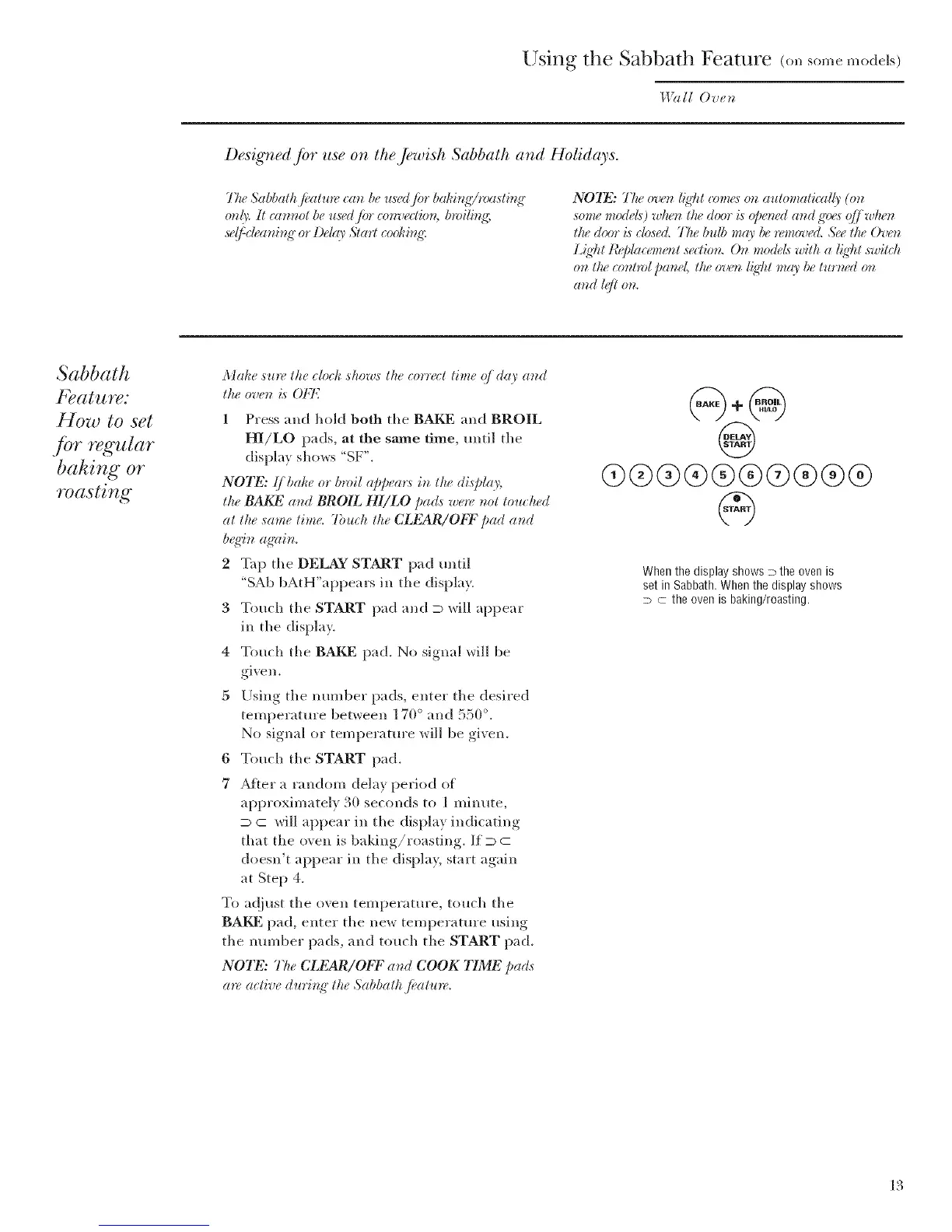
1 Press and hold both the BAKE and BROIL
HI/LO pads, at the same time, until tile
display shows "SF'.
NOTE: Ij /mke or t)*vil appea*:_ in the display,
the BAKE and BROIL HI/LO pads were not touched
at the same time. 7bluh the CLEAR/ObT pad and
b,_ffin agzfin.
2 Tap the DELAY START pad tmtil
"SAb bAtH"appears in the display.
3 Touch tile START pad and D will appear
in tile display.
4 Touch tile BAKE pad. No signal will be
given.
5 Using tile number pads, enter tile desired
temperature between 170 ° and 550 °.
No signal or temperature will be given.
6 Touch tile START pad.
7 Af*er a random delay period of
approximately 30 seconds to 1 minute,
D c will appear ill the display indicating
that the oven is baking/roasting. If D C
doesn't appear in tile display, start again
at Step 4.
To a@ust tile oven temperature, touch tile
BAKE pad, enter tile new temperature using
the number pads, and touch the START pad.
NOTE: The CLEAR/ObT at_d COOK TIME pa(Is
a*_,active durb_g" the Sabbath fi, atlm,.
@
03@@@@@@@@@
When the display shows P the oven is
set in Sabbath. When the display shows
D C the oven is baking/roasting.
13



 To Next Page