Using the Probe
I.l?lll Oven
How to set
the oven jar
roasting
when using
the probe
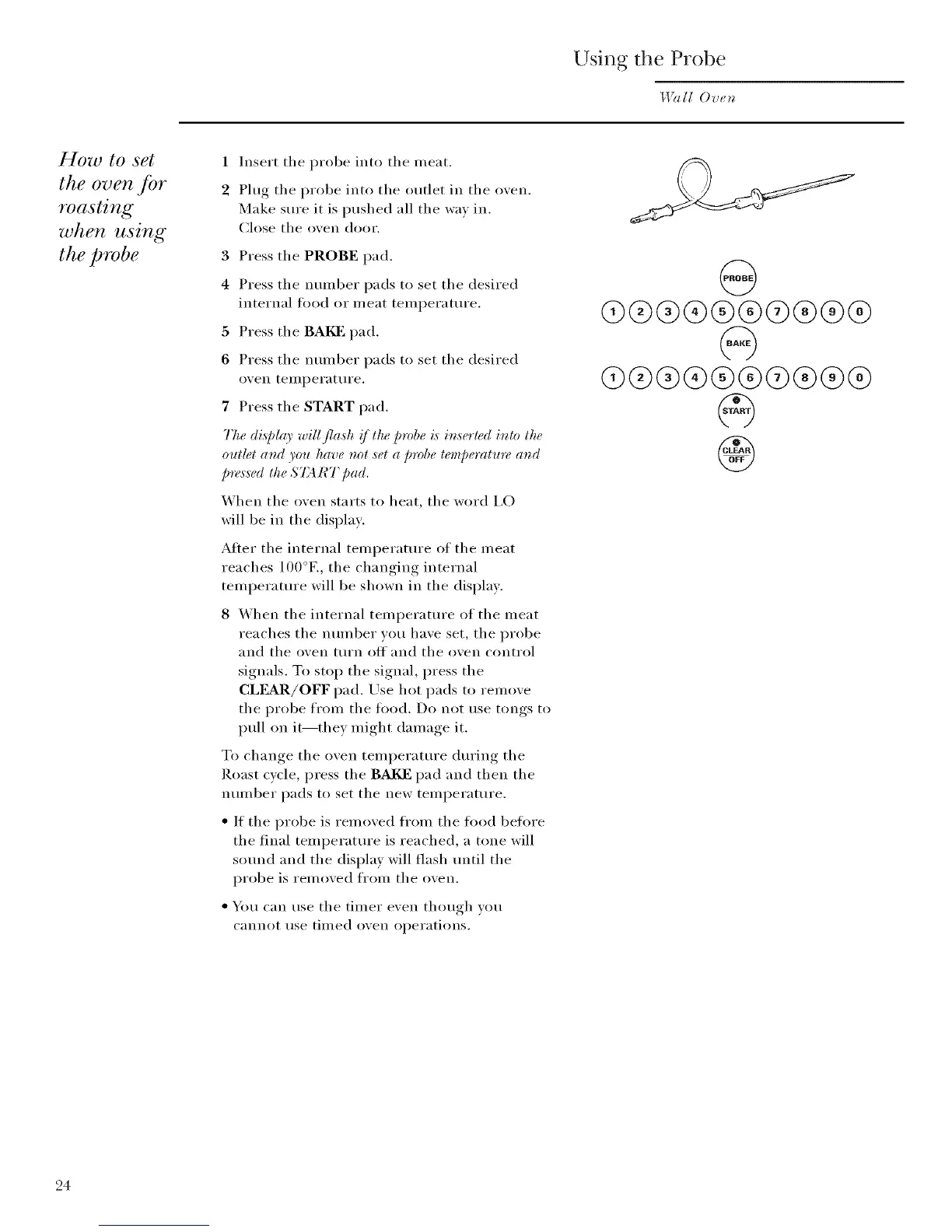
1 Insert the i)robe into the n/eat.
2 Phlg the i)robe into the outlet in the oven.
Make sure it is i)ushed all the way in.
Ch)se the oven door.
3 Press the PROBE pad.
4 Press the nunlber pads to set the desired
internal tood or n/eat ten/i)erature.
5 Press the BAKE pad.
6 Press the nunlber pads to set the desired
()veil tell/l)erat tire.
7 Press the START pad.
The di,s]d(O' will flash !/lhe probe i,sin,serled inlo the
out#t and you have not set a probe lempe_vmtre and
pre,_,s_¢dthe ST4 RT pad,
When the oven starts to heat, the word I,O
will be in the disI)lay.
Alter the internal tenll)erature of the n/eat
reaches 100°E, the changing internal
ten/l)erature will be shown in the disl)lay.
8 _,Vhen the internal tenll)erature of the nleat
reaches the nunlber vou have set, the i)robe
and the oven turn off and the oven control
signals. To sto I) the signal, press the
CLI?L_R/OFF i)ad. Use hot i)ads to reinove
the i)robe fronl the tood. Do not use tongs to
I)ull on it--they nlight dan/age it.
To change the oven tenll)erature during the
Roast cycle, press the BAI_: i)ad and then the
nun/ber l)ads to set the new tenll)erature.
• If the I)robe is reinoved fl'onl the tood betore
the final ten/l)erature is reached, a tone will
sound and the disi)lay will flash until the
i)robe is ren/oved fl'oln the oven.
• You can use the tilner even though you
cannot rise tinled oven ol)erations.
@
Q®®®®®®®®®
q)@®®®®@®®®
®
24



 To Next Page