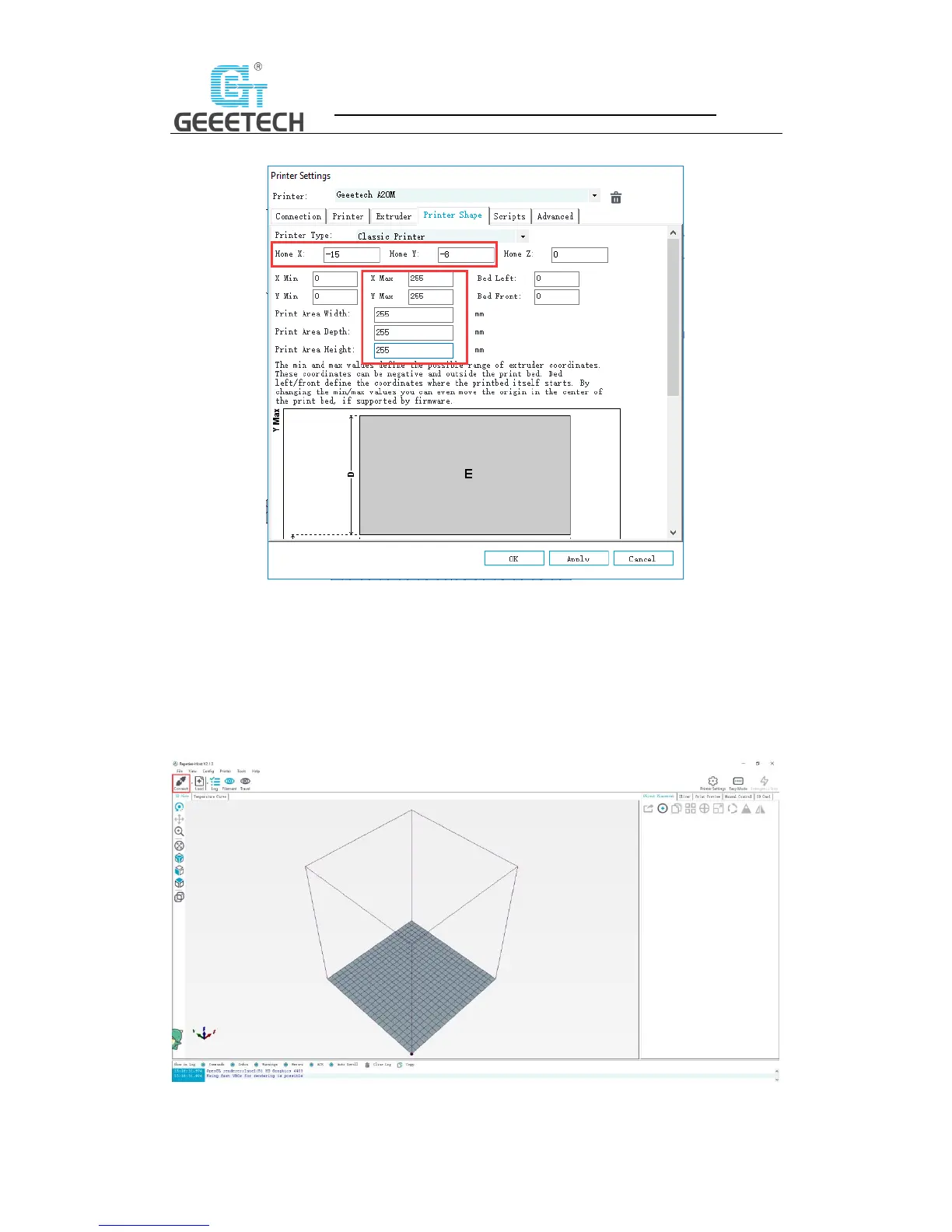
d. Printer shape dialog (Picture 6-10):
(Picture 6-10)
Now the printer parameters are set.
Note: The baud rate is still 250000.
Set slicing parameters
After setting the printer parameters, click “Connect” on the top left corner. The color of the icon
changed to green means the printer connects to the Repetier-Host successfully. Click it again to
disconnect. See picture (6-11).
(Picture 6-11)



 To Next Page