The Video A port on the 4x1 DVI KVM Multiview Switcher provides the ability to display up
to four DVI sources, simultaneously. The 4x1 DVI KVM Multiview Switcher comes with 4
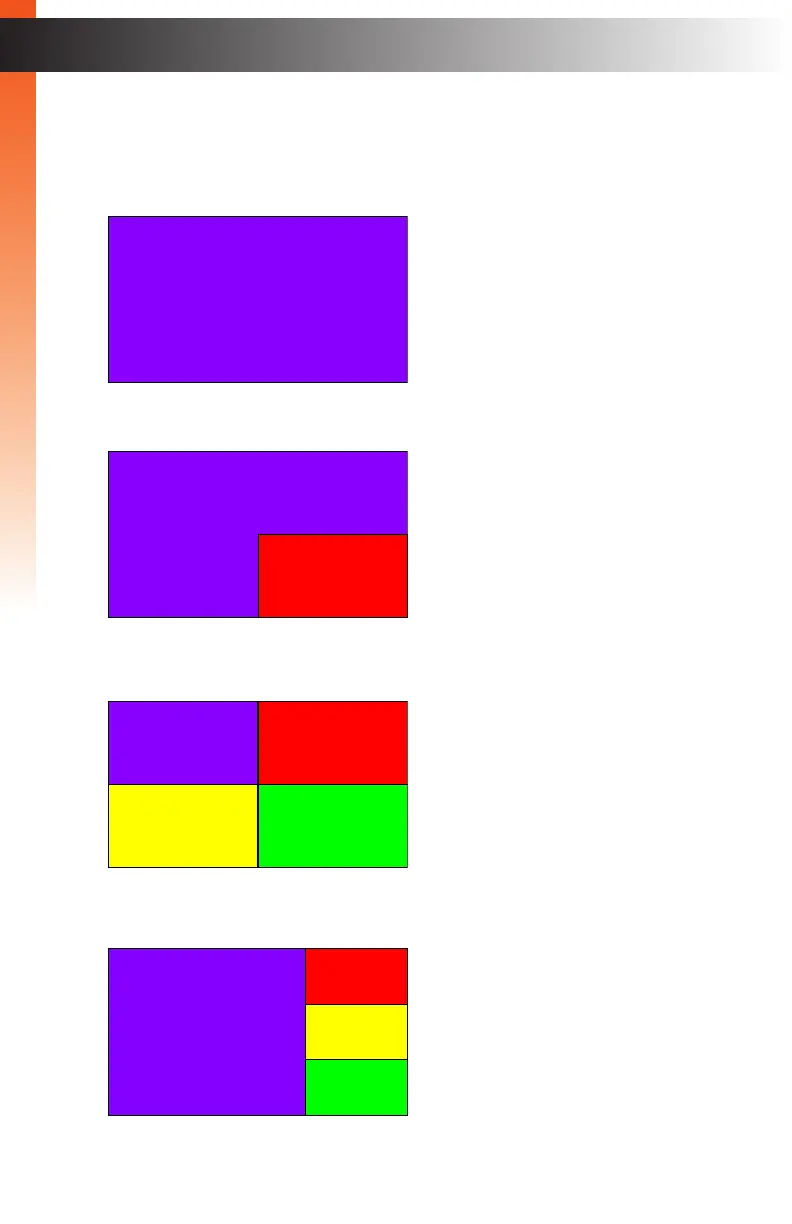
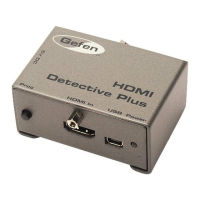
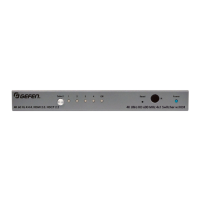
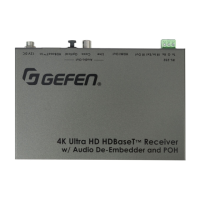
display modes: Full, PIP (Picture-In-Picture), Quad, and PAP (Picture-And-Picture).
page | 17
Basic OperationBasic Operation
Display Modes
2
1
1
3 4
2
1
2
1
3
4
PIP (Picture-In-Picture)
Full
Quad
PAP (Picture-And-Picture)
Displays a full-screen image of the
selected source (1 - 4).
Displays any two sources, in
separate windows, on a single
screen: The main (larger) window
and the subordinate (smaller)
window. The subordinate window
can be re-sized and repositioned.
See PIP & PAP Modes (page 36)
for details.
Displays all four sources on a
single screen. Each window
displays a single source. The
window order cannot be changed.
Displays all four sources on a
single screen: The main (larger)
window and 3 subordinate
(smaller) windows. The main
window can “swapped” with any of
the subordinate windows.


 To Next Page