page | 23
Main
01
02
03
04
Sub
01
02
03
04
► Mouse
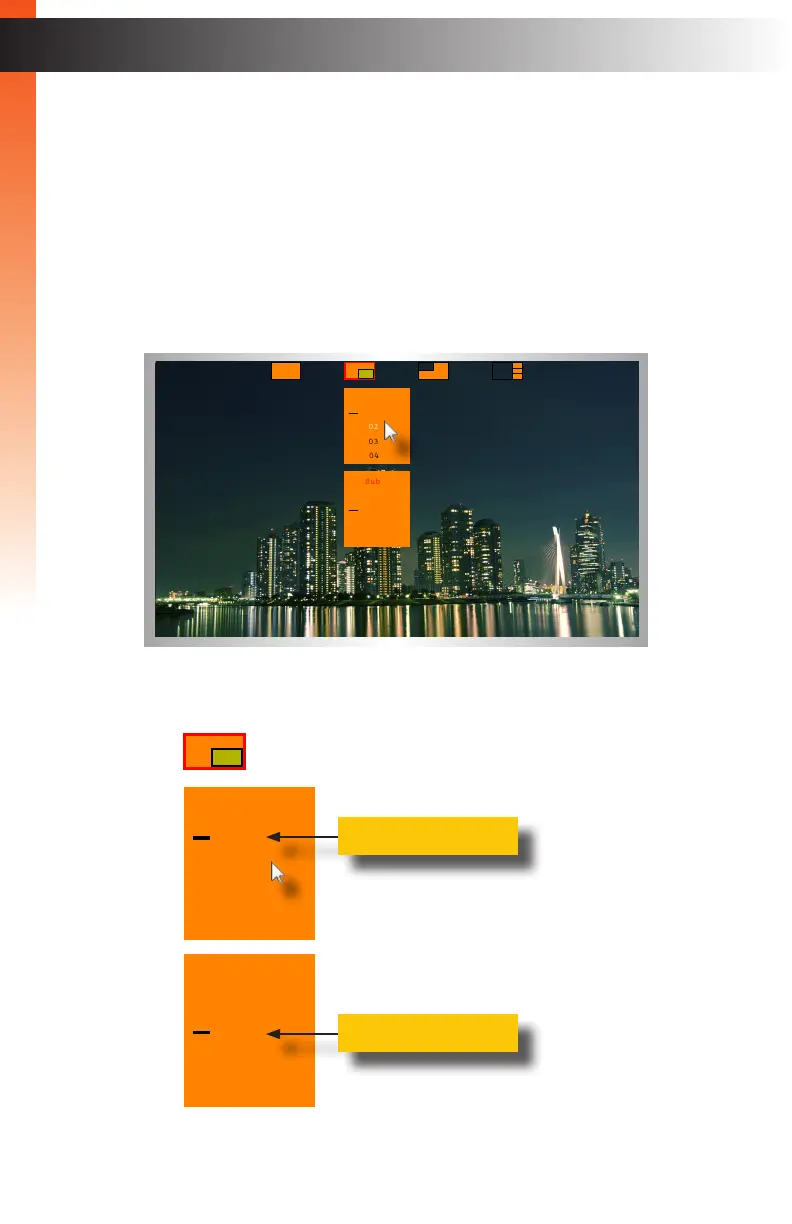
1. Click the middle mouse button / wheel to display the mode menu on the
Video A display.
2. Left-click the PIP mode icon.
3. A drop-down menu will be displayed. The drop-down menu will be
separated into two panels, as shown.
The top panel controls the main window. The bottom panel controls
the subordinate window.
4. The currently selected source, for each window, will be indicated
by a “dash”, as shown:
Basic Operation
Switching Sources
Main
01
02
03
04
Sub
01
02
03
04
Current main source
Current sub source


 To Next Page