26
PATTERN SUMMARY
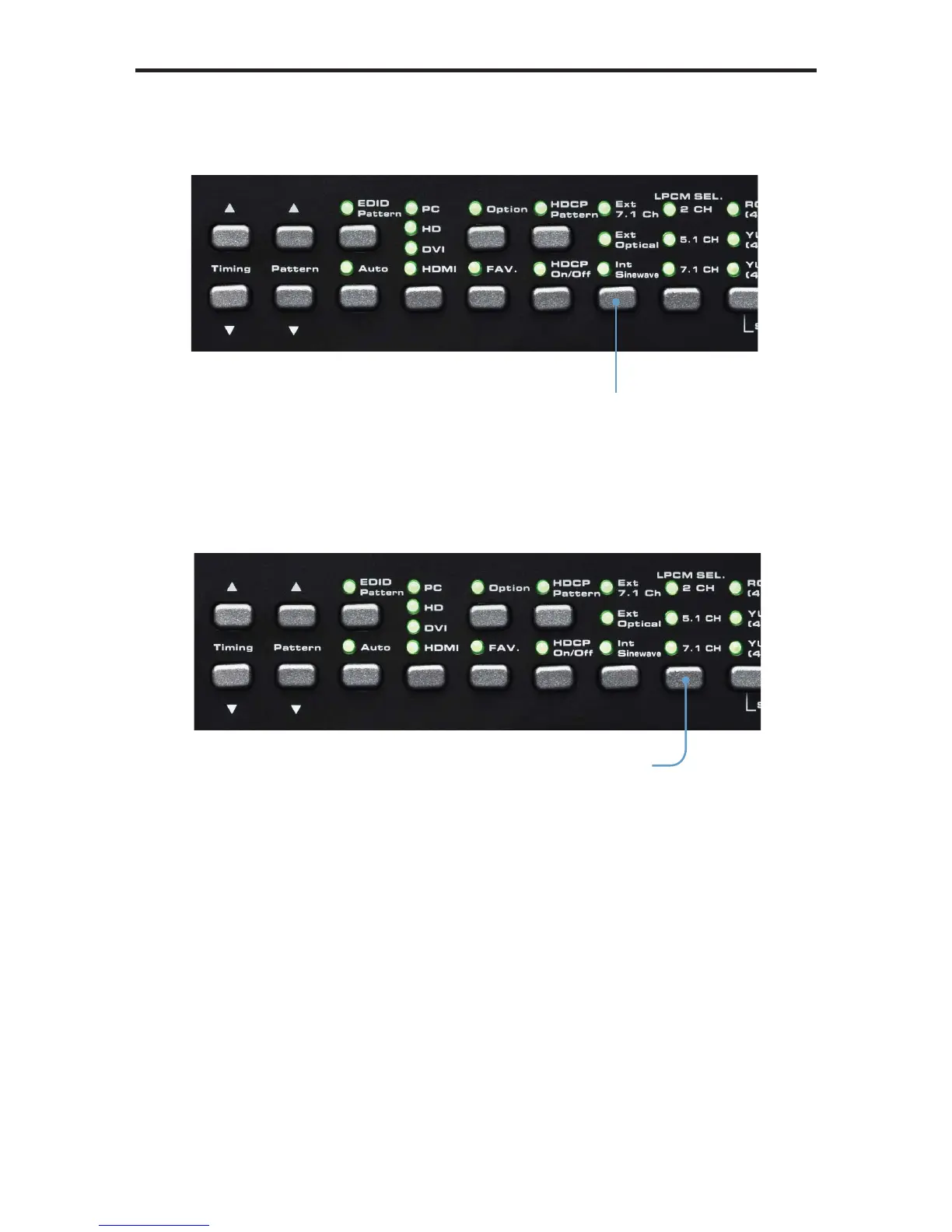
In the example above, the Audio Pattern is shown using the external 7.1 channel
audio input. The Audio Input Selection button is used to change the audio input type.
Text that is highlighted in yellow indicates that the value may be changed. In the
illustration above, the HDMI output can be toggled between 2 channel LPCM and 6
channel (5.1) channel LPCM audio using the Audio Channel selection button.
Note that HDMI does not support 8 channels (7.1) of audio. Therefore, the 7.1 CH
option cannot be selected.
Audio channel
selection button
Audio Input
Selection button


 To Next Page