28
PATTERN SUMMARY
The I
2
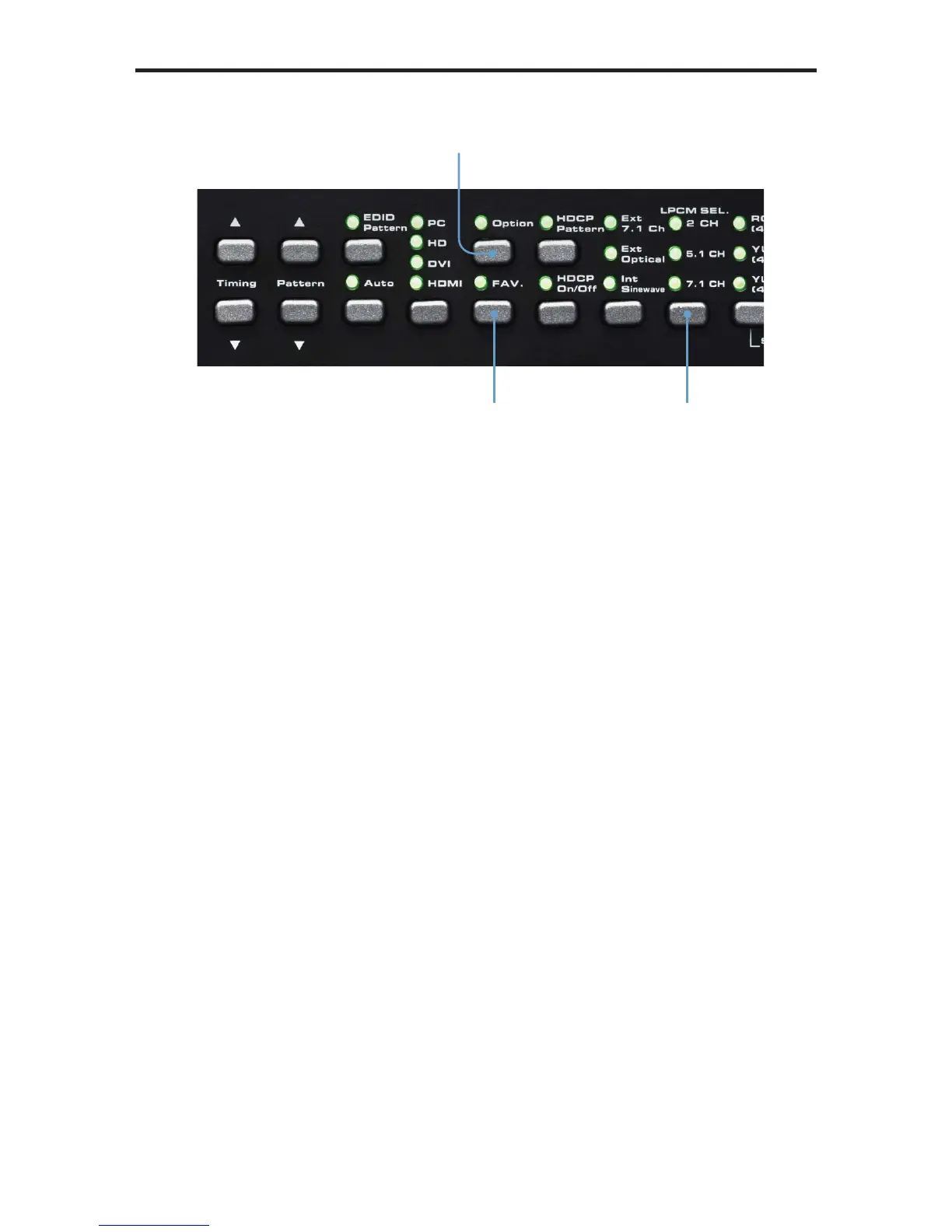
S data line option is only present when the HD Pattern Signal Generator is
set to 5.1 CH or 7.1 CH audio. In 2 CH mode, the I
2
S bus can only be enabled or
disabled (muted). Use the [FAV] button to change the I
2
S bus options.
When the output is set to 5.1 (6 channel) audio, the I
2
S options are:
I2S Bus: On, Mute, SD0, SD1, and SD2
When the output is set to 7.1 (8 channel) audio, the I
2
S options are:
I2S Bus: On, Mute, SD0, SD1, SD2, and SD3
Selects the serial
data line
Changes the
Sampling Rate
Audio channel
selection button


 To Next Page