Model 4802A
20
5.2 Calibration Check Mode
To perform a calibration check, follow the procedure listed below.
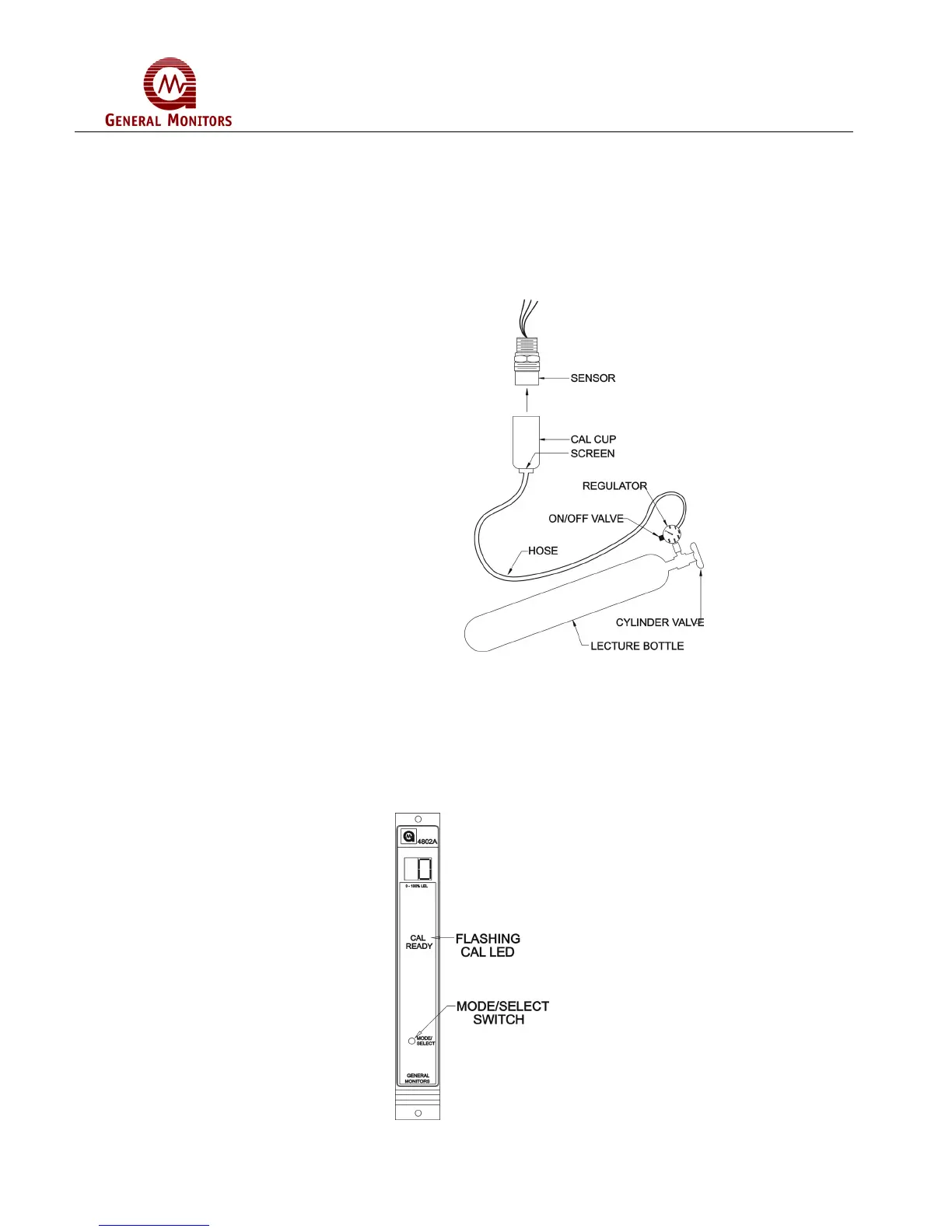
1. Place the cup from the portable purge calibrator over the sensor (Figure 39)
NOTE: Do not attach the cup from the portable purge calibrator to the sensor,
until display shows a flashing Zero.
Figure 39 – Portable Purge Calibrator
* The Calibration Check Mode cannot be entered if the 4802A is in alarm.
2. Enter the Calibration Check mode by pressing and holding the Mode/Select switch
until the CAL LED begins to flash (about ten seconds). When the CAL LED begins
to flash, release the Mode/Select switch. The unit is now in the Calibration Check
Mode (Figure 40).
Figure 40 – Entering CAL Check Mode



 To Next Page