English
-27-
To enlarge the selected image, press the button.
To return to the normal image, press the button.
The magnification factor is displayed on the LCD monitor screen.
3. To view different portions of the images, press the four-way controller (
)
to adjust the display area.
NOTE
The magnification factors range from 1.5X to 4X (within 6 stages: 1.5X, 2.0X, 2.5X, 3.0X,
3.5X and 4.0X).
Thumbnail Display
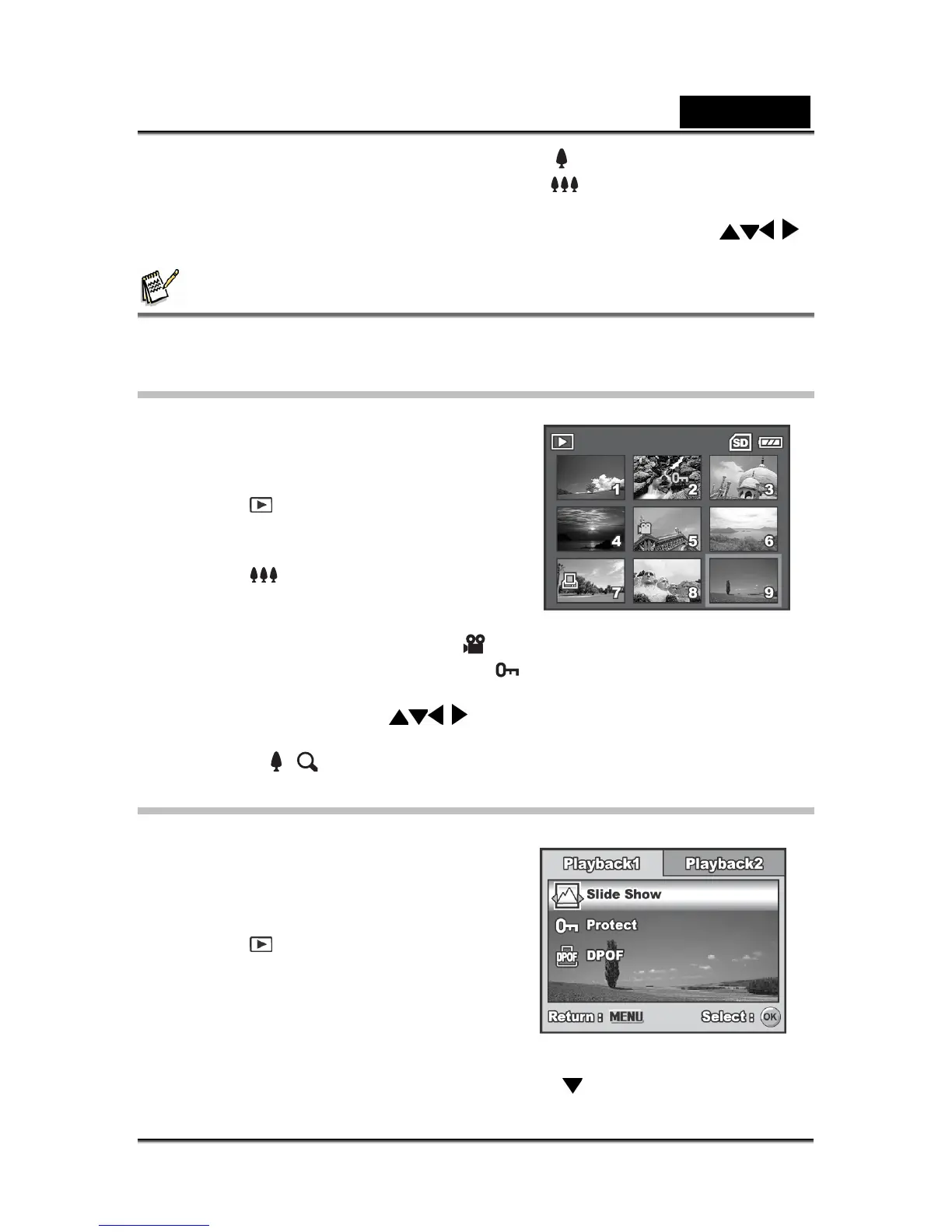
This function allows you to view 9 thumbnail
images on the LCD monitor screen
simultaneously so you may search for a
particular image.
1. Press the
button.
The last recorded image appears
on the LCD monitor screen.
2. Press the
button once.
Nine thumbnail images are
displayed simultaneously.
For recorded movie clips, the movie mode icon will be displayed.
For protected mages/movie clips, mark will be displayed. (Refer to the
section “Protecting Images/Movie Clips” for further details.)
3. Use the four-way controller (
) to move the cursor to select the image to
be displayed at regular size.
4. Press the or
/ button to display the selected image on full screen.
Slideshow Display
The slideshow function enables you to play
your images back automatically in sequential
order. This is very useful and entertaining
feature for reviewing recorded images and for
presentations.
1. Press the
button.
The last recorded image appears on the
LCD monitor screen.
2. Press the MENU button to access the
Playback menu. Then use the four-way controller (
) to select [Slide Show] and



 To Next Page