English
-35-
MENU OPTIONS
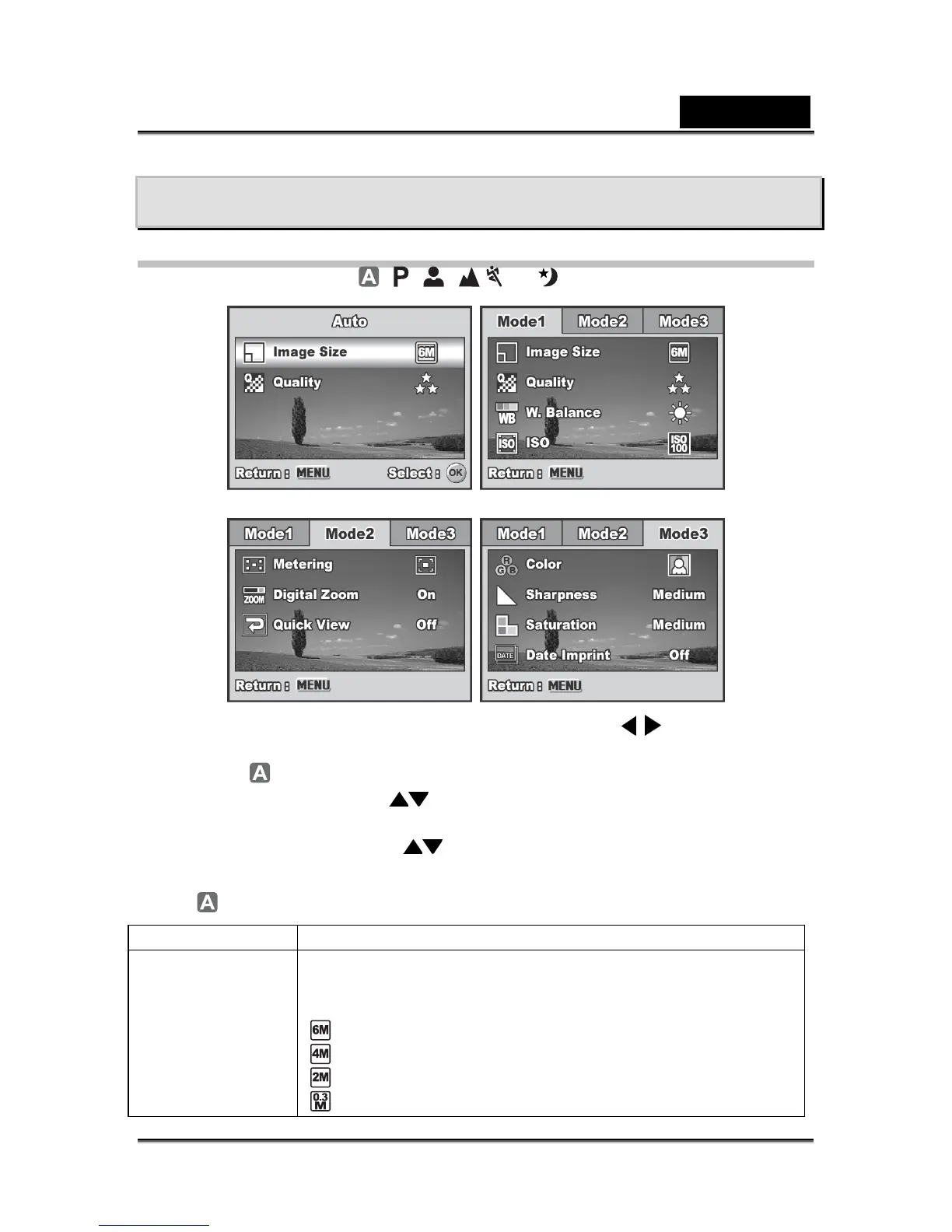
Camera Menu
1. Rotate the mode dial to , , , , or and turn your camera on.
2. Press the MENU button, then use the four-way controller (
) to select the
[Mode1] / [Mode2] / [Mode3] menu.
In Mode, press the MENU button to access the [Auto] menu directly.
3. Use the four-way controller (
) to select the option item, then press the OK
button.
4. Press the four-way controller (
) to select the desired setting, then press the
OK button.
In the
Mode
Item Functional Description
Image Size
Sets the size of the image that will be captured. Refer to the
section "Setting Image Resolution and Quality" for further
details.
2816x2112
2304x1728
1600x1200
640x480



 To Next Page