English
-9-
Flash button
11. MENU button
12. Battery / card cover
13. Tripod socket
14. . LCD monitor
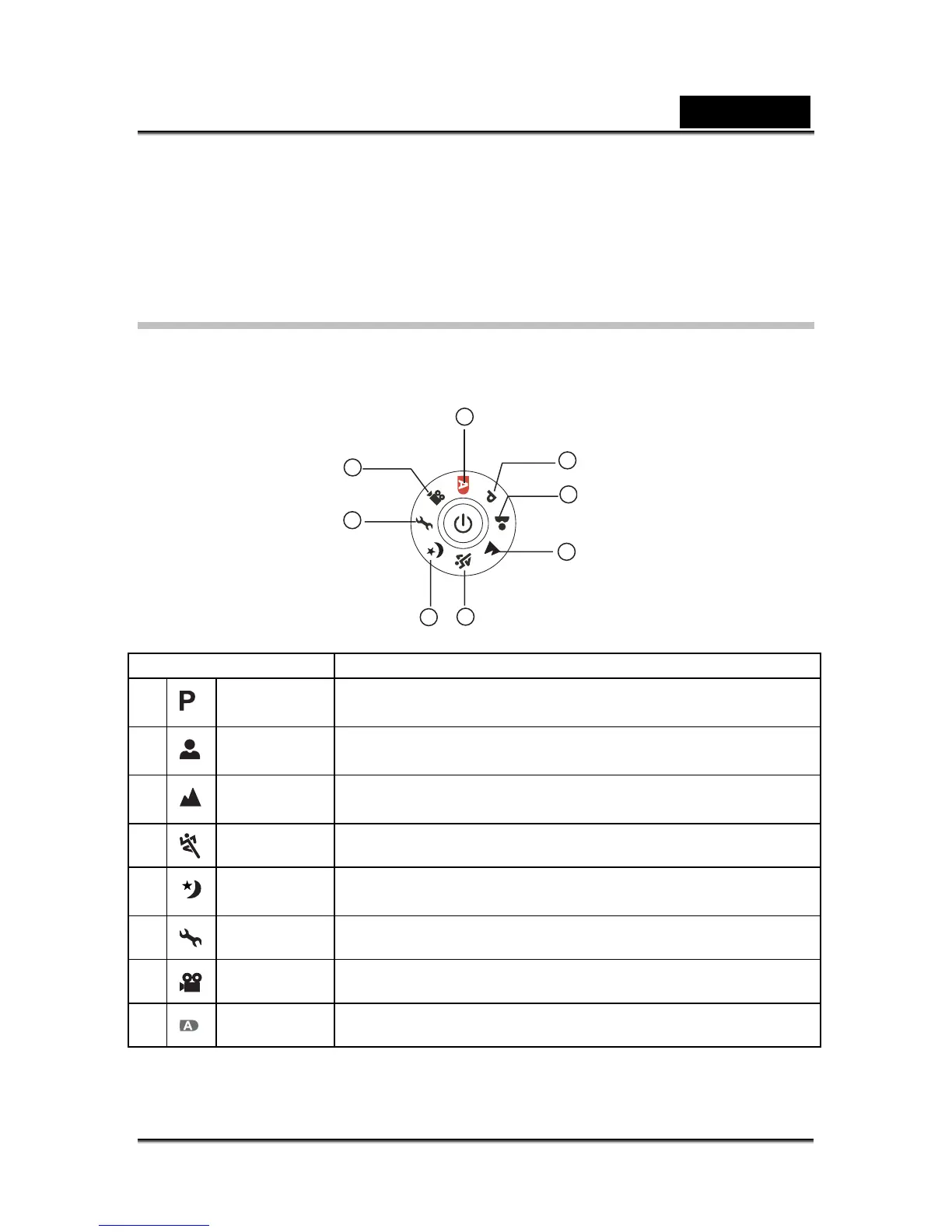
Mode Dial
You can select from seven shooting modes and setup mode according to shooting
conditions to achieve the desired effect.
Mode Description
1
Program Select this mode to permit the ISO, EV, and White Balance
to be set manually.
2
Portrait Select this mode to make people stand out with the
background out-of-focus.
3
Landscape Select this mode to take photographs of distant scenery or
landscapes.
4
Sports Select this mode to shoot fast moving objects.
5
Night Select this mode to take photographs of people against a
dusk or night-time background.
6
Setup Select this mode to adjust the camera settings.
7
Video Select this mode to record movie clips.
8
Auto Select this mode to adjust point-and-shoot action.
1
2
3
6
7
5
4
8



 To Next Page