Logging
Data logging mode can be started or stopped via ‘Key 6 - Logging’ accessed from the ‘Utilities’ menu.
Press ‘Key 4 – Start/Stop Logging’ to start and stop data logging.
Whilst in data logging mode the instrument will automatically record data at the preset intervals,
including running the pump for a preset time.
Active logging mode is indicated on the ‘Main Read Screen’ by the icon.
The operator is able to edit the default ID, pump run-time interval, set IDs and start/stop logging.
From the ‘Main Read Screen’ press the ‘Menu’ key on the instrument panel.
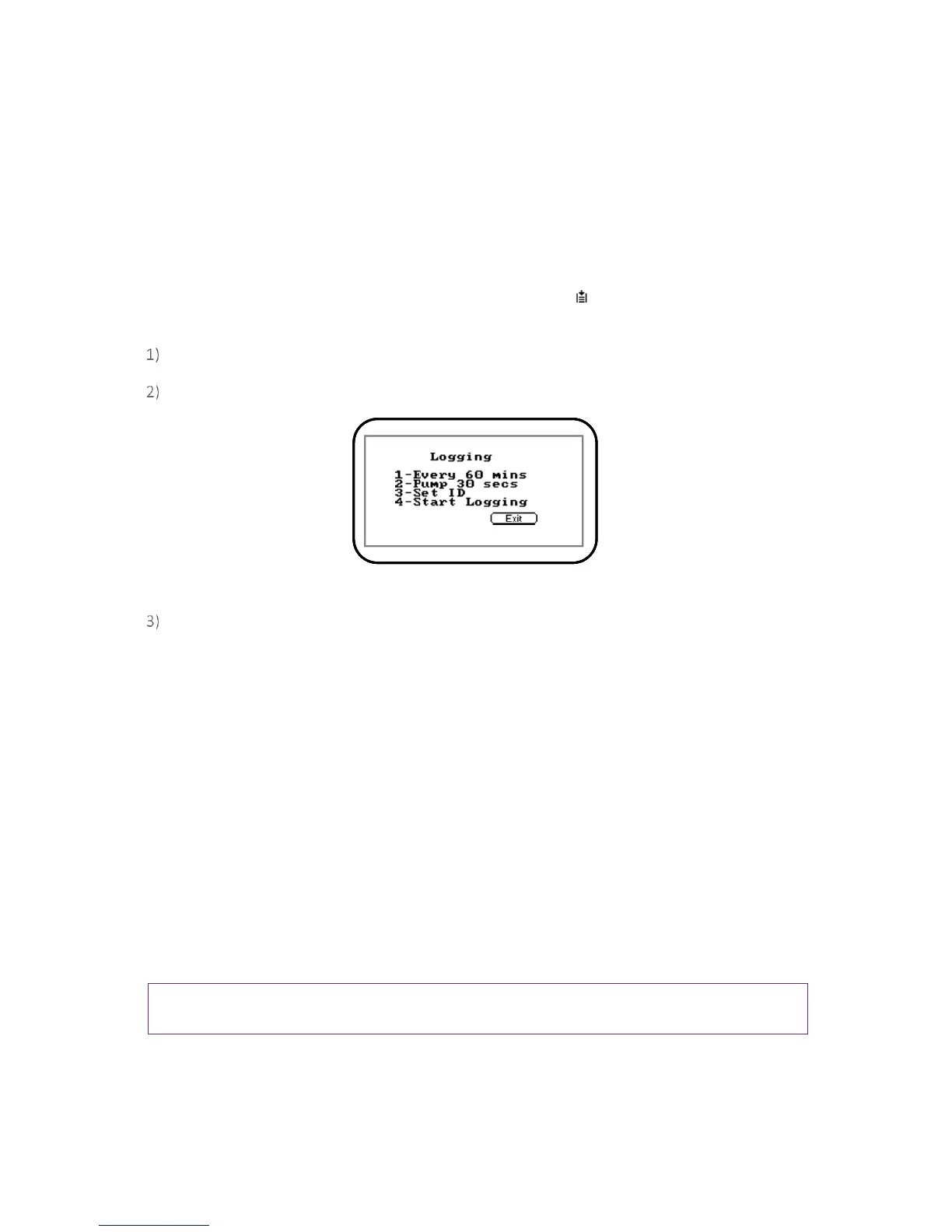
Press ‘Key 6’ to display the ‘Logging’ menu and the following screen is displayed:
Screen 13 - Logging menu
Select the desired option by pressing ‘Keys 1 to 4’. Then enter the appropriate setting using the
keypad followed by the ‘Enter’ key.
1 – Every 00 Mins: Press ‘Key 1’ to enter the time in minutes for the time frame between
sample readings. The interval controls the reading frequency in minutes, i.e. every ten
minutes.
2 – Pump 00 secs: Press ‘Key 2’ to enter the time in seconds for the length of time you wish
the pump to run when taking a sample reading. The pump run-time is the time in seconds for
which the pump runs prior to the reading being stored. This figure will also need to take into
account the length of sample tube and the volume of the sample gas. For example, there is
little point setting a pump run-time of ten seconds if it takes 30 seconds to draw in a new
sample.
3 – Set ID: Press ‘Key 3’ to create eight digit alpha-numeric ‘Site’ and ‘ID’ identifiers.
4 – Start/Stop Logging: This option is only available once an I.D. has been created by the user.
Press ‘Key 4’ to start and stop data logging.
Note: Data logging mode is automatically stopped when the instrument is switched off or if the
logging parameters are edited.



 To Next Page