EasyManua.ls Logo

Geotech G200 - Page 26

Geotech G200
61 pages
Print Icon
To Next Page IconTo Next Page
To Previous Page IconTo Previous Page
Loading...
Page 26 of 61
Operating Manual
www.geotechuk.com
OMG200N Iss.04
© QED Environmental Systems Ltd.
G 2 00 R A N G E
Use the scroll keys ‘Key 4 – Scroll Left’ or ‘Key 6 – Scroll Right’ to adjust the value displayed. The
larger the value, the less sensitive the flow fail detection is.
Press soft-key ‘Accept or ‘Reject’ accordingly.
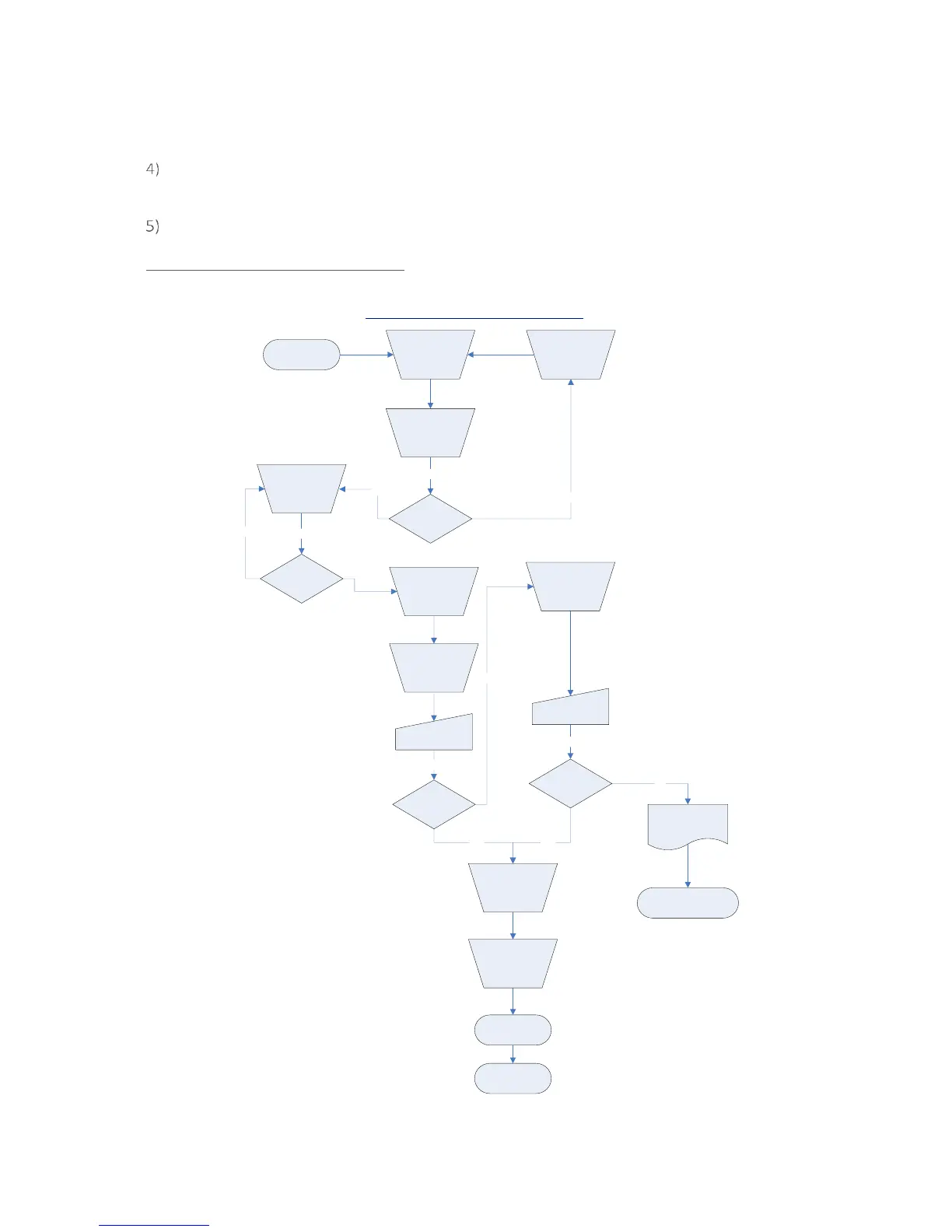
Flow Fail Set-up Process Best Practice:
Make sure that you have carried out the Preliminary Checks Best Practice before commencing the
Flow Fail Set-up. Refer to section Preliminary Checks - Best Practice for more information.

Increase
the
displayed
value by 2
Flow fail
alarm?
Flow fail
alarm?
No
Wait 5 seconds
No
Block gas inlet
Flow fail
alarm?
Wait 5 seconds
No
Block gas inlet
Flow fail
alarm?
Wait 5 seconds
Accept
Blocked or
excessive
restriction
No
Wait 5 seconds
Flow Fail Set-up Process
Best Practice
G200 Range
Decrease
the
displayed
value by 1
Increase
the
displayed
value by 3
Decrease
the
displayed
value by 1
Decrease
the
displayed
value by 1
END
Refer to Section 8.0
Problem Solving
START
Turn pump
on
Turn pump
on
Press pump
cancel
alarm
Yes Yes
Press pump
cancel
alarm
Yes

Table of Contents

Related product manuals