Page 18
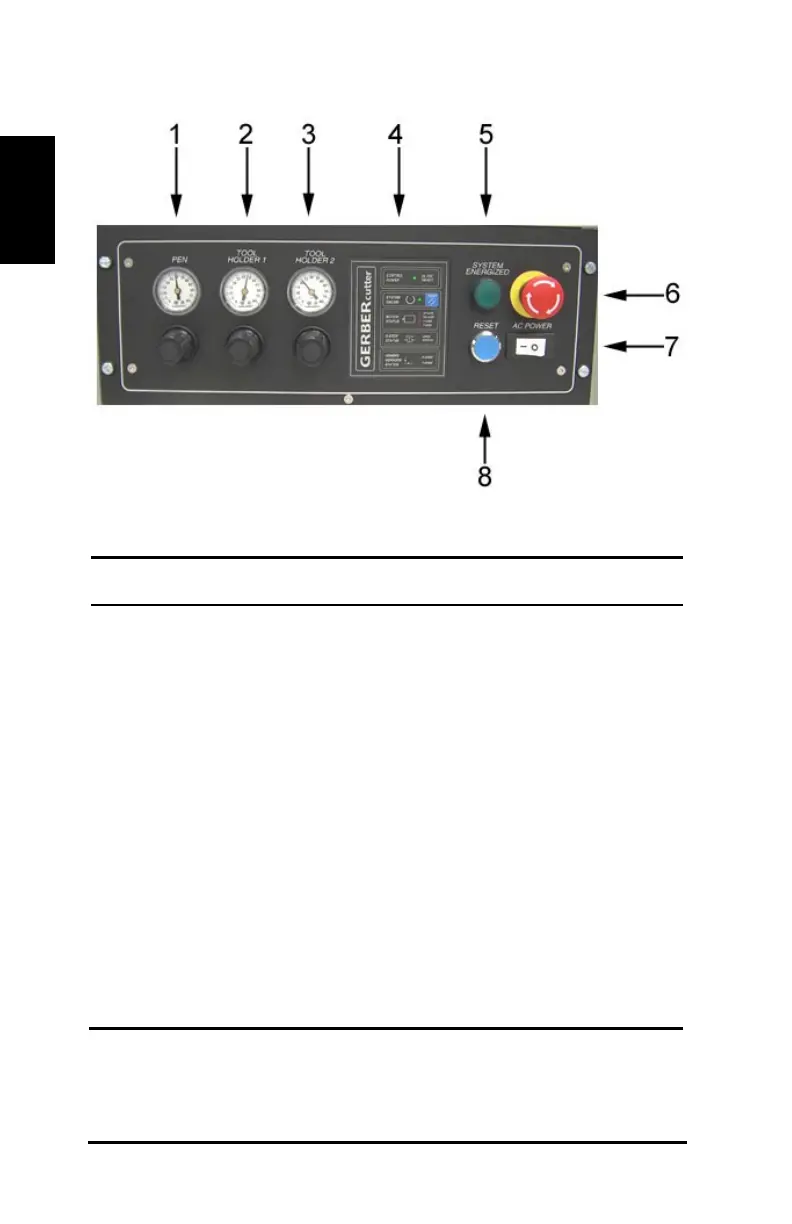
Figure 8: Control box
ID Component
Pen tool pressure regulator – Used to regulate the pen
tool pressure and tool holder 3 pressure.
Tool holder 1 pressure regulator – Knob that controls
the air pressure to the corresponding tool holders.
Tool holder 2 pressure regulator – Knob that controls
the air pressure to the corresponding tool holders.
Status board – Provides information about the cutter’s
operating status.
System energized light – Illuminates when hardware
components are energized.
E-Stop switch – Push when there is danger to people,
the cutter, or the cut material.
AC power switch – Turns cutter power on and off.
Primary reset button – Distributes power to hardware
electrical components. It is also used to reset the



 To Next Page