Page 19
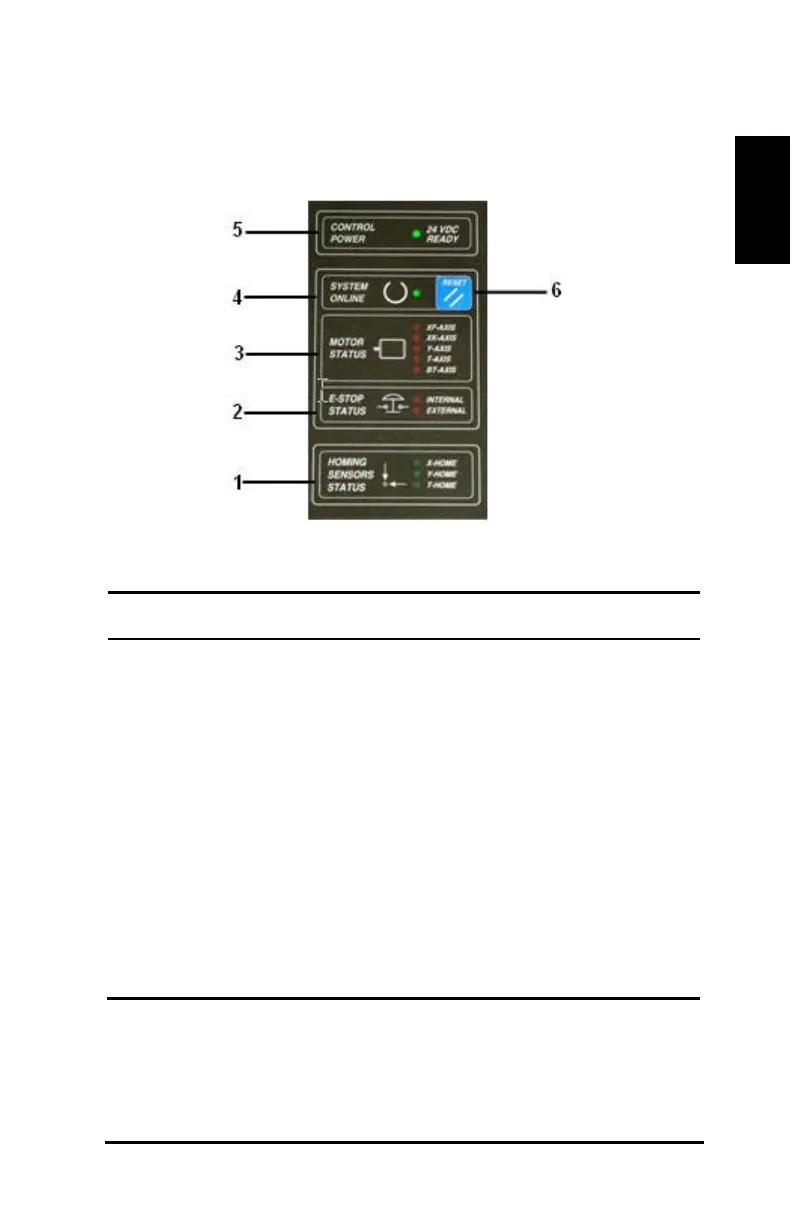
(4b) Control Box Status Board
Figure 9: Control box status board
Homing sensors status – Green lights that indicate when
the X-Home, Y-Home and T-Home switches are
E-Stop status – Red lights that indicate an activated E-
Stop.
Motor status – An illuminated red light indicates a fault
in a specific axis.
System online – An illuminated green light indicates
when servo motors are energized.
Control power – Green light that indicates if the Main
Power switch on the control box is set to ON and 24
volt electrical power is available to cutter components.
Status board reset – Blue reset button that energizes the
servo system in online mode.
(4c) Cutter On/Off
The control box AC power switch controls power to the cutter.



 To Next Page