21
3.5 Operation Elements
a. Main Power Switch:
Provide the machine with Power. Switch to ”I” for ON to operate the machine; switch to
“—“ for OFF to shut power off.
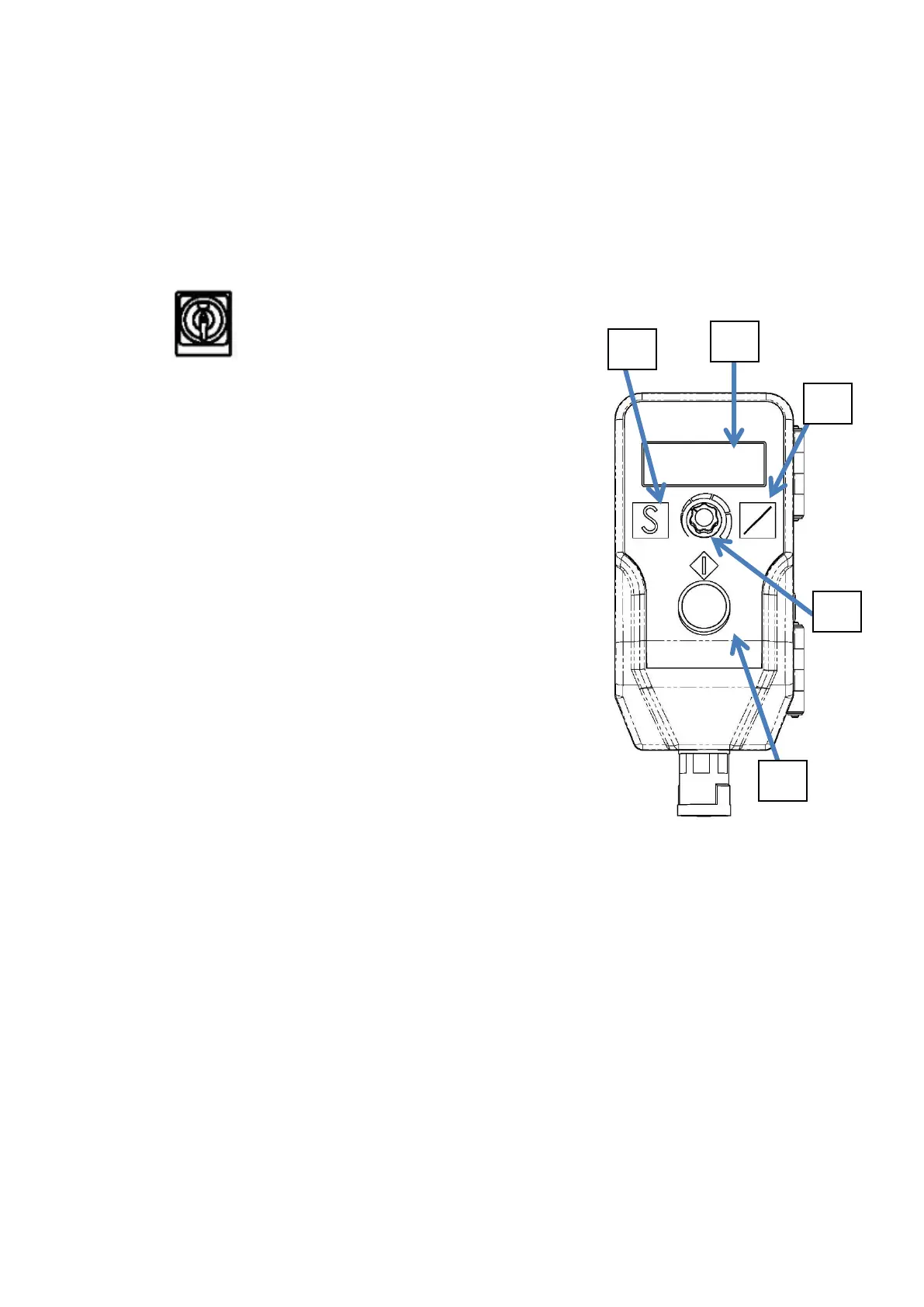
b. LCD Display:
Indicate condition and error message of the machine
c. Page Select:
This button is to select pages of function of this LCD
Display.
d. Soft Tension:
In the main page, this button could switch between
tension and soft tension.
Besides the main page, this button could work as
“home page” button.
e. Potentiometer:
Press down to select/confirm. Rotate clockwise to
increase value, and rotate counter clockwise to
decrease value.
f. Start Button:
To start machine with select operation


 To Next Page