Template Module, Version 2.1, 11.08.2020 / Template Basiseinstellungen: Version 3.1 - 07.07.2020
Making calls
Gigaset easy E295-E295A / LUG-Kombi US en / A31008-M2901-R351-1-3S19 / telephony.fm / 2/8/22
18
Muting
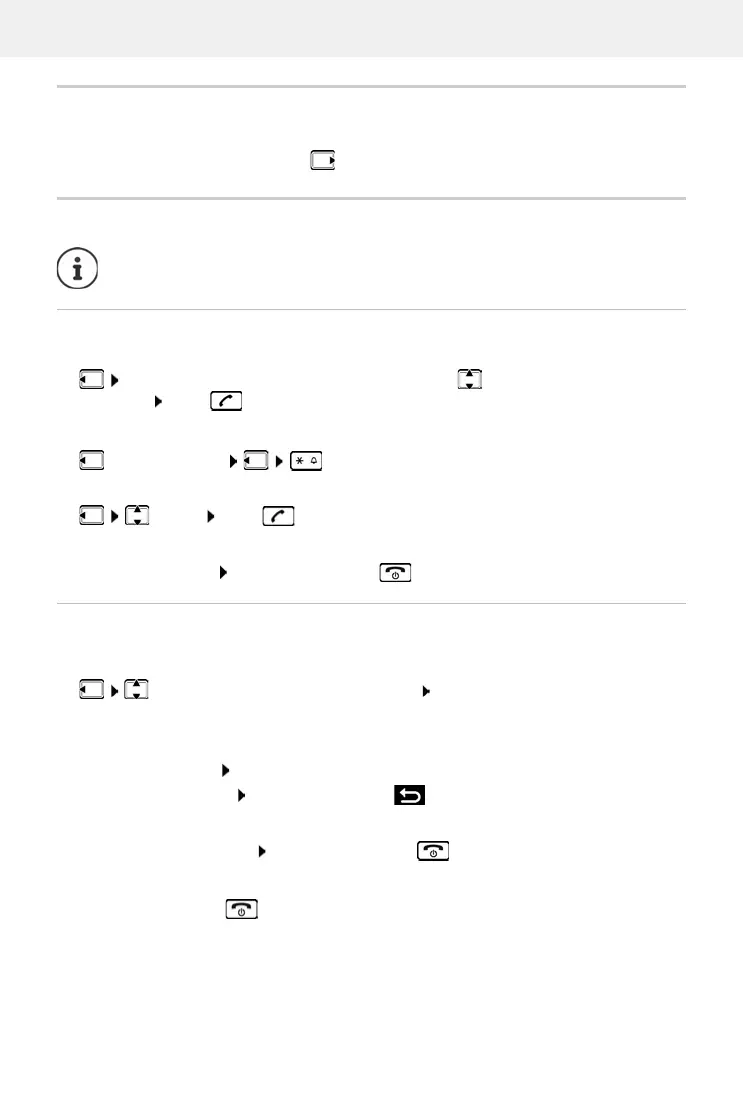
When the microphone is switched off, the people you are talking to can no longer hear you.
During a call, press the control key (right) . . . The handset microphone is switched off
Making internal calls
Making internal calls
Calling a specific internal subscriber:
Calling all handsets ("group call"):
Press and hold or
or
Ending the internal call: Press the End call key .
Making an internal consultation call / Forwarding a call
Call an external subscriber and transfer the call to an internal subscriber or hold a consultation
call with him or her.
Select as required the handset or Call All OK . . . The internal subscriber(s) is/are
called, the external subscriber hears music on hold
Possible options
Hold a consultation call: Speak to the internal subscriber
Return to the external call: Press the Display key
Transfer the external call when the internal subscriber has answered:
Announce an external call Press the End call key
Transfer the external call before the internal subscriber answers:
Press the End call key . . . The external call is forwarded immediately
Internal calls are free calls to other handsets registered to the same base.
when more than two handsets are registered: Use to select the internal
subscriber OK or . . . The handset selected is called
Call All OK or . . . All registered handsets are called. You speak to the first
internal subscriber to pick up.



 To Next Page