Gigaset easy E295-E295A / LUG-Kombi US en / A31008-M2901-R351-1-3S19 / telephony.fm / 2/8/22
Template Module, Version 2.1, 11.08.2020 / Template Basiseinstellungen: Version 3.1 - 07.07.2020
Directory
23
Directory
The local directory is unique to a handset. Entries can be sent to other handsets however
( p. 24).
Up to 150 phone numbers (max. 30 digits) with associated names (max. 16 characters)
ca
n be stored.
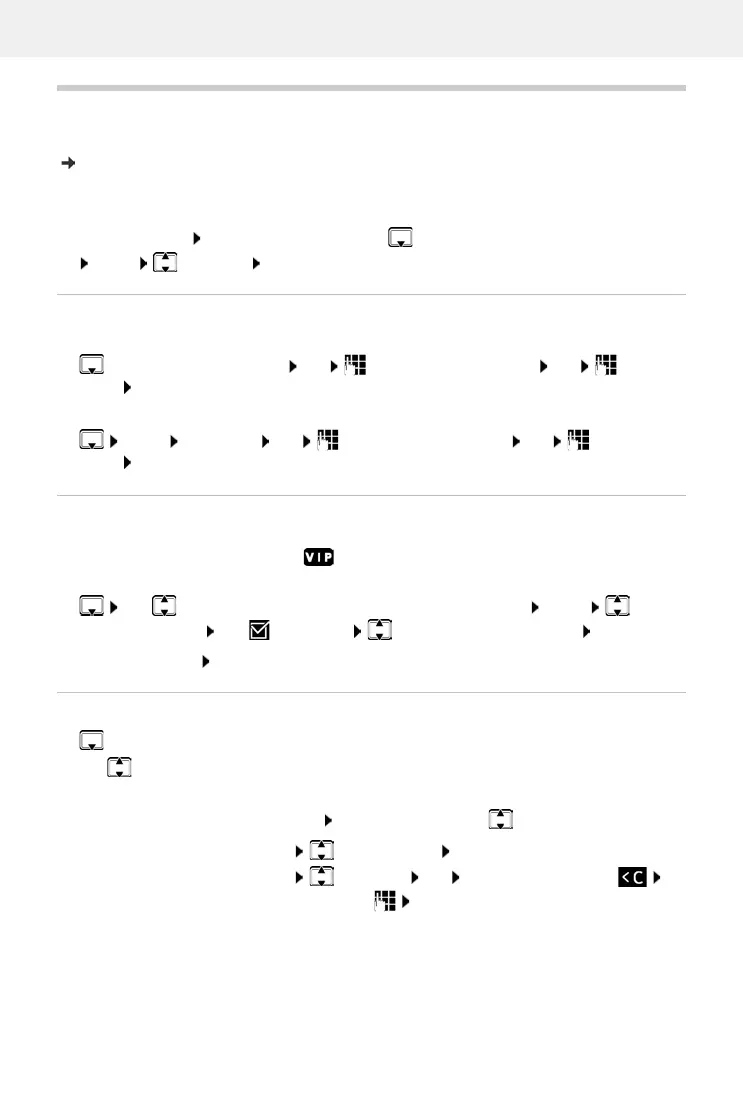
Open the directory:
Press down the control key
or:
Menu Directory OK
Creating a directory entry
First entry:
More numbers:
Menu New Entry OK Enter the phone number OK Enter the
name OK
Marking an entry as VIP
Every existing entry can be marked as a VIP contact. VIP contacts are assigned their own ring-
tones and are displayed with symbol in the directory and when they call.
Creating a VIP entry:
Use to scroll to the entry you want to make a VIP contact Menu Select
VIP Caller Melody OK ( = enabled) Select the ringtone melody OK
Resetting a VIP mark: Select No Melo
dy as the ringtone melody
Selecting/editing the directory entry
Open the directory
Use to scroll to the entry until the required name is selected
or
Enter the first character of the name Scroll as required with to the entry
. . . No entries. New entry? OK Enter the phone number OK Enter the
name OK
Display number:
Menu Show Number OK
Change entry:
Menu Edit Entry OK Delete characters with
change entry with OK



 To Next Page