Template Module, Version 2.1, 11.08.2020 / Template Basiseinstellungen: Version 3.1 - 07.07.2020
Additional functions
Gigaset easy E295-E295A / LUG-Kombi US en / A31008-M2901-R351-1-3S19 / applications_alhena.fm / 2/8/22
30
Additional functions
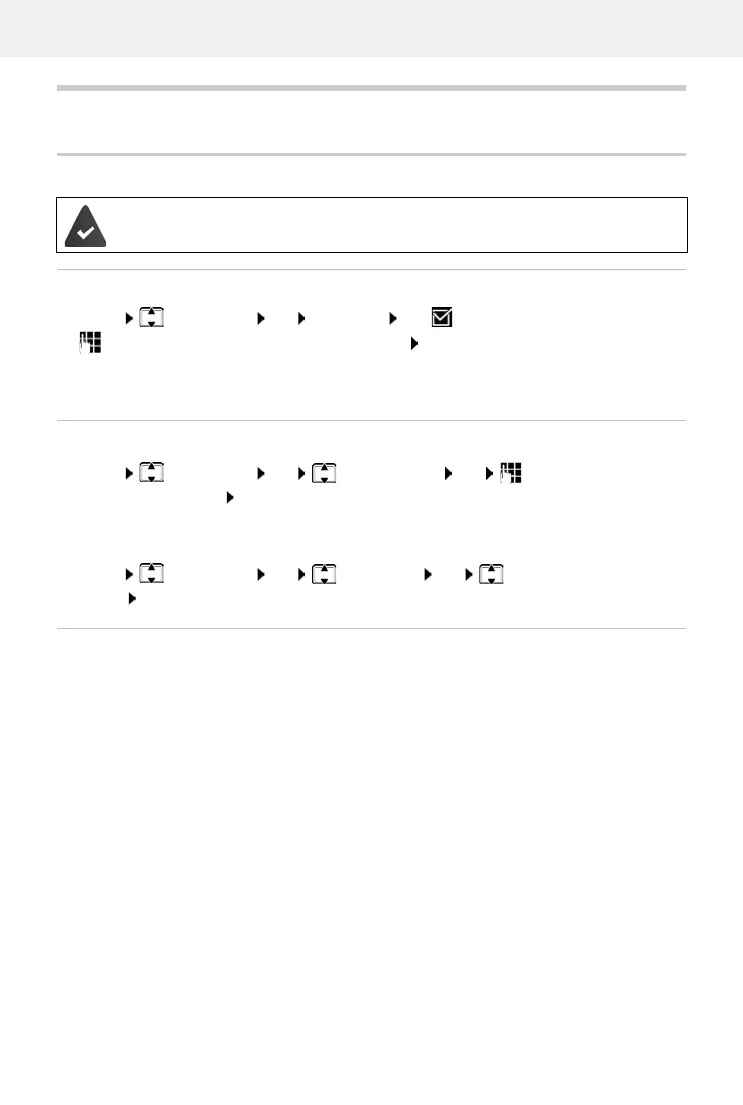
Alarm clock
Turning the alarm clock on and off
Menu Alarm Clock OK Activation OK ( = turned on)
Enter the wake-up time in hours and minutes OK
Alarm clock turned on: Instead of the date, the display shows the wake-up time and left of it the
alarm clock symbol.
Setting/changing the wake-up time
Turning off the wake-up call
A wake-up call is shown on the display and indicated by the ringtone melody selected.
Off . . . The alarm call is switched off for 24 hours
or
Press Later or any key . . . Snooze is shown on the display, the alarm call is repeated after five
minutes
Date and time have been set.
Menu Alarm Clock OK Wake-up Time OK Enter the wake-up time
in hours and minutes OK
Setting days
Select when the alarm is to be active, daily or only on workdays.
Menu Alarm Clock OK Occurrence OK Select Daily / Monday-
Friday OK



 To Next Page