Gigaset easy E295-E295A / LUG-Kombi US en / A31008-M2901-R351-1-3S19 / answering_A.fm / 2/8/22
Template Module, Version 2.1, 11.08.2020 / Template Basiseinstellungen: Version 3.1 - 07.07.2020
Network mailbox
29
Network mailbox
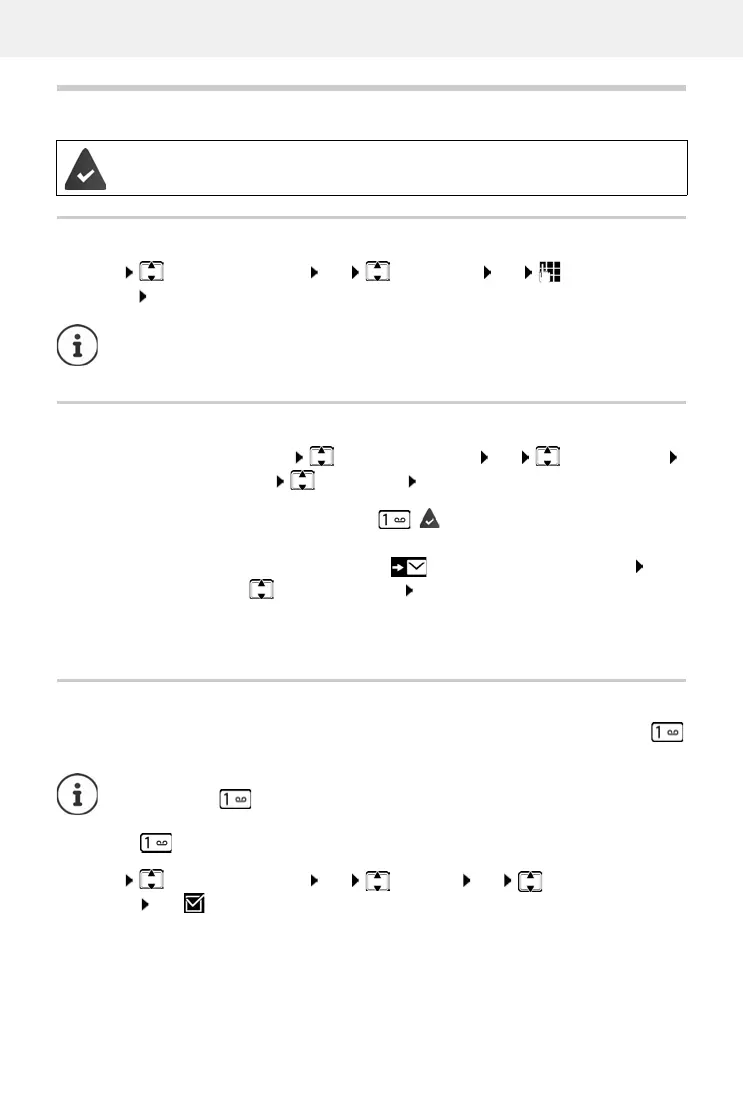
Entering a number
Playing messages
. . . The network mailbox is called and the voice menu of the network operator is used for subse-
quent use
Assigning key 1
When you use a local and a network mailbox, you can specify which one is opened with the
key.
The network mailbox is registered with the network provider.
Menu Answering Machine OK Net Mailbox OK Enter the
number OK . . . The network mailbox is enabled
To enable and disable the network mailbox, use the number and a function code from
your network provider. Contact the network provider if you require any further infor-
mation.
From the menu:
Menu Answering Machine OK Play Messages
OK Net Mailbox OK
Using key 1:
Press and hold key ( key 1 is assigned to the network
mailbox)
From the message list:
Press the Display key . . . The list selection is opened
Network Mailbox OK
Settings for quick access are handset-specific. A different answer machine can be
assigned to key on every handset registered.
Device without network mailbox: the network mailbox is automatically linked to
key .
Menu Answering Machine OK Set Key 1 OK Answ. Mach. / Net
Mailbox OK ( = selected)



 To Next Page