Gigaset easy E295-E295A / LUG-Kombi US en / A31008-M2901-R351-1-3S19 / settings.fm / 2/8/22
Template Module, Version 2.1, 11.08.2020 / Template Basiseinstellungen: Version 3.1 - 07.07.2020
Phone settings
39
The display flashes for new messages
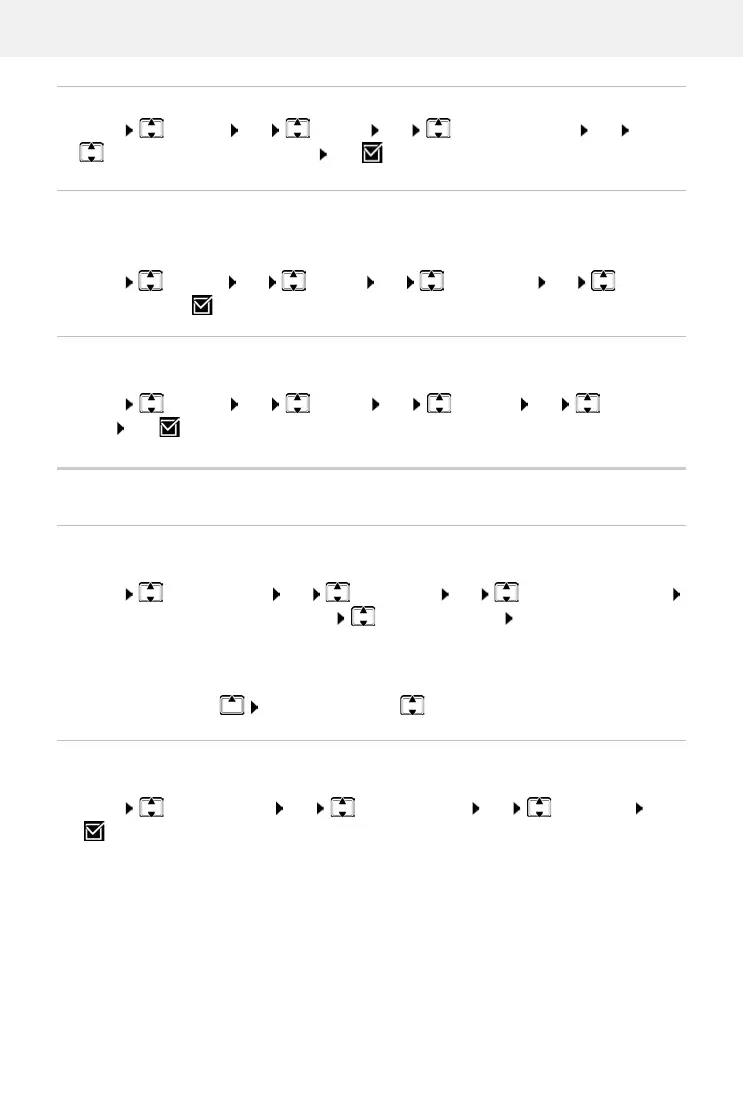
Menu Settings OK Display OK Backlight Control OK
Flash Display for Notifications OK ( = enabled)
Screensaver
Contrast
Adjust the display contrast on 9 levels.
Menu Settings OK Display OK Contrast OK Select the
level OK ( = selected)
Tones and signals
Call volume
Adjust the receiver volume or handsfree function on 5 levels.
Menu Audio Settings OK Call Volume OK Earpiece / Handsfree
OK . . . The current setting is displayed Select the volume OK
Changing the volume during a call
During a call, set the volume of the receiver on 5 levels.
Press the control key set the volume with
Tone quality
Change the tone quality of the receiver to how you want it.
Menu Audio Settings OK Acoustic Profile OK Low / High OK
( = selected)
The screensaver is enabled when the phone is not used over a longer period of time. The time is
shown as the screensaver.
Menu Settings OK Display OK Screensaver OK Select the
required option ( = enabled)



 To Next Page