Gigaset easy E295-E295A / LUG-Kombi US en / A31008-M2901-R351-1-3S19 / settings.fm / 2/8/22
Template Module, Version 2.1, 11.08.2020 / Template Basiseinstellungen: Version 3.1 - 07.07.2020
Phone settings
37
Phone settings
Date and time
Setting
Set the date/time so that the correct date and time can be assigned to incoming calls and to
enable the alarm to be used.
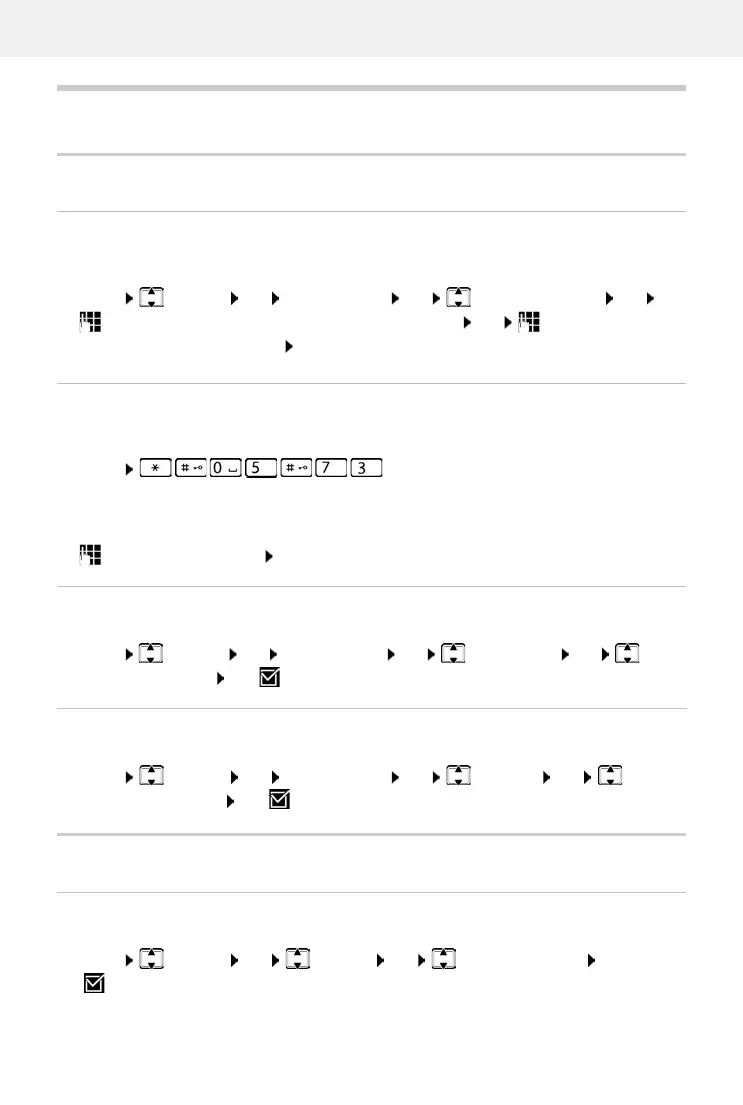
Menu Settings OK Date and Time OK Set Date and Time OK
Enter the date (month, day and year) in 8-digit format OK Enter the time (hours
and minutes) in 4-digit format OK
Using the network time
If date and time are also to be sent to your phone by your network operator (or a router/PABX)
during calling line identification, you can specify whether and when these are accepted:
Enter the required digit OK
Country and language (if available)
Country
Select the country where you use the phone.
Menu Settings OK Country OK Select the country OK
( = selected)
Menu . . . The digit for the current setting flashes:
1 = Never
2 = Once, if the dat
e and time are not set on your phone or
3 = Always
Setting the time format
Display the time in 12-hour format instead of 24-hour format.
Menu Settings OK Date and Time OK Time Format OK Select
24-hour or 12-hour OK ( = selected)
Changing the calendar (if available)
Show the date in Persian calendar format not the Gregorian.
Menu Settings OK Date and Time OK Calendar OK Select
Gregorian or Persian OK ( = selected)



 To Next Page