20
Gigaset SL910/910A / GBR/IRL / A31008-M2300-L101-1-7619 / starting.fm / 23.08.2011
Version 4.1, 21.11.2007
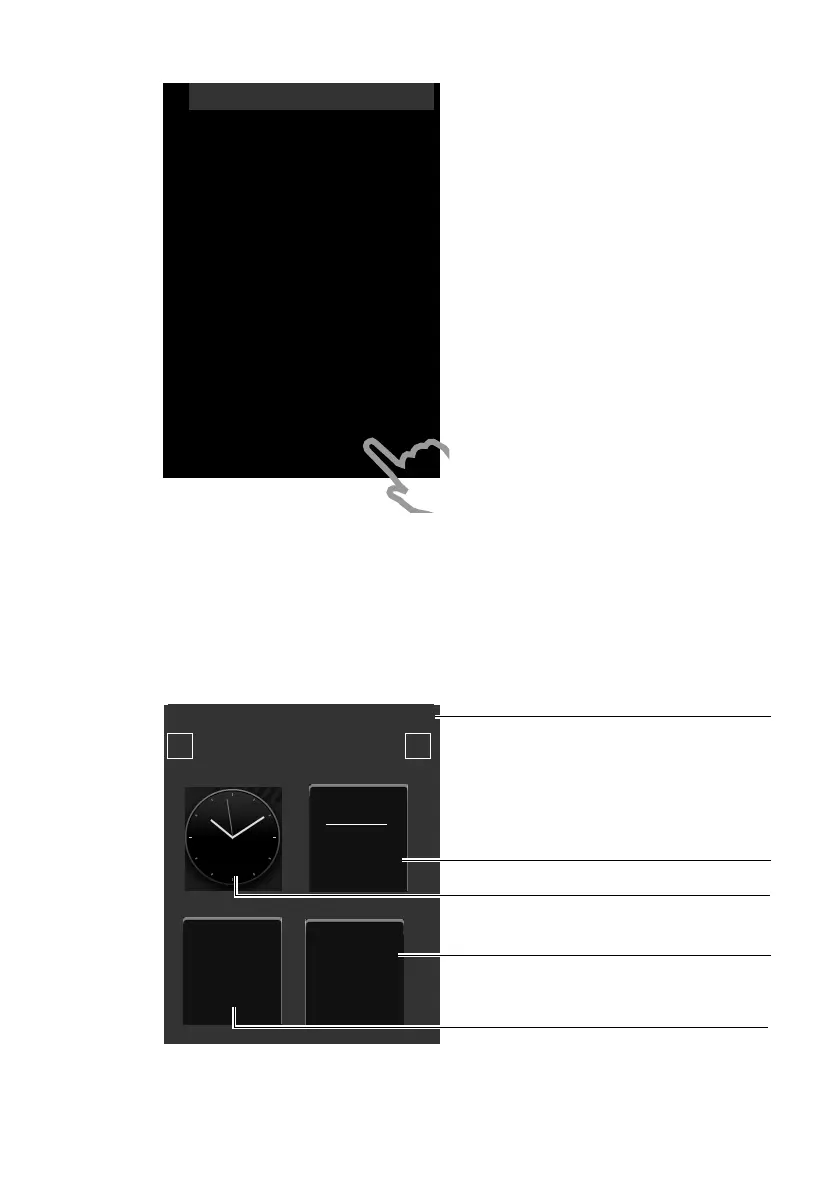
Handset in idle status
Once you have configured all the necessary settings, your handset switches to idle
status. There are three idle display pages (
¢ page 22). When you first set up the
phone, the configurable page that you can customise is displayed. Here, you can
compile important functions and phone numbers for quick access (
¢ page 72).
Some are set by default.
Your phone is now ready for use.
The Welcome page is displayed again.
¤ Touch the [ è Save Setting] option to
save your settings.
The handset switches to idle status.
L
Welcome
Time
08:32
M
Date
01.07.2011 M
Display Language
English M
Country
United Kingdom M
Area (Dial Code)
020 M
õ
‰
Skip Settings Save Setting
Ð
INT 1
¼ 06:00 V
<
Å Ä Ä
>
˜
Call List
Â
Contacts
April 2011
28
Thursday
Status bar
Contains the internal handset name (e.g.,
INT 1
)
and icons that display the current settings and
the operating status of the phone. To discover
the meaning of the icons, see page 7
.
Touch the status bar to display the status page
(
¢page 23)
Current date
Time
Open directory
Open call lists



 To Next Page