80
Setting up the base
Gigaset SL910/910A / GBR/IRL / A31008-M2300-L101-1-7619 / settings-pabx.fm / 23.08.2011
Version 4.1, 21.11.2007
System security – Changing the system PIN
Secure the settings in the base with a 4-digit system PIN (default: 0000).
Gigaset SL910A: Setting a system PIN enables remote operation of the answering
machine (
¢ page 57).
¤ In the Settings menu (¢ page 24), touch [ Ê System].
¤ Touch the ’ next to System PIN. ¤ Enter your system PIN (4 digits; 0–9).
¤ Confirm with è.
Resetting the system PIN
If you have forgotten your system PIN, you can reset it to 0000. If you do this, all the
base settings will be reset and all the handsets will be de-registered!
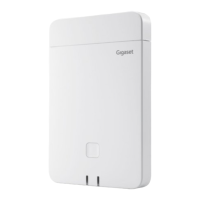
¤ Remove the power cord from the base. ¤ Press and hold the register/paging key
on the base and at the same time reconnect the power cord to the base.
¤ Hold
the register/paging key for another 2 seconds.
Resetting the base to the default settings
When the settings are restored:
u Date and time are retained
u Country and area codes are retained
u Call lists and the redial list are not deleted
u Handsets are still registered
u The system PIN is not reset.
¤ In the Settings menu (¢ page 24),
touch [
Ê System].
¤ If necessary, scroll to Resets. ¤ Touch
Base Reset.
¤ Enter system PIN.
¤ Complete entry with è. ¤ Confirm
with Ye s.
In the [ ÊSystem] submenu:
Resets
Handset Reset Base Reset


 To Next Page